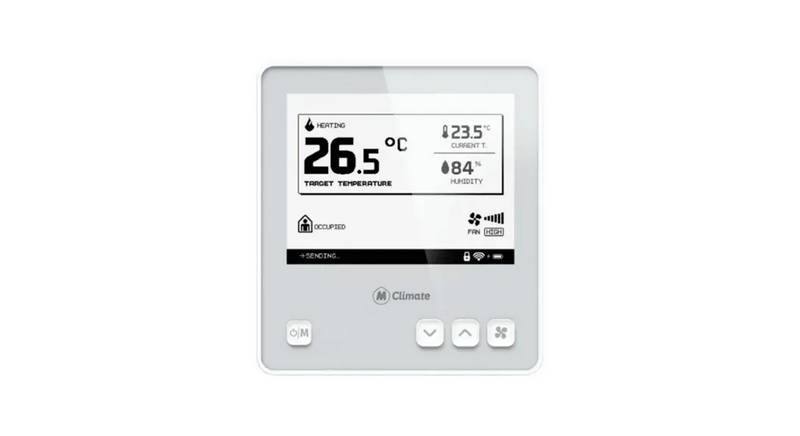
Home > ajax > AJAX108846 White Smart Wifi Thermostat Instruction Manual

AJAX108846 White Smart Wifi Thermostat Instruction Manual

V2.7  
01  
02  
03  
INSTALL  
04  
Thermostat Instruction  
Easy touch Easy warm  
GeneralDetails
NameAJAX108846 White Smart Wifi Thermostat Instruction Manual
Makeajax
LanguageEnglish
FiletypePDF (Download)
File size0.37 MB
Download PDF
1 Star2 Stars3 Stars4 Stars5 Stars (1 votes, average: 5.00 out of 5)
Loading...
AJAX108845 White Digital Programmable Thermostat User Guide
AJAX ETHT82 White Touch Screen Thermostat Instruction Manual

AJAX108846 White Smart Wifi Thermostat Instruction Manual
Get the free PDF manual for the AJAX108846 White Smart Wifi Thermostat Instruction Manual and access setup steps, usage instructions, and troubleshooting tips. 👉 View online or download now to keep your thermostat running smoothly!

AJAX108846 White Smart Wifi Thermostat Instruction Manual Overview

Summary of Contents

  • Page 1: - Thermostat instruction - Easy touch easy warm
  • Page 2: Introduction Technical specifications Installation Wiring instruction Thermostat symbols WiFi connection Function and operation On/Off Temporary override temperature Troubleshooting
  • Page 3: Installation Introduction The WIFI WHITE series is an intuitive programmable thermostat used to control electrical floor heating system or water heating system. It will keep home at a comfortable temperature whilst minimizing energy use. Install the app on your smartphone to control heating system remotely with the WiFi thermostat. Connect the thermostat according to the wiring instruction. Supply voltage: 85-265Vac 50/60Hz Standby power: <1W Max load: 16A (electric heating)/3A (water heating) IP class: IP21 Cable specification: ≤2.5mm²
  • Page 4: Thermostat symbols Wiring instruction Day indicator Period indicator Holiday left Hold left Power Floor sensor Room temp Set
  • Page 5: WiFi connection instructions include several steps for operating the thermostat. Operate the thermostat and click 'Press to connect' if the WiFi icon flashes quickly. Register and log in with a mobile number or email address in the app. Enter the WiFi password and click 'Confirm'. Click 'Add Device' or '+' on the top-right to add the device. If the device is added successfully, you can change the device name and set the region. If connection fails, confirm the WiFi is 2.4G and check the signals, then use 'AP mode' to connect again. Read and agree to the 'Privacy Policy and Service Agreement' before registration. Scan the QR code or download the Warmme app from the app store or Google browser. You can check the actual temperature and set temperature at the control interface.
  • Page 6: Set the time on the actual temperature interface by pressing the appropriate buttons to enter day, hour, and minute settings. When frost protection is active, the thermostat will maintain the frost protection temperature when it is off. If the thermostat is WiFi version, it will update time automatically after connecting to WiFi. The temporary override temperature is only valid for the current event and will not be saved. In Holiday Mode, the thermostat will maintain the set temperature until the holiday time ends. Lock all keys to prevent settings from being changed by pressing and holding for 3 seconds. To cancel Holiday Mode, press the designated button. Set the holiday days to zero or double press to exit Holiday Mode.
  • Page 7: Hold mode allows the thermostat to maintain the set temperature until canceled. To enter hold mode, press the designated button on the actual temperature interface. The thermostat can be set for different times throughout the week, including weekdays and weekends. Advanced settings are available for special situations and are typically configured by technicians during installation. Edit settings allow for changes to parameters if neither holiday mode nor hold mode is selected. To access advanced settings, specific buttons must be pressed on the actual temperature interface. Each setting can be adjusted by selecting the desired day and event, followed by setting the starting time and temperature. Confirmation of settings can be done by pressing designated buttons to return to the event selection or actual temperature interface. The thermostat provides flexibility in programming to suit user preferences. Parameters can be adjusted easily through a series of button presses.
  • Page 8: Room temperature calibration: Calibrate the temperature detected by the room sensor. Floor temperature calibration: Calibrate the temperature detected by the floor sensor. Anti-frozen function: This option allows you to bring warmth to your plant and pet with a lower temperature. Sensor selection: Choose between room sensor, floor sensor, or both sensors. Floor temperature limit: If you choose both sensors, the floor temperature limit must be set to protect the floor. Temperature unit: °C and °F can be selected. Output delay: This option helps you avoid inadvertent operation on heating. Temperature deviation: The deviation is 1°C. The thermostat starts to work when the actual temperature is 1°C lower than the set temperature. Reverse output: This function works for the cooling system. The thermostat will disconnect the cooling system when the temperature is 1°C higher than the set temperature. Adaptive function: After several days of installation and use, the adaptive function ensures that the required temperature has already been reached when the next event begins.
  • Page 9: Troubleshooting E1: Room sensor error. E2: Floor sensor error.