
Home > GENERAL LIFE > GENERAL Life HT100S Digital Room Thermostat User Guide
GENERAL Life HT100S Digital Room Thermostat User Guide
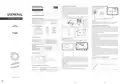


ROOM THERMOSTAT PLACEMENT
ROOM THERMOSTAT WIRING DIAGRAM
ENGLISH
Room Thermostat needs to be placed in the room which is used most
frequently.For instance; living room or lounge.Placing the Room
Thermostat in a spot that have air circulation like entrance of a room
or side of window should be avoided. Also anywhere close to heating
units such as radiator, stove and spots which get direct sun lights
would not be suitable. Room Thermostat needs to be located above
the floor 150 cm height. Few trials may be made to find the most
convenientspot.
HEATING UNIT
DIGITAL ROOM THERMOSTAT
generallife.com.tr
HT100S USER MANUAL
NO COM
GENERAL SPECIFICATIONS
DIGITAL ROOM THERMOSTAT
min. 20 cm
HT100S is a wired room thermostat. The user can adjust the room
temperature with the required temperature and get more comfortable
and economic heating.
WARNING!
Operations inside the boiler or related to the electrical installation
must be carriedout bypersons withprofessional competence.
PreciseTemperatureMeasurement
Wired Connection
TPIAlgorithm
ON/OFFControl
HT100S
USER MANUAL
TPI ROOM THERMOSTAT WORKING LOGIC
HT100S AND EQUIPMENTS
Your Room Thermostat works with the TPI algorithm in the heating
option. Room Thermostats using TPI technology predict when the
temperature of your home will rise above or below the set
temperature and turn the heating unit on and off accordingly. This
ensures that your home stays at the temperature you set without
maximum deviationsup and down.
HT100S
Room Thermostat
Alkaline
Battery
Dowels and
Screws
What is TPI?
TPI technology is designed to ensure that you get the best possible
energy efficiency from yourheating system. It measures and applies the
best possible timings to deliver and maintain your home at the set
temperaturelevel.
TECHNICAL DATA
BATTERY PLACEMENT
How does TPIwork?
Dimensions ( H / L / W )
Operating Current
85mm / 125mm / 24mm
3V DC (2 x AAA alkaline battery)
2A/30VDC (Resistive load)
0.5A/125VAC (Resistive load)
0.1oC
Thanks to the advanced artificial intelligence technology found in the
software, it adapts to the temperature change of the environment in
which it is located. By creating a general temperature map of your home,
it learns how long it takes to reach the desired room temperature and
how to maintain this temperature. In this way, it provides minimum
energy consumption by calculating how long your heating unit should
workfor.
Before starting, power off the device connected to the Room
Thermostatand makesurethattheenergy is cutoff.
Relay NO Switching Current
Temperature Measurement
Accuracy
Operating Temperature Range
Battery Life
(5oC) – (35oC)
1 Year (2 x AAA)
(-10oC) – (+50oC)
(-20oC) – (+60oC)
Whatis thedifference?
Operating Temperature
Storage Temperature
In non-TPI room thermostats, the heating unit works and stops
continuously until it exceeds the set temperature value. If the set
temperature drops below a certain amount, the heating unit will work
again. This creates greater temperature fluctuations and less energy
control. TPI Room Thermostats, on the other hand, provide higher
savings and comfort compared to On/Off room thermostats with the
advantagesithas.
ROOM THERMOSTAT
As shown in the picture above, press the screwdriver forward from the
space shown, bend the tabs and separate the front cover. Insert 2 new
AAA alkaline batteries in the battery housing with the correct battery
direction. Replace both batteries at the same time. Then align the
front part of your Room Thermostat to the back and squeeze it
towards theback.
TPI ROOM THERMOSTAT WORKING GRAPHIC
TEMPERATURE (ºC)
Desired Temperature
TPI Room Thermostat
Indicator LED
30
Adjustment Knob
23
WARNING!
When the product is not used for a long period (more than 15 days),
remove the batteries. Otherwise, malfunctions that may occur would
be out of warranty.
RoomThermostatIndicator LED Descriptions
If it blinks once
If it blinks twice
The relay contact opens and the heating unit
Pleasethrow yourdead batteriesinto thewastebin for batteries.
stops working.
Time
5
The relay contact closes and the heating unit
starts.
generallife.com.tr
1
2
3


| General | Details |
|---|---|
| Name | GENERAL Life HT100S Digital Room Thermostat User Guide |
| Make | GENERAL LIFE |
| Language | English |
| Filetype | PDF (Download) |
| File size | 2.02 MB |
 (1 votes, average: 5.00 out of 5)
 Loading...

GENERAL LIFE HT330S RF Room Thermostat User Manual

GENERAL LIFE FH103S Underfloor Heating Thermostat User Manual

GENERAL LIFE HT250 RF Digital Room Thermostat User Manual

GENERAL LIFE FH104S Underfloor Heating Thermostat User Manual

GENERAL LIFE ARUNA 302S Digital Room Thermostat User Manual

GENERAL LIFE FH250S Underfloor Heating Thermostat User Manual

GENERAL LIFE FC220 Digital Fan Coil Thermostat User Manual

GENERAL LIFE HT220S RF Digital Room Thermostat User Manual

GENERAL LIFE 270S RF Room Thermostat User Manual

GENERAL LIFE 270 Wireless Room Thermostat User Manual

General Life HT100S Manual: Questions and Answers
How do I know if the heating has turned on or off on my General Life thermostat?
Watch the indicator LED. One blink means heating stops; two blinks mean heating starts. User Guide, p. 1
At what height should I mount the thermostat on the wall?
Mount it 150 cm above the floor. User Guide, p. 1
Other General Life HT100S manuals
- GENERAL HT100S Digital Room Thermostat User Manual
- GENERAL LIFE HT100S RF Wireless Room Thermostat User Manual
More General Life thermostat manuals

Honeywell T6 Pro Programmable Thermostat User Manual

nest B08K2M13NY Thermostat E Smart Thermostat Installation Guide

GENERAL LIFE MITRA 260S RF Digital Room Thermostat User Manual

Gelia ip24 1.5m Cable With Stepless Thermostat Instruction Manual

Honeywell T9 Smart Thermostat Installation Guide

ideal HEATING HALO LITE Room Thermostat User Guide

Danfoss UT 72-UT 73 Universal Thermostat Installation Guide

BOSCH RT20 RF Room Thermostat User Manual

BEOK TGP508 WiFi Touch Screen Thermostat User Manual

NEOMITIS RTE7SD Mains Powered Digital 7 Day Programmable Room Thermostat Instruction Manual