
Home > ENGO CONTROLS > ENGO CONTROLS E25-BATW Zig Bee 868MHz Smart Thermostat User Guide
ENGO CONTROLS E25-BATW Zig Bee 868MHz Smart Thermostat User Guide
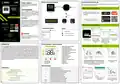


Installer parameters
6
7
8
Binding thermostat with the wireless control box
Function
Value
Desription
Default value
Pxx
Make sure that the control box and thermostat are in the same ZigBee network (they are added to the same
gateway) and the POWER LED lights up blue.
Heating
Cooling
Heating/Cooling Selection
P01
1
TPI for Underfloor Heating
TPI for Radiators
TPI for Electrical Heating
SPAN +/-0,2°C
SPAN +/-0,4°C
SPAN +/-0,6°C
SPAN +/-0,8°C
SPAN+/-1,0°C
SPAN +/-1,5°C
SPAN+/-2,0°C
TPI UFH
TPI RAD
TPI ELE
HIS 0.4
HIS 0.8
HIS 1.2
HIS 1.6
HIS 2.0
HIS 3.0
HIS 4.0
5x
or
or
Name the device
and click„Done”.
The thermostat has been
installed and displays the
main interface.
On the controller screen globe
2
1
icon appeared stating that
he has been he added to the
ZigBee network.
5x
2
TPI UFH
for heating
HIS 0.4 for
cooling
In order to correctly link thermostat with the control box,
first select the zone in the control box with the SELECT
button (1) (zone which you want to link with thermostat).
The LED (2) will flash 3 times for the selected zone. Confirm
your selection by clicking PAIR button (2). The LED (2) will
flash green with the previously selected zone - binding
process has started, it is active for 10 minutes and during
this time you can link thermostat with the selected zone.
To properly link thermostat with the
module/relay first click quickly the button
on the device 5 times.
The LED diode will start flashing slowly on
red, which means the device is in binding
mode.
Control algorithm
P02
Synchronization with head
An internet gateway is not mandatory to synchronize thermostat with head. Make sure head
is installed and adapted to valve insert (see head manual). If thermostat is connected to a wireless control
box or relay module, synchronization with head cannot be activated.
If the thermostat indicates wrong temperature, you can correct it by
max 3.0°C"
-3.0°C do
+3.0°C
Offset temperature
P03
0°C
5°C
2
3
4
"Minimum setpoint"
Minimum heating / cooling temperature that can be set
Maximum heating / cooling temperature that can be set
P04
5°C - 45°C
5°C - 45°C
2
1
"Maximum setpoint"
P05
35°C
50%
Backlight brightness
Adjustable in the range from 10 to 100%
Function disabled
P06
10% - 100%
NO
PIN Code for settings access
P07
NO
3s
Function enabled
PIN
On the thermostat, hold – and + Release the keys, binding function The "binding" process takes up to
buttons until the "bind" message process of linking thermostat is 300 seconds.
appears. active.
5 sek.
5 sek.
P08
P09
PIN code value
000-xxx
NO
user PIN
000
After successful adaptation process,
press&hold head button for 3 seconds.
The LED will start flashing blue.
Hold simultaneously – and + buttons on
thermostat until the “SY”function appears.
Require a PIN to unlock the keys every time
(function active when P8=PIN)
Function disabled
NO
ATTENTION:
5
6
Function enabled
YES
ON
If the binding process fails, it must be
repeated taking into account the distances
between devices, obstacles and local radio
signal interferences.
4
3
Function enabled
Function disabled
Valve protection
P10
OFF
Read only
-
OFF
xxx
P11 Latest available firmware for heads
Firmware version available to update heads
10 sec.
Remember:
Radio range can be increased by
Engo ZigBee repeaters.
null - firmware in the heads is latest possible.
xxx - a newer version is available, press the button
to update the heads
P12 Current firmware installed in heads null - xxx
After successfull binding Both devices have been
operation„End”
successfully linked.
message will be displayed. Thermostat displays the
main screen, icon "
In case of room temperature change, head opens
proportionally to the size of the delta RCWC parameter.
The smaller delta RCWC is, the faster the valve response
will be.
Release buttons, SYNC function will be active
(synchronization with head).
After successful synchronization, LED diode
will indicate blue light for 10 seconds.
Delta RCWC algorithm
(only for heads)
ATTENTION:
P13
CLR
0.5°C to 5.0°C
2.0
NO
When the thermostat is binded with
the zone , the zone will turn off after 50
minutes, if the communication between
the devices is lost.
" appeared on the screen
indicating connection
with the receiver.
5
6
No action
NO
Clear settings factory reset
Factory Reset
YES
Installer settings
To enter installer parameters press and hold button for 3 seconds.
Factory reset
Thermostat will indicate
how many heads are synchronized.
"END" message will appear after successful
synchronization.
To RESET Thermostat to factory settings, hold down the – and + buttons until the FA message appears.
Then release the keys. Thermostat will restart, will restore the default factory settings and display the
main screen. If the regulator was added to the gate and the ZigBee network, it will be removed from it and
you will need to add / pair it again.
1
2
SET
7
ATTENTION:
1
2
3
The synchronization should
be performed for each head
separately. One thermostat can
control up to 6 heads within one
room.
3 sec.
Use – or + button to move between parameters. Enter the parameter by . Edit the parameter using
– or + Confirm the new parameter value with the button.
The devices are synchronized and ready to work.
10sek.
10 sek.

| General | Details |
|---|---|
| Name | ENGO CONTROLS E25-BATW Zig Bee 868MHz Smart Thermostat User Guide |
| Make | ENGO CONTROLS |
| Language | English |
| Filetype | PDF (Download) |
| File size | 0.39 MB |
 (1 votes, average: 5.00 out of 5)
 Loading...

ENGO Controls EONE230W Internet Controlled Thermostat User Guide

ENGO CONTROLS EFAN-230W Fan Coil Thermostat User Guide

ENGO CONTROLS FAN-24W 24V Fan Coil Thermostat User Guide

ENGO CONTROLS EASY230W Non-Programmable Wired Thermostat User Guide

ENGO CONTROLS EONE230 Internet Controlled Thermostat User Guide

ENGO CONTROLS EONEBATW, EONEBATB Internet Controlled Thermostat User Manual

ENGO Controls E901WIFI Internet Wireless Thermostat User Guide

ENGO CONTROLS EONE-BATW, EONE-BATB Internet Controlled Thermostat User Guide

ENGO CONTROLS EFAN-24W Fan Coil Thermostat User Guide

ENGO CONTROLS EFAN-230W WIFI 230V Fan Coil Thermostat User Guide


Honeywell T6/T6R Smart Thermostat User Guide

Wiser CCTFR6400 Room Thermostat User Manual

Honeywell Home CT50 Series Thermostat Owner’s Manual

ENGO CONTROLS E10-MBUSW, E10-MBUSB Wi-Fi MODBUS Thermostat User Guide

MYSON Unisenza Plus Thermostat Instruction Manual

Honeywell T827 Series Programmable Thermostat Owner’s Manual

aube technologies TH150 Series VAV Thermostat User Guide

EVOLVEO Thermal Smart Wireless Programmable Thermostat Owner’s Manual

Danfoss RET230P Electronic Thermostat Instruction Manual

Danfoss RT 8L Thermostat Installation Guide