
ecoer EST02 Smart Wi-Fi Thermostat User Guide





EST02
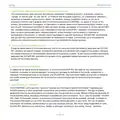
If you have your Ecoer thermostat installed by a professional or if a Ecoer Thermostat is installed by
yourself while it’s not yet connected to Wi-Fi, the App will start right away to connect your thermostat
to Wi-Fi and bind the device to your account for remote control.
a.Install the Ecoer Home Plus App, after signing into your account, tap “+” icon on the screen and
then choose the EST02 model to add new device.
b.Follow the step-by-step instruction in the Ecoer Home Plus app. The Wi-Fi connection process will
be slightly different dependent on your phone’s operation system (iOS/Android).
Note: The design of Ecoer Home Plus App may
subject to change. You can download the latest guide
by scanning the QR code right.
16

| General | Details |
|---|---|
| Name | ecoer EST02 Smart Wi-Fi Thermostat User Guide |
| Make | ecoer |
| Language | English |
| Filetype | PDF (Download) |
| File size | 0.63 MB |
 (1 votes, average: 5.00 out of 5)
 Loading...

ecoer EST01 Wi-Fi Programmable Thermostat User Guide


Honeywell CM921 Wireless Programmable Room Thermostat User Guide

homematic IP HAP Radiator Thermostat Instruction Manual

AJAX ETHT82 White Touch Screen Thermostat Instruction Manual

Hunter 44110 Set And Save Programmable Thermostat Owner’s Manual

Vaillant VRT 51f sensoROOM Wireless Room Thermostat Instruction Manual

VICONICS VTR8350A5500B Fan Coil Unit Thermostat User Manual

ENSTO ECO10BTW-J Heat Control Thermostat Instruction Manual

EpheyFIF WITH3 Wireless Gas Boiler Thermostat User Guide

DEVIreg 530 Electronic Thermostat Installation Guide

SENNA-300-RF Digital Room Thermostat User Guide