
Home > COMPUTHERM > COMPUTHERM E800RF Multizone Wi-Fi Thermostat Instruction Manual
COMPUTHERM E800RF Multizone Wi-Fi Thermostat Instruction Manual


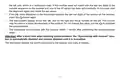


to pay attention to the phase correctness when connecting the power supply and it is not necessary to
connect a ground because the product is double insulated. The grounding point on the electrical panel is
not used for grounding the entire receiver, it is only an option for the grounding of the product connected to
the receiver to be solved inside the receiver.
7.3. Synchronization of the thermostat and the receiver unit
The two units are syncronized in the factory. The thermostat and its receiver have their own security code,
which guarantees the safe operation of the device. If for some reason the thermostat and its receiver unit
do not communicate with each other, or if you do not want to use the factory-paired thermostat and receiver
together, make the following steps to syncronized the thermostat and the receiver unit:
•
Look at the 14 digit identification code inside the receiver, glued to the electrical panel or to the side of
the receiver.
•
•
Enable the “Synchronize with Receiver” function in the thermostat as described in Chapter 11.
Turn off the thermostat, then touch and hold the
arrow while tapping the
button. Then the
sign appears on the right side of the display and a two digit number appears on the left. This
value must match the first 2 digits of the identification code on the receiver unit. If the displayed
number and the first two digit numbers of the receiver identification code do not match, use the
the arrows to change it.
•
Pres the
two digit number also appears on the left side. If the displayed number and the third and fourth digits of
the receiver identification code do not match, use the arrows to change it.
, SN4, SN5 and SN6 in a similar way as above discribed.
button on the thermostat. Then the
sign appears on the right side of the display and a
•
•
Also set
After setting the appropriate SN6 értéket is, érintse meg a
value, touch the menu button. Then the
vsign will appear on the right side of the thermostat display, and a two-digit number will appear on
- 16 -

| General | Details |
|---|---|
| Name | COMPUTHERM E800RF Multizone Wi-Fi Thermostat Instruction Manual |
| Make | COMPUTHERM |
| Language | English |
| Filetype | PDF (Download) |
| File size | 1.03 MB |
 (1 votes, average: 5.00 out of 5)
 Loading...

COMPUTHERM Q20 Programmable Digital Room Thermostat Instruction Manual

COMPUTHERM Q5RF Multi Zone Wireless Digital Room Thermostat Instruction Manual


EMERSON ST765470 Digital Thermostat User Manual

BOSCH 6721807275 Smart Radiator Thermostat Installation Guide

ROMA HEATING RWI5 Wi5 Wi-Fi Digital Heating Thermostat User Manual

Expert4house BAC-1000ALNE Room Thermostat User Guide

TELUS ASSORTED Smart Thermostat User Manual

Danfoss AN325057 Icon Wireless Room Thermostat Installation Guide

HBX THM-0500 Touch Screen Programmable Thermostat Instruction Manual

Carrier ecobee3 Lite Smart Thermostat User Manual

telethings teleRelays-2L Device Thermostat User Manual

Jung FTR231 Floor Thermostat Instruction Manual