
Warmup 3iE Energy Monitoring Thermostat Instruction Manual









INTRODUCTION
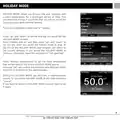
Your thermostat’s default screen is the Home Screen. This screen
displays important information such as the time, current floor and
air temperature as well as the target set temperature. From this page
you can either access the “MENU” page (press “menu”) or override
the current program (press “ ” or “
”).
When using the 3IE thermostat there are some simple rules to keep
in mind:
1. Pressing “ ” allows you to confirm your selection
2. Pressing “ ” takes you back to a previous page in the menu
sequence
T ES T
3. Pressing the “
” and “
” buttons allow you to change the
setting which is highlighted
4. Pressing an illuminated button in this group will allow you to highlight another setting to edit
5. Pressing an illuminated button in this group will allow you to select another option in the menu
6. When this light is illuminated it indicates that power is being directed to the heating systems (can be
turned off).
If you do not press any button on the thermostat for 1 minute, then it will go to standby mode. In standby
mode the screen will be dimmed but the thermostat will continue to function as normal. To exit standby
mode press “wake” ( ).
The button on bottom of the 3IE (button 7) is the power button. You can turn off your thermostat and
your Warmup floor heating system by holding down this button for 3 seconds. You can turn it on again by
holding it down for another 3 seconds.
GROUND FAULT CIRCUIT INTERRUPTER
The GFCI feature is used to detect any leakage of current from your heating system. During a ground fault
the two lines of the load will be cut off. Once your thermostat is installed and connected to a power supply
you can test the GFCI function by increasing the set temperature until heating is on - the red light in the
top corner must be illuminated - and pressing the “TEST” button (see 8).
If your test is successful you will see the GROUND FAULT screen and you will need to hold “cancel” for 3
seconds in order to restore heating operation.
3
24/7 Technical hotline - Ligne d’assistance technique - Línea de asistencia técnica
US 1.888.927.6333 / CAN 1.888.592.7687

| General | Details |
|---|---|
| Name | Warmup 3iE Energy Monitoring Thermostat Instruction Manual |
| Make | Warmup |
| Language | English |
| Filetype | PDF (Download) |
| File size | 1.85 MB |
 (1 votes, average: 5.00 out of 5)
 Loading...

Warmup 6iE mini WiFi Thermostat User Guide

warmup RFT-P Programmable Radiant Floor Thermostat User Manual


emos P5684 Capillary Sensor Thermostat User Manual

LATICRETE Strata Heat WiFi Thermostat Instruction Manual

vtech T961NN50 Amana Wired Thermostat User Guide

TECH CONTROLLERS EU-R-8b PLUS Wireless Two Position Room Thermostat User Manual

Wengart WG603 Home Smart Thermostat User Guide

meross MTS200HK Smart Wi-Fi Thermostat User Manual

INKBIRD C216T-C226T Plug In Timer Thermostat User Manual

WARMZONE LED WiFi Floor Heating Thermostat Owner’s Manual

Danfoss RA2000 TRV Thermostat Instructions

FantiniCosmi C820RQ LED Thermostat Instruction Manual