
Vaillant VRT 51f sensoROOM Wireless Room Thermostat Instruction Manual
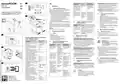


2.3
Radio transmission symbol
2.2
A Jel LED villogási sorrendjei
5
Care and maintenance
4
Zavarelhárítás
en
Flashing
sequence
Elvégzendő tevé-
kenység
5.1
>
Caring for the product
Clean the casing with a damp cloth and a little sol-
vent-free soap.
Do not use sprays, scouring agents, detergents, sol-
vents or cleaning agents that contain chlorine.
4.1
Zavarok felismerése és elhárítása
Meaning
Villogási sorrend Jelentés
1
Safety
Feltételek: a helyiséghőmérséklet nem éri el a beállított
hőmérsékletet
Symbol is perma-
nently on
Radio link active
Rövid narancs-
sárga villogás
Rádióátvitel/
küldési pró-
bálkozás, ill.
konfigurációs
adatok átvi-
tele
Várja meg, míg az
adatátvitel befeje-
ződik.
>
1.1
Intended use
>
Ellenőrizze, hogy a helyiség levegője szabadon cirku-
lálhat-e, valamint, hogy a rendszerszabályozót nem
takarják-e el bútorokkal, függönyökkel vagy más tár-
gyakkal.
In the event of inappropriate or improper use, damage to
the product and other property may arise.
You can use the room thermostat to control the heating
system while taking the room temperature into considera-
tion.
Symbol is flashing The product is paired with the
Wi-Fi gateway but the connection
5.2
Changing batteries
is interrupted (see section 4.1)
Symbol is off
The product is not paired (see sec-
tion 3)
Danger!
1-szer hosszan
világító zöld fény
Folyamat
nyugtázva
Folytassa a keze-
léssel.
Intended use includes the following:
Risk of death caused by unsuitable
batteries!
Tudnivaló
A mérési pontosság álló beszerelés ese-
tén kisebb lehet mint fali felszerelés ese-
tén, amit az érzékelők rosszabb levegő-
ellátása okoz.
–
observance of accompanying operating, installation and
maintenance instructions for the product and any other
system components
installing and setting up the product in accordance with
the product and system approval
a
1-szer hosszan
világító piros fény
A folyamat
Várja meg a Duty
Cycle Limit inter-
vallumát (1 h),
If batteries are replaced with the wrong
type of battery, there is a risk of explo-
sion.
i
3
>
Start-up
nem sikerült
vagy elérték
a Duty Cycle
Figures 2 and 3.
–
–
majd próbálja meg
Conditions: You have purchased a starter kit, consist-
ing of the Wi-Fi gateway and room thermostat
Limit határér- újra.
téket
compliance with all inspection and maintenance condi-
tions listed in the instructions.
After inserting the batteries, the product first runs through
a self-test for approx. two seconds. Initialisation then takes
place.
Feltételek: a kijelző kikapcsolt
After removing the battery tab, the product is in pairing
mode for three minutes. If the Wi-Fi gateway is operating
during this time, the products are automatically connected
to each other.
Intended use also covers installation in accordance with
the IP rating.
Any other use that is not specified in these instructions, or
use beyond that specified in this document, shall be con-
sidered improper use. Any direct commercial or industrial
use is also deemed to be improper.
>
>
Nyomja meg egyszer röviden a forgatógombot.
Ellenőrizze, hogy a kijelzőn megjelenik-e az „Elem töl-
töttségi szintje alacsony“ szimbólum.
Ellenőrizze, hogy a helyiségtermosztát elemei megfele-
lően vannak-e behelyezve az elemtartóba.
Rövid narancs-
sárga villogás (10
másodpercenként) aktív
Betanítási
üzemmód
Nincs. Szükség
esetén nyomja
>
Replace the batteries only with those of the same or an
equivalent type.
Do not use rechargeable batteries.
When inserting the batteries, make sure the battery
poles are the right way round.
meg a gombot a
Wi-Fi útválasztón.
>
>
>
>
If required, press the system button to restart the pair-
ing process.
Röviden világító
narancssárga fény lemerültek
(a zöld vagy a
piros színű vételi
jel után)
Az elemek
Cserélje ki az ele-
meket.
No further action is required.
Feltételek: nincs vétel
Caution.
>
After inserting the batteries, observe the flashing
sequence of the signal LED.
Improper use of any kind is prohibited.
>
Válasszon másik helyet a helyiségtermosztát vagy a
Wi-Fi útválasztó számára.
Conditions: You have purchased the Wi-Fi gateway
and room thermostat individually, and the Wi-Fi gateway
is already connected to the Internet
2
Product description
6
>
Recycling and disposal
Do not dispose of the product with the household
waste.
Hand in the product to a collection centre for waste
electrical or electronic equipment.
Dispose of the batteries at a collection point for batter-
ies.
4.2
1.
2.
Visszaállítás gyári beállításra
Vegye ki az elemeket.
3-szor hosszan
világító piros fény
A termék
meghibáso-
dott
Figyeljen az alkal-
mazás kijelzőjére
vagy forduljon a
szakkereskedőjé-
hez.
>
Press the button beside the LED on the Wi-Fi gateway
and the system button on the room thermostat. The
products are automatically connected to each other.
2.1
Figure 1
Display
A polaritási jelöléseknek megfelelően helyezze visz-
sza az elemeket és ezzel egyidejűleg tartsa 4
másodpercig lenyomva a rendszergombot, míg a Jel
LED el nem kezd gyorsan narancssárgán villogni.
Engedje el a rendszergombot.
Nyomja meg ismét 4 másodperc hosszan a rend-
szergombot, míg a Jel LED zölden fel nem villan.
A gyári beállítások visszaállításához engedje el a
rendszergombot.
>
>
1
2
3
4
5
6
Radio data transmission
Low battery charge
Rotary knob
System button/signal LED
Target/actual temperature °C
Setting mode active
Valid for both cases:
1-szer narancs-
sárga és 1-szer
zöld színű fény (az
elemek behelyezé-
sét követően)
Tesztkijelzés
A tesztkijelzés
eltűnését köve-
tően.
The radio link is successfully established if the radio trans-
mission symbol is permanently on.
3.
4.
4
Troubleshooting
5.
2.2
Flashing sequence of the signal LED
Felváltva hosszan
és röviden villogó
narancssárga fény tése (OTAU = tartam: max.
Készülék-
Új szoftver átvitele
–
A termék újraindítást végez.
4.1
Detecting and eliminating faults
hu
szoftver frissí- folyamatban. (idő-
Flashing
sequence
Meaning
Required activity
Conditions: The room temperature does not reach the
set temperature
5
Ápolás és karbantartás
Over the Air
Update)
12 óra) A termék
funkcionalitása
eközben nem kor-
látozott.
1
Biztonság
Brief period of
flashing orange
Radio trans-
mission/trans- transmission has
mission
attempt or
configuration
data is trans-
ferred
Wait until the
5.1
>
A termék ápolása
A burkolatot kevés, oldószermentes tisztítószerrel átita-
tott, nedves kendővel törölje le.
Ne használjon spray-t, súrolószereket, mosogatószere-
ket, oldószer- vagy klórtartalmú tisztítószereket.
>
Check whether room air can circulate freely around the
room thermostat, and that the room thermostat is not
covered by furniture, curtains or other objects.
1.1
Rendeltetésszerű használat
ended.
Szakszerűtlen vagy nem rendeltetésszerű használat ese-
tén megsérülhet a termék vagy más anyagi károk is kelet-
kezhetnek.
A helyiségtermosztáttal a fűtési rendszer a helyiséghőmér-
séklet figyelembe vételével szabályozható.
A rendeltetésszerű használat a következőket jelenti:
>
2.3
Rádióátvitel szimbóluma
Note
Due to poorer air circulation at the sen-
Villogási sorrend
Jelentés
5.2
Elemek cseréje
i
One long period of Process con- Continue with the
lighting up green
sors, the measurement accuracy may be
less precise for floor-standing installation
than for wall installation.
A szimbólum tartó- A rádiókapcsolat aktív
san megjelenik
firmed
operation.
–
a termék , valamint a rendszer összes további kompo-
nenseihez mellékelt üzemeltetési, szerelési és karban-
tartási útmutatóinak figyelembe vétele
a termék- és rendszerengedélynek megfelelő telepítés
és összeszerelés
Veszély!
One long period of Process
lighting up red
Wait for the duty
A szimbólum villog A termék össze van kapcsolva a
WiFi-Gateway-jel, de kapcsolat
Életveszély a nem megfelelő elemek
miatt!
failed or duty cycle limit interval
cycle limit
reached
a
Conditions: The display is off
–
–
(1 hour) and try
again.
megszakad (lásd 4.1 fejezet)
Ha nem megfelelő elemtípusra cserélik
az elemeket, akkor robbanásveszély áll
fenn.
>
>
Press the rotary knob once.
Check whether the “Low battery” symbol is shown in
the display.
az útmutatókban feltüntetett ellenőrzési és karbantar-
tási feltételek betartása.
A szimbólum
kialudt
A készülék nincs összekapcsolva
(lásd 3. fejezet)
Brief period of
flashing orange
(every 10 seconds)
Pairing mode None. If required,
active
press the button
at the Wi-Fi gate-
way.
A rendeltetésszerű használatba beletartozik ezenkívül az
IP-védettség szerinti beszerelés is.
>
Check that the batteries for the room thermostat have
been correctly inserted in the battery compartment.
Az elemek behelyezését követően a termék először kb. 2
másodpercig önellenőrzést végez. Ezt követi az inicializá-
lás.
A jelen útmutatóban ismertetett használattól eltérő vagy az
azt meghaladó használat nem rendeltetésszerű használat-
nak minősül. Nem rendeltetésszerű használatnak minősül
a termék a termék minden közvetlen kereskedelmi és ipari
célú használata.
3
>
Üzembe helyezés
Conditions: No radio reception
Brief period of
lighting up orange
(after a green or
red reception noti-
fication)
Batteries flat
Replace the bat-
teries.
2. és 3. ábra
>
Csak azonos típusú, vagy megegyező értékű elemeket
alkalmazzon.
Ne használjon újratölthető elemeket.
Az elemek behelyezésénél ügyeljen a megfelelő polari-
tásra.
>
Select a different position for the room thermostat or
the Wi-Fi gateway.
Feltételek: Rendelkezik kezdő készlettel, amely egy
Wi-Fi átjáróval és egy helyiségtermosztáttal
>
>
Figyelem!
4.2
1.
2.
Reset to factory settings
Remove the batteries.
Re-insert the batteries in accordance with the polar-
ity markings and, at the same time, press and hold
the system button for four seconds until the signal
LED starts to rapidly flash in orange.
Release the system button.
Press the system button again for four seconds until
the signal LED lights up green.
Release the system button to complete the process
of restoring the factory settings.
Az elemvédő fül eltávolítása után a termék 3 percen
keresztül betanulási módban van. Ha a Wi-Fi útválasztó
ez idő alatt üzemben van, akkor a termékek automatiku-
san összekapcsolódnak egymással.
Minden, a megengedettől eltérő használat tilos.
Three long periods Product
of flashing red
Note the display
in your app or
contact your spe-
cialist dealer.
>
Az elemek behelyezését követően ügyeljen a Jel LED
villogási sorrendjére.
defective
2
A termék leírása
>
A betanulási mód újraindításához szükség esetén
nyomja meg a rendszergombot.
6
Újrahasznosítás és
ártalmatlanítás
A terméket ne ártalmatlanítsa a háztartási hulladékkal
együtt.
Adja le a terméket egy elektromos és elektronikus
készülékekre szakosodott gyűjtőhelyen.
Az akkumulátorokat egy akkumulátorgyűjtő ponton
ártalmatlanítsa.
2.1
1. ábra
Kijelző
Lights up orange
once and green
once (after insert-
ing the batteries)
Test display
Once the test dis-
play goes out, you
can continue.
Nincs szükség további műveletre.
3.
4.
1
2
3
4
5
6
Rádióátvitel
Alacsony akkutöltöttség
Forgatógomb
Rendszergomb/jelzés LED
Előírt/tényleges hőmérséklet °C
A beállító üzemmód aktív
Feltételek: Rendelkezik külön egy Wi-Fi átjáróval és
egy helyiségtermosztáttal, és a Wi-Fi átjáró már kapcso-
lódik az internethez
>
>
>
5.
Long and brief
period of flashing
orange (alternat-
ing)
Update to the New software is
unit software
(OTAU =
Over the Air
Update)
–
The product restarts.
>
Nyomja meg a Wi-Fi útválasztón a LED melletti gom-
bot, és a helyiségtermosztát rendszergombját. A termé-
kek automatikusan összekapcsolódnak.
transferred. (Dura-
tion: Up to
12 hours) This
does not affect
how the product
works during this
time.
Mindkét esetben érvényes:
A rádiós kapcsolat létrehozása sikerült, ha a rádiós adatát-
vitel szimbóluma tartósan látszik.

| General | Details |
|---|---|
| Name | Vaillant VRT 51f sensoROOM Wireless Room Thermostat Instruction Manual |
| Make | Vaillant |
| Language | English |
| Filetype | PDF (Download) |
| File size | 0.23 MB |
 (1 votes, average: 5.00 out of 5)
 Loading...

Vaillant VRC 700 Weather Compensating Thermostat Instruction Manual

Vaillant VRT15 Room Thermostat User Guide

Vaillant VRC 700 Programmable Weather Compensating Thermostat Owner’s Manual

vaillant VR 92f/3 Wireless Additional Room Thermostat Instructions

Vaillant senso Comfort Thermostat Instructions


Tio 230v Thermostat User Manual

Honeywell 5000 Non Programmable Digital Thermostat User Guide

Fudajo 52429 Chick Heating Plate with Thermostat Instruction Manual

MI-HEAT E51 Thermostat User Manual

GENERAL LIFE HT100S RF Wireless Room Thermostat User Manual

sinope TH1300ZB-C4 3600W Smart Floor Heating Thermostat Installation Guide

GENERAL Life MITRA 250 Digital Room Thermostat User Manual

Shanghai Beok Controls TGR85 Smart Zigbee Underfloor Heating Thermostat User Guide

Gigaset ONE X Thermostat User Guide

seitron TM 00-M Electro Mechanical Room Thermostat Instructions