
TIOEVO0003 TEVO Wireless Thermostat User Manual



















TIMER OPERATION
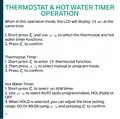
Program mode: This setting will allow you to set up to 4 time
periods, in which your heating demands will adjust.
Hold mode: This setting allows you to set a timer duration for
your hot water requirements. You can set a duration of up to
99 hours and 59 minutes.
When the thermostat is in timer operation, the timer function
symbol will display on the screen
.
1. To set the function, press and use
AUTO, HOLD or OFF options as required.
to select one of
2. Press to confirm your selection.
15

| General | Details |
|---|---|
| Name | TIOEVO0003 TEVO Wireless Thermostat User Manual |
| Make | Tio |
| Language | English |
| Filetype | PDF (Download) |
| File size | 0.38 MB |
 (1 votes, average: 5.00 out of 5)
 Loading...

Tio 230v Thermostat User Manual

TX1000 Thermostat Instruction Manual

Tio TEVO Smart RF Wireless Thermostat User Manual


EUROTRONIC COMET Programmable Energy Saving Radiator Thermostat User Manual

GENERAL FH260S Underfloor Heating Thermostat User Manual

PRO1 T755 Heat 2 Cool Dual Fuel Thermostat User Manual

BUDDERFLY BTS-U1 Thermostat User Manual

Innova B3V151 Electronic Thermostat User Manual

WarmlyYours TH115-AF-GA-08 SmartStat TH115 Series Thermostat Instruction Manual

VIMAR 02952 Well-Contact Plus Electronic Touchscreen Thermostat Instruction Manual

GENERAL LIFE SOLARA 300S Digital Room Thermostat User Manual

EPH CONTROLS CRT2 Room Thermostat Instruction Manual

Immax neo LITE 07534L Smart Thermostat for Underfloor Heating User Manual