
sinope TH1400NP Non Programmable Low Voltage Thermostat Installation Guide


PARAMETERS THAT CAN BE CONTROLLED
FROM THE DEVICE:
PARAMETERS THAT CAN BE CONTROLLED
FROM THE DEVICE (continued):
USER SETTINGS
Lower the setpoint to its minimum and hold the
10 seconds to access the menu.
button for
Name
Parameters & settings
Display
Name
Parameters & settings
Display
#
#
Cycle lenght / Auxiliary output
OFF, 15 sec, 5 min, 10 min, 15 min, 20 min,
25 min, 30 min – (Default: OFF)
Temperature format
°C or °F – (Default: °F)
Display
Aux 2nd
Stage Cyc
Press the
Press the
or the
button to change the setting.
buttons simultaneously to save and go
1
9
and the
to the next parameter. Continue to press until the end of the list
to exit the menu.
Control mode of thermostat
A (Air), F (Floor) – (Default: A)
Control
Backlight control
ON, OFF or BED – (Default: ON)
ON (backlight always active, will dim
according to ambient light)
OFF (will only turn on when a button
is pressed)
BED (bedroom mode - backlight will dim
according to ambient light and will turn
OFF below 20% of luminosity)
2
3
4
Minimum setpoint
41 °F to 97 °F – (Default: 41 °F)
Setpoint
Min
Backlight
10
Maximum setpoint
41 °F to 97 °F – (Default: 97°F)
Setpoint
Max
Floor sensor
10K or 12K – (Default: 10K)
Maximum floor temperature limit
(Only visible in A mode)
45 °F to 97 °F or OFF – (Default: OFF)
Sensor
11
12
Limit
Set
5
Floor Max
Circulator pump's anti-seizure
ON or OFF (Default: OFF)
PE
Minimum floor temperature limit
(Only visible in A mode)
41 °F to 93 °F or OFF (default: OFF)
FLR Min
Limit
6
7
8
Maximum ambient temperature limit
(Only visible in F mode)
41 °F to 97 °F or OFF (default: OFF)
Air
Max Limit
Hold for 10 sec.
Cycle lenght / Main output
15 sec, 5 min, 10 min, 15 min, 20 min,
25 min, 30 min – (Default: 15 min)
1st Stage
Cyc
PARAMETERS THAT CAN BE CONTROLLED FROM
THE DEVICE (CONTINUED):
OFF MODE
2) The thermostat features two temperature control modes:
8) et 9) Main and auxiliary output cycle length
To put the thermostat in OFF mode, hold the buttons and
for 10 seconds.
The thermostat has a main and an auxiliary output. Select the
appropriate cycle length based on your heating system. The selection
of an inappropriate cycle length may damage your unit.
A mode (default): Regulation of ambient temperature with the possibility
to limit floor temperature through an external temperature sensor.
To exit the OFF mode, hold the buttons and for
10 seconds or raise/lower the setpoint.
F mode: Regulation of floor temperature through an external temperature
sensor with the possibility to limit ambient temperature.
Minimum cycle length
0.15
5
10
15
20 25 30
5) Maximum floor temperature limit (A mode)
Convector or baseboard heater
activated by electronic relay (SSR)
The thermostat limits floor heating to the set temperature to ensure it
does not exceed the selected limit. This parameter is ideal for
protecting engineered wood floors. (Verify with your flooring
manufacturer to determine heat limit.)
Fan-forced convector activated
by electronic relay (SSR)
Fan-forced convector or
baseboard heater activated by
mechanical relay
This parameter can only be used when a floor sensor is connected to
the thermostat.
Hydronic heating pump system
Furnace
Set
6) Minimum floor temperature limit (A mode)
The thermostat limits the minimum temperature of the floor in order to
keep it at a comfortable temperature.
12) Circulator pump's anti-seizure
This parameter can only be used when a floor sensor is connected to
the thermostat.
When the thermostat is not heating for an extended period, this
parameter will activate the main output during 1 minute every
24 hours to ensure the hydronic system pump does not seize.
7) Maximum limit of the ambient temperature (F mode)
Thermostat limits floor heating so as not to exceed the set ambient
temperature limit.
Hold for 10 sec.
TECHNICAL SPECIFICATIONS
Operating voltage: 24 Vac
Maximum load: 1 Amp
TROUBLESHOOTING GUIDE
Setpoint range: 5 ˚C to 36 ˚C (41 ˚F to 97 ˚F)
Display range: 0 ˚C to 70 ˚C (32 ˚F to 99 ˚F)
Resolution: 0,5 ˚C ( 1 ˚F)
What should I do if the E1F code appears on
my thermostat's display?
Storage: -20 ˚C to 50 ˚C (-4 ˚F to 122 ˚F)
Auxiliary output: 24 Vac / Vdc / 0.1 A
The E1F code means that the thermostat is in
“Floor” mode and there is no connected
sensor. If your thermostat is not intended to
control a heated floor, change the thermostat’s
control mode for the “A mode”.
Compatible with:
• Baseboard heater activated by mechanical relay or
electonic relay (SSR)
• Fan-forced convector activated by mechanical relay
or electronic relay (SSR)
• Electric floor heating (activated by a relay)
• Hydronic floor heating
• Hydronic heating system
3-year limited warranty
• Furnace (without fan control)
SINOPE TECHNOLOGIES INC. warrants the components of their products against
defects in material and workmanship for a 3-year period from the date of purchase,
under normal use and service, when proof of purchase of such is provided to the
manufacturer. This warranty does not cover any transportation costs that may be
incurred by the consumer. Nor does it cover a product that has been improperly
installed, misused or accidentally damaged.
The obligation of SINOPÉ TECHNOLOGIES INC., under the terms of this warranty,
will be to supply a new unit and this releases the manufacturer from paying the
installation costs or other secondary charges linked to replacing the unit or the
components.
660-0736-0004-A

| General | Details |
|---|---|
| Name | sinope TH1400NP Non Programmable Low Voltage Thermostat Installation Guide |
| Make | sinope |
| Language | English |
| Filetype | PDF (Download) |
| File size | 0.33 MB |
 (1 votes, average: 5.00 out of 5)
 Loading...

sinope TH1134ZB-HC Smart Line Voltage Thermostat Owner’s Manual

sinope Smart Low Voltage Thermostat TH1400WF Installation Guide

sinope Smart Floor Heating Thermostat TH1310WF Installation Guide

sinope TH1124NP Non Programmable Thermostat for Electric Heating Owner’s Manual

sinope TH1300ZB-C4 3600W Smart Floor Heating Thermostat Installation Guide

sinope TH1134ZB Smart Line Voltage Thermostat Installation Guide

sinope TH1500ZB Smart Double Pole Thermostat Installation Guide

sinope TH1500WF Smart Double Pole Thermostat Installation Guide

ESi ESRTP4RFW Programmable Room Thermostat Installation Guide

Honeywell RTH2510 Programmable Thermostat Owner’s Manual

vtech T961NN50 Wired Thermostat User Guide

APATOR TH 480 Bi Metallic Thermostat Instruction Manual

Spacio Innovations Inc 13EA2A7RI Remote Thermostat User Manual

OJ ELECTRONICS MCD5 Touch Thermostat Instructions

sygonix 2522212 Installable Thermostat Instruction Manual

ENGO CONTROLS ESIMPLE230B 230V Simple Dial Thermostat User Guide
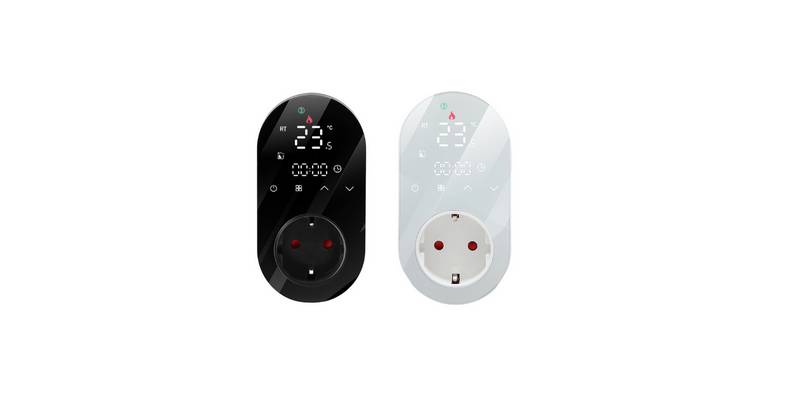
Beca BHT-12 Smart Thermostat User Manual

STEGO FTO Preset Thermostat User Guide