
nest B08K2M13NY Thermostat E Smart Thermostat Installation Guide



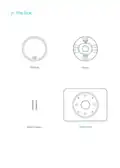
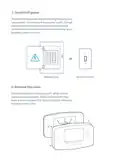
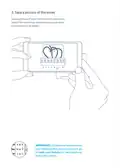
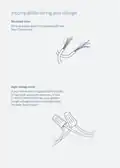






Optional in most homes
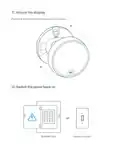
Use the included trim plate
if needed
If you don’t want to paint over
holes or marks left by your
old thermostat, you can use
the optional trim plate.
Snap the thermostat base
and trim plate together, then
screw the plate to the wall.
If you have an electrical box
Electrical box
Electrical boxes aren’t
common, but if you have
one, you’ll need to
purchase a steel plate
and screws from nest.com
for installation.
Steel plate
Secure the steel plate to
the electrical box with two
of the screws. Use the other
two screws to attach the
Nest base and trim plate.

| General | Details |
|---|---|
| Name | nest B08K2M13NY Thermostat E Smart Thermostat Installation Guide |
| Make | Nest |
| Language | English |
| Filetype | PDF (Download) |
| File size | 0.19 MB |
 (1 votes, average: 5.00 out of 5)
 Loading...

Google Nest Learning Thermostat (4th gen) Installation Guide


Danfoss RT 8L Thermostat Installation Guide

Honeywell Home DT4 Channel Wired Room Thermostat Instruction Manual

Danfoss 088U0210 CF-RS Standard Room Thermostat Instruction Manual

DEVIreg Electronic Intelligent Timer Thermostat Installation Guide

EPH CONTROLS CDTP2 Room Thermostat Instruction Manual

Pfannenberg DTS 3041 Thermostat Instructions

HomeHome App ESP01V2 Mini Relay Thermostat Installation Guide

bandary FC660 Smart Thermostat User Guide

HAVACO HTS Electronic Room Thermostat User Manual

SALUS RT520 Programmable Thermostat User Guide