
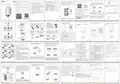
Moes M30 x 1.5 Smart Radiator Thermostat User Manual


Preparation for Use
Add Device
1. Under manual mode, rotate the knob
Bitte scannen Sie den QR-Code, um das deutsche
Handbuch, das Installationsvideo und die Funktionsein
führung zu erhalten
Restore factory settings: Long press the middie
button and insert the battery at the same time
Technical specifications
Description
Automatic debugging function, suitable for
all kinds of mainstream valves.
HOME, SMART MOES HOME
3 x 1.5 V alkaline AA batteries
(not included)
Add
√
√
√
Power Supply:
1. Download MOES App
until“
” is displayed on the screen and
counterclockwise until “
” is displayed. Then
WIFI Smart
blinking for 3 seconds, the device will be restored
to factory settings and restarted.
Escanee el código QR para obtener el manual en
español, el video de instalación y la introducción de
la función
Veuillez scanner le code QR pour obtenir le manuel
en français, la vidéo d'installation et l'introduction
des fonctions
Отсканируйте QR-код, чтобы получить руководство
на русском языке, видео по установке и описание
функци
long press the middle button for 3 seconds until
Protection Level:
Ambient Temperature:
Surface Temperature:
Standby Current:
Connection:
IP20
Thermostat Radiator Valve
The device supports Wi-Fi fast distribution
network, no additional gateway is required.
“
” is blinking.
3. Select 2.4G Wi-Fi and enter the password,
click “Next”, and then wait for the connection
to succeed.
0~50℃
90℃ Max (on the radiator)
30μA Min
Intelligent PID algorithm, efficient control of
valve opening and closing, energy saving
and environmental protection.
The motor adopts ultra—quiet technology
to minimize noise pollution.
M30 x 1.5mm
4.3mm
Linear Travel:
MOES APP is upgraded as much more compatibility
than Tuya Smart/Smart Life APP functional well for
scene controlled by Siri, widget and scene as the
fully new customized service.
(Note:Tuya Smart/Smart Life APP still works,but
MOES APP is highly recommended)
√
√
Next
58.4mm x 97mm x 58.4mm
220 g
Dimensions(W x H x D):
Weight:
The device has activated the automatic
conversion of summer time and winter
time, which can be activated or terminated
as needed.
Leia o código QR para obter o manual em português,
o vídeo de instalação e a introdução das funções
4. After the addition is successful, click “Next”,
and the wifi smart thermostat has been added
successfully.
* Attention: Network configuration can only be done
under manual mode.
Please turn on the Bluetooth of your phone in advance.
2. Registration or Log in.
Enter the Register/Login interface;
tap “Register” to create an account
by entering your phone number to
2. Enter the “Home” interface of the APP, click
” in the upper right comer, select the “Add”
button in the pop-up window, and finally click
get verification code and “Set
“
Region
Done
password”. Choose “Log in” if you
already have a MOES account.
Mobile number/e-mail address
English
“
” to enter the Wi-Fi password interface;
* Attention: Once the device is restored to factory
settings, all previous settings can not be recovered.
请扫描二维码获取中文的说
明书、安装视频及功能介绍
Obtain verification code
15
16
17
18
1
2
English
English
English
English
English
English
Standard Accessories
Mode Selection
Installation
① Press the battery compartmentlock, remove
Display Symbols
Week Program Setting
Advanced Setting
Click “ ” to enter the advanced setting
2. Set four time periods and setting temperature
based on customized needs.
Middle button
Knob button
Click “ ” to select mode.
*Attention:
While inserting the
1. Click “ ” to enter the week program setting
page.
16:00
page.
WiFiSmartThermostat
the cover, and insert the batteries.
Wi-Fi
Auto
Heating
Low battery
Set button
batteries, please
1
6
:
0
0
Setting
T
R
V
WiFiSmartThermostat
temperature
make sure the polarity
of battery (+/-) is aligned.
-
+
26.5℃
16:00
16:00
Currenttemperature26.6°C
WiFiSmartThermostat
Weekprogram
Clickto switchthe date,longpressto copythe current
setting
Mode
Auto
Mon Tues Wed Thur
Fri
Sat
Sun
Manual
For Danfoss
RA valves
For Danfoss
RAV valves
For Danfoss
RAVLvalves
Mode
Auto
Working status
Pause
State of the window
i
Close
Off
06:00
18:00
ON
-
Union nut for heating valve
A
12:00
22:00
+
Cancel
A
d
a
p
t
e
r
s
② Initialize, the mandrel ③ When “
” stop blinking,
install the TRV union nut with
M30*1.5 thread for heating
valve, and then tighten the nut.
④ Press the middle button and then“
”
A
Weekprog...
Setting
Statistics
26.5℃
Currenttemperature26.6°C
-
06:00 Temperature:20.0°C
12:00 Temperature:15.0°C
18:00 Temperature:22.0°C
22:00 Temperature:15.0°C
pulls back, then “
displayed and blinking
on the screen.
” is
+
start blinking, the device enter valve-adjusting
process. After several minutes, the process is
completed when initialized screen is displayed.
26.5℃
58.4mm
Wi-Fi Smart ThermostaticRadiatorValve
Currenttemperature26.6°C
Supportingremotecontrolby smartlifeapp,
voicecontrolby AmazonAlexaand GoogleAssistant
* Attention: *Attention: Click “
the setting temperature.
” or “
” to adjust
Temp
Time
18.5℃
03
0419.0℃
05
19.5℃
Mode
Auto
Working status
Pause
State of the window
Close
Auto mode: Four time periods and setting temp.
could be programmed per day, one week as a cycle,
based on customized needs.
Manual mode: The device will work according to
current setting temp. without controlled by the time
period program.
06
00
20.0℃
20.5℃
Mode
Auto
Working status
Pause
State of the window
Close
07
08
09
01
02
03
U
s
e
r
M
a
n
u
a
l
21.0℃
21.5℃
A
Cancel
Confirm
Auto
Weekprog...
Seg
Statistics
97mm
A
initialized
Auto
Weeog...
Setting
Statistics
screen
Battery
compartment lock
About 3 min
For Caleffi
For Giacomini
valves
For M28valves
valves
Off mode: The valve will be closed to stop heating.
ON mode: The valve will open in heating.
A
d
a
p
t
e
r
s
3
4
5
6
19
20
21
22
English
English
English
English
English
English
English
English
OFF: In winter, rotate the knob counterclockwise
until “ ” is displayed under manual mode to
pause heating temporarily. At this time, the
heating valve is closed and the frost protection
is activated.
How to install the adapter correctly
Voice Control
Troubleshooting and Maintenance
SERVICE
* Attention: Only Manual mode is available when the
Temperature Control Mode
device is not connected to Internet.
After waking up the speaker, you can say:
1.During the free warranty period, if the product
breaks down during normal use, we will offer free
maintenance for the product.
For Danfoss RA valves
For Caleffi valves
Press the middle button to switch between
Auto mode and Manual mode.
Amazon Alexa: Alexa,
Error code Problem
* Set the DEVICENAME to 26 degree
* Drop the DEVICENAME by 1 degree
* Raise the DEVICENAME by 1 degree
* Make the DEVICENAME warmer
16:00
Temperature sensor abnormality
Slow valve operation
F0
F1
Auto mode
2.Natural disasters/man-made equipment failures,
disassembly and repair without the permission of
our company, no warranty card, products beyond
the free warranty period, etc., are not within the
scope of free warranty.
3.Any commitment (oral or written) made by the
third party (including the dealer/service provider)
to the user beyond the warranty scope shall be
executed by the third party.
Setting
When “ ” is displayed on the screen, it is
under Auto mode. Four time periods and
setting temperature could be programmed per
day, one week as a cycle, based on customized
needs.
Auto mode
Valve
0.0%
Win state
关闭
Temp Calib
Battery
100%
-1.0℃
The stroke is too long
The stroke is too short
Running out of battery
F2
F3
Window check
switch
Child lock switch
* Turn on the DEVICENAME child lock
* Turn off the DEVICENAME child lock
* What temperature is the DEVICENAME set to
* What is battery on the DEVICENAME
Window check
Child lock
For Danfoss RAV valves
For Giacomini valves
F4
Manual mode
.
Set temperatureceiling 30.0
Battery symbol
Set temperature
ceiling
20.0
35.0
Low battery
When “ ” is not displayed on the soreen, it is
under Manual mode. The device will work
according to current setting temperature,
without controlled by the time period program.
Google Assistant : OK google,
lee (
)
H13mm
H8.6mm
* Set the DEVICENAME to 23 degree
* Turn on the DEVICENAME child lock
* Turn off the DEVICENAME child lock
* IS my DEVICENAME child lock on?
* Turn on child lock for the DEVICENAME
* Turn off child lock for the DEVICENAME
* Set the DEVICENAME to auto
.
The lower limit of temperature 5.0
The lower limit of
4.Please keep this warranty card to ensure your
rights
5.0
15.0
Error code
Solution
For Danfoss RAVL valves
For M28 valves
temperature
Contact after-sales staff
F0
F1
Temp Calib
Temporary mode
Stop Heating And Pause Heating
ON: In summer, rotate the knob clockwise until
” is displayed under manual mode to stop
heating. At this time, the heating valve is fully
open. This can extend the use life of valve.
Temp Calib
5.Our company may update or change the products
without notice. Please refer to the official website
for the updates.
Check the installation and heating valve
Under Auto mode, “ ” will be blinking after
setting temperature, and then it will enter
Temporary mode.The device is switched to
Manual mode temporarily, without controlled by
the time period program. It will return to Auto
mode by next time period.
Advanced Setting
Advanced Setting
Check the fastening of TRV
Check the heating valve
F2
F3
“
H4.8mm
H11mm
* Attention: After the antifreeze function is activated,
the valve will open when the room temperature is
lower than 5°C, and the valve will be closed when the
room temperature exceeds 7°C to prevent damage to
the radiator thermostatic valve due to freezing.
* Set the DEVICENAME to manual
Replace batteries immediately
F4
* Attention: “DEVICENAME?” is the device name, you
can also name it yourself.
The temperature unit of TRV and smart speaker must
be identical.
Battery symbol
Replace batteries within 4 weeks
lee (
)
7
8
9
10
23
24
25
26
English
English
English
English
English
English
English
English
Thank you for your support and purchase at we
Moes, we are always here for your complete
satisfaction, just feel free to share your great
shopping experience with us.
Anti-scale: TRV executes routine decalcification
every Monday at 12:00 to protect the valve from
RECYCLING INFORMATION
Adjust Setting Temperature And
Screen Rotation
Open-window Function And
Anti-scale
WARRANTY CARD
Child Lock Function And Restore
Factory Settings
AMZLAB GmbH
Laubenhof 23, 45326 Essen
Made In China
All products marked with the symbol for separate
collection of waste electrical and electronic
equipment (WEEE Directive 2012/19 / EU) must
be disposed of separately from unsorted municipal
waste. To protect your health and the environment,
this equipment must be disposed of at designated
collection points for electrical and electronic
equipment designated by the government or local
authorities. Correct disposal and
recycling will help prevent potential
negative consequences for the
environment and human health. To
find out where these collection points
calcification. “
” will be displayed on the
Product Information
Open-window function: First, enter the APP home
page to tum on the window detection function, the
device will automatically identify whether the window
is open. When it is detected that there is cold wind,
and the temperature drops by more than 1.5°C
within 4.5 min, the open-window function will be
screen during decalcification.
Product Name____________________________________
Product Type_____________________________________
Purchase Date____________________________________
Warranty Period__________________________________
Dealer Information________________________________
Customer's Name_________________________________
Customer Phone__________________________________
Customer Address________________________________
_________________________________________________
Child lock function: Long press the middle button
Adjust setting temperature: Rotate the knob
to adjust setting temperature, stepping by
0.5°C.
for 3 seconds until “
” is displayed on the
Maker:
screen to activate the child lock. While the device
is locked, long press middle button for 3 seconds
WENZHOU NOVA NEW ENERGY CO.,LTD
Address: Power Science and Technology Innovation
Center, NO.238, Wei 11 Road, Yueqing Economic
Development Zone, Yueqing, Zhejiang, China
Tel: +86-577-57186815
If you have any other need, please do not hesitate
to contact us first, we will try to meet your demand.
until “
” disappear to deactivate the child lock.
activated. At this time, the screen displays “
and the temperature is set to 12°C.
”
After Service Email: service@moeshouse.com
Screen rotation: Long press the Set Button
for 3 seconds to switch the screen display
direction.
@moessmart
@moes_smart
@moes_smart
@moes_smart
MOES.Official
Maintenance Records
Failure date
Cause Of Issue
Fault Content
Principal
are and how they work, contact the
installer or your localauthority.
EVATOST CONSULTING LTD
Address: Suite 11, First Floor, Moy Road
Business Centre, Taffs Well, Cardiff, Wales,
CF15 7QR
Tel: +44-292-1680945
Email: contact@evatmaster.com
* Attention: Attention: While the open-window function is activated,
following operations will terminate it from taking effect. D Temperature
setting operation on the APP or device. (2) The detected temperature
rises by more than 1.5°C within 4.5 minutes. @ No operation on the APP
or device within 30 minutes.
11
12
13
14
27
28
29
30
English
English
English
English
English
English
English
English


| General | Details |
|---|---|
| Name | Moes M30 x 1.5 Smart Radiator Thermostat User Manual |
| Make | MOES |
| Language | English |
| Filetype | PDF (Download) |
| File size | 2.31 MB |
 (1 votes, average: 5.00 out of 5)
 Loading...

Moes WTP-BY-EU BHT-12 Smart Thermostat Instruction Manual

MOES BHT-12 Smart Thermostat Instruction Manual

Moes 002 Series Wifi Thermostat User Guide

Moes ZigBee 002 Series Thermostat User Manual

MOES BRT-100 Radiator TRV Thermostat Instruction Manual

Moes BHT-3000 Series Thermostat User Guide

Moes BHT-006 Series Thermostat User Manual

MOES BRT-100 Radiator Thermostat User Guide

Moes WIFI 002 Series Wi-Fi Thermostat Instruction Manual

Moes WHT-PJ01 Smart WiFi Thermostat User Manual


Shanghai Beok Controls TGR85 Smart Zigbee Underfloor Heating Thermostat User Guide

HORSTMANN C-Stat 17-B 7 Day Programmable Room Thermostat Instruction Manual

Vaillant senso Comfort Thermostat Instructions

GENERAL LIFE MITRA 250S Digital Room Thermostat User Manual

PECO T8168 Performance Pro Thermostat Installation Guide

telethings teleRelays-2L Device Thermostat User Manual

EMOS P56201UF Floor Heating Thermostat Instruction Manual

Micro-Air EasyTouch RV 353 Touch Screen Thermostat Instruction Manual

BEOK TDR89 Glass Screen Thermostat Instruction Manual

DAEMA ELECTRONIC DFZ-1310SL 130L Freezer with Adjustable Thermostat Owner’s Manual