
HYSEN HY02B05RF Wireless Heating Thermostat User Manual



Return different temperature of 1-9℃
2
AA
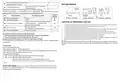
Wiring Diagram
High temperature protection
Display A o, long press
the whole screen
for 3-5 seconds to access advanced setting B.
to choose the option, and adjust data by
until show
Ao Restore factory defaults
Power off state, long press
From PH to BO, short press
,
. After finish setting ,remain
about 10 seconds ,it will save setting and exit advanced setting automatically .
Factory
Default
00
NO Setting Options Data Setting Function
PH IP code high setting
00-FF
01-FF
PL IP code low setting
01
Power on RF Receiver(the orange LED is steady
on) ,continue press until Display”55”
Cautions on Installation and Use
BS Write transceiver IP address
00
1.
To prevent the thermostat display from a high fluctuation, special treatment has been made to the program. Therefore,
it is normal that the thermostat cannot immediately display the sudden change of temperature.
The thermostat installed on 1.5m above the ground.
means IP match successfully.
N1: internal sensor
N3: internal and external sensors
Cannot be changed
2.
3.
BN Sensor function
N1
For the thermostat installed, please take care not to install it to the wall corner, door / window side or behind the door
or in such unheated area as exterior wall. Avoid hot / cold air duct, radiator, flue or thermal pipe.
If you have any problem for the installed ,please contact our company hysen, we will make a demonstration for you
Only the professional technicians are permitted to open the transmitter and receiver box of the thermostat for
installation. When install the power supply, make sure that the power cable is well insulated.
The thermostat is unrepairable product. The user shall not open the internal circuit board.
Bo Product information
4.
5.
Description of temperature thermostat data communication
1. Communicate with the receiver every 20 minutes under normal working conditions.
2. Press the switch button to communicate with the receiver once.
3. Communicate with the receiver once when the output state is switched.
6.
7.
Before installing the thermostat, make sure that the system is disconnected. The maximum voltage of the system shall
meet the requirements specified in the Instruction Manual (Max. AC Voltage: 240V).
Warranty:
On when wireless communication is normal, and blinking when wireless communication
is abnormal
We offer the warranty of 18 months, from the sales day. The products of our company can have lifetime
warranty ,if it is not the quality problems, or beyond the warranty period, we will charge for the after-sale
service.
Transceiver tips
Receiver LED display instruction:
Power light (green light):it’s bright when power on
Signal light(orange light):it’s bright within 10s after power on (match IP),signal light off when it receive
match, signal light is blinking within 10s after power off.
Load light/fault light (red light):
A、When no fault: light bright when load output, light off when no load output
B、When fault: 1. Light blink 2 times indicate IP is fault
2. Light blink 3 times indicate it does not receive wireless signal for 1 hour
3. Light blink 4 times indicate built-out sensor is fault(only for receiver with external
sensor )
Sensor fault display: please choose correct working way of built-in and external sensor, if choose
wrongly or sensor fault (breakdown), “E1” or “E2” will be displayed on the screen. Thermostat will stop
heating until the fault is eliminated.

| General | Details |
|---|---|
| Name | HYSEN HY02B05RF Wireless Heating Thermostat User Manual |
| Make | HYSEN |
| Language | English |
| Filetype | PDF (Download) |
| File size | 0.36 MB |
 (1 votes, average: 5.00 out of 5)
 Loading...

HYSEN HY518WE WIFI Digital Heating Thermostat User Manual

HYSEN HY312 Wi-Fi Digital Heating Thermostat Instruction Manual

HYSEN HY510 WiFi Heating Thermostat Instruction Manual

HYSEN HY511 WiFi Heating Thermostat Owner’s Manual

HYSEN HY608 Wi-Fi Digital Heating Thermostat User Manual

HYSEN HY09RF WI-FI Wireless Thermostat User Manual

HYSEN HY02DB-WIFI Wifi Plug In Thermostat User Manual


GENERAL 260S Wired Room Thermostat User Manual

DAIKIN DTST-ONE-ADA-A One Lite Connected Thermostat User Guide

ELKO ep TEV-1 Thermostat Owner’s Manual

Danfoss RT 8L Thermostat Installation Guide

SECURE ThermoPlus AS2 Programmable Room Thermostat Instruction Manual

PURGEAR STC-2303 Digital Thermostat User Guide

Danfoss 220V Electronic Intelligent Timer Thermostat Installation Guide

ENGO CONTROLS EASY230W Non-Programmable Wired Thermostat User Guide

GTS TR8100V WiFi Pairing Thermostat Instruction Manual

Honeywell 191108AJ Series Heating or Cooling Thermostat User Guide