
Honeywell T6811DP08 Digital Thermostat Instruction Manual


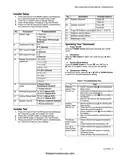


T6811DP08/T6812DP08 Digital Thermostat
INSTALLATION INSTRUCTIONS
INSTALLATION GUIDE
CAUTION
Can cause electrical shock or equipment damage.
Electrical Hazard.
DOWN BUTTON
FAN SWITCH
UP BUTTON
Disconnect power before installation.
MODE BUTTON
Terminal Designations
POWER SWITCH
MCR29502
Terminal
Designation
Line Voltage Power
L
Display
Ch/Cc
W/Y
N
Heating close/Cooling close
Heating open/Cooling open
Line Voltage Ground
Low speed fan
INDICATES THE NUMBER
OF SETUP OR TEST
INDICATES THE
INSTALLER SETUP
INDICATES THE
INSTALLER TEST
Gl
KEYPAD LOCK
Gm
Gh
Medium speed fan
Lock Setup
Test
High speed fan
INDICATES THE
SETPOINT
Set to
INDICATES THE
TEMPERATURE
Wiring Diagrams
L
L
Ch/Cc
W/Y
N
CURRENT
MODE
INDICATES TEMPERATURE IS
“CALLING” FOR HEAT OR COOL
VALVE
M29503
N
GI
FAN
Gm
Gh
M29504
Fig. 1. Typical wiring for ON/OFF control in 2 pipes Heat/
Cool/1H1C (for 2-wire valve actuators).
62-0325ES-01
firealarmresources.com


| General | Details |
|---|---|
| Name | Honeywell T6811DP08 Digital Thermostat Instruction Manual |
| Make | Honeywell |
| Language | English |
| Filetype | PDF (Download) |
| File size | 0.67 MB |
 (1 votes, average: 5.00 out of 5)
 Loading...

Honeywell T6 Pro Programmable Thermostat User Manual

Honeywell D1-528 Direct Thermostat Installation Guide

Honeywell FocusPRO P200 Programmable Thermostat User Guide

Honeywell RCHT8610WF Series Smart Thermostat Installation Guide

Honeywell T9 Smart Thermostat Installation Guide

Honeywell TH2320WF4011 FocusPRO Smart S200 Series Thermostat User Guide

Honeywell TL116A Thermostat Installation Guide

T10 Pro Smart Thermostat with Redlink Room Sensor

Honeywell TH6320WF2003 Lyric T6 Pro Wi-Fi Programmable Thermostat User Guide

Honeywell RTH9580 Wi-Fi Color Touchscreen Programmable Thermostat User Guide

Honeywell T6811DP08 Manual: Questions and Answers
What do the UP and DOWN buttons do on the Honeywell T6811DP08?
UP and DOWN buttons adjust the temperature setting in Heat or Cool mode. Instruction Manual, p. 3
How do I switch between heat, cool and ventilation modes?
Press the MODE button to cycle through Heat, Cool, or Vent modes.
- Press the MODE button.
- Select Heat, Cool, or Vent as needed. In ventilation mode, only the fan will operate. Instruction Manual, p. 3
Can the Honeywell T6811DP08 control both heating and cooling systems, or just one?
The System Type setting supports Heat only, Cool only, or Two pipes 1H1C manual control of both heating and cooling. Instruction Manual, p. 3
What's the difference between Display Room Temperature and Display Setpoint on the Honeywell T6811DP08?
Display Room Temperature shows the current room temperature; Display Setpoint shows your desired temperature setting. Instruction Manual, p. 3
More Honeywell thermostat manuals

stelpro STZW402 ELECTRONIC THERMOSTAT SMART HOME User Guide

REGIN RCFD-230C Fan Coil Room Thermostat Instructions

hansgrohe 15763003 Shower Select Thermostat Instruction Manual

DEVI 316 Electronic Thermostat Installation Guide

Fudajo 52429 Chick Heating Plate with Thermostat Instruction Manual

Lachin TDS72 Series WiFi Thermostat User Guide

BEOK BOT-T9N-WIFI Desktop Type RF Smart Thermostat for Wall-Hung Boiler User Manual

TECH CONTROLLERS EU-T-4.1n, EU-T-4.2n Wireless Thermostat User Manual

HERSCHEL iQ T2 Wireless Thermostat Instruction Manual

Orbegozo FDR 65 Litres Adjustable Thermostat Instruction Manual