Honeywell T6 Pro Programmable Thermostat Instruction Manual


| General | Details |
|---|---|
| Name | Honeywell T6 Pro Programmable Thermostat Instruction Manual |
| Make | Honeywell |
| Language | English |
| Filetype | PDF (Download) |
| File size | 1.01 MB |
 (1 votes, average: 5.00 out of 5)
 Loading...


Honeywell T6 Pro Manual: Questions and Answers
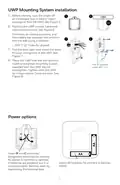
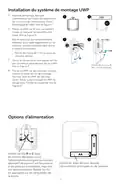
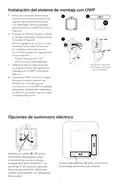
Where is the wiring hole on the Honeywell T6 Pro mounting system?
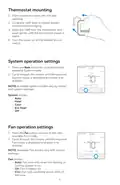
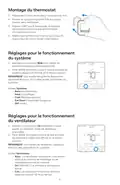
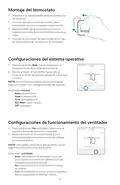
On the UWP door. Pull the door open to access it. Instruction Manual, p. 2
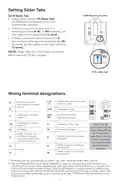
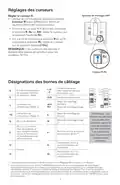
How do I set up the R Slider Tab on the Honeywell T6 Pro?
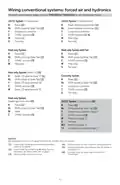
Set the slider based on how many R wires you have.
- If one R wire connects to R, Rc, or RH terminal, set slider to up position (1 wire).
- If one wire connects to R and another to Rc, set slider to down position (2 wires). Instruction Manual, p. 3
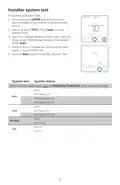
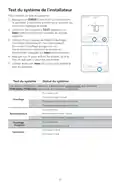
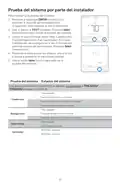
Run a system test to check heating and cooling stages.
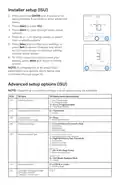
Access the advanced menu and navigate to the System Test.
- Press and hold CENTER and buttons for approximately 3 seconds.
- Use arrow buttons to go to TEST. Press Select.
- Use arrow buttons to change between Heat, Cool, Fan, Em Heat, or Ver. Press Select.
- Press the up arrow to turn stages on one at a time, press the down arrow to turn them off.
- Press the Home button to exit. Instruction Manual, p. 10
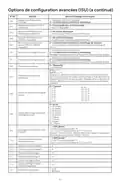
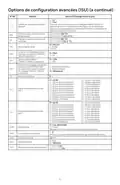
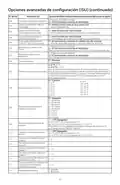
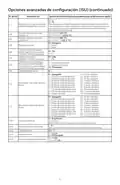
What's the difference between ISU 270 Backup Heat Fan and ISU 271 Emergency Heat Fan on the Honeywell T6?
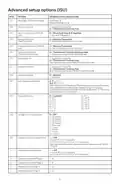
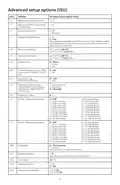
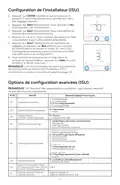
Both control whether equipment or thermostat manages fan operation, but Backup Heat Fan applies in Heat Pump mode with backup heat, while Emergency Heat Fan applies in Heat Pump mode with emergency heat. Instruction Manual, p. 8
What does the Honeywell T6 Pro setting ISU 425 Adaptive Intelligent Recovery do?
When enabled, heating or cooling equipment turns on earlier so indoor temperature reaches the setpoint by the scheduled time, providing comfort-based temperature recovery. Instruction Manual, p. 9
Can I use the Honeywell T6 with a heat pump system that has two compressors?
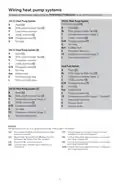
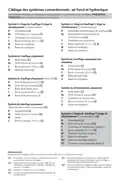
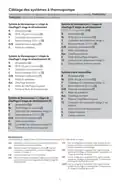
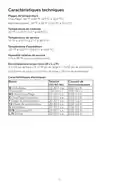
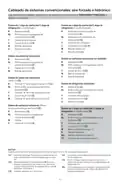
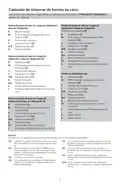
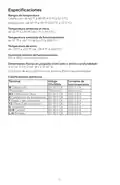
Yes. The thermostat supports 2H/2C, 3H/2C and dual fuel configurations with multiple compressor stages. Instruction Manual, p. 5
Can I set the Honeywell T6 Pro to display temperature in Celsius instead of Fahrenheit?
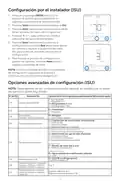
Yes. In Installer Setup, change ISU 125 Temperature Indication Scale from 0 (Fahrenheit) to 1 (Celsius). Instruction Manual, p. 7
Other Honeywell T6 Pro manuals
- Honeywell Home T6 Pro Smart Programmable Thermostat User Guide
- Honeywell T6 Pro Programmable Thermostat User Manual
- Honeywell TH6320WF2003 Lyric T6 Pro Wi-Fi Programmable Thermostat User Guide
- Honeywell TH6320ZW T6 Pro Z-Wave Programmable Thermostat User Guide
More Honeywell thermostat manuals