
GENERAL MITRA 250S Digital Room Thermostat User Manual
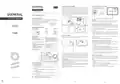


ROOMTHERMOSTATPLACEMENT
ROOMTHERMOSTATWIRINGDIAGRAM
ENGLISH
Room Thermostat needs to be placed in the room which is used most
frequently. For instance; living room or lounge. Placing the Room
Thermostat in a spot that have air circulation like entrance of a room
or side of window should be avoided. Also anywhere close to
heating/cooling units such as radiator, stove and spots which get
direct sun lights would not be suitable. Room Thermostat needs to be
located above the floor 150 cm height. Few trials may be made to find
the most convenientspot.
HEATING/COOLING UNIT
DIGITAL ROOM THERMOSTAT
generallife.com.tr
MITRA 250S USER MANUAL
GENERALSPECIFICATIONS
NO COM
min. 20 cm
DIGITAL ROOM THERMOSTAT
MITRA 250S is a wired room thermostat. The user can adjust the
room temperature with the required temperature and get more
comfortable and economic heating/cooling.
Warning!
Operations within the heating
/
cooling unit or the electrical
installation must be carriedout byprofessionally qualified persons.
PreciseTemperatureMeasurement
Heating calibration
ON/OFFControl
Wired Connection
TPIAlgorithm
ROOMTHERMOSTATTEMPERATURECALIBRATION
Temperature sensors which are used in Room Thermostats are highly
sensitive. You may need to calibrate your Room Thermostat if you
would like to get the same temperature values with other
thermometersin yourliving space.
Heating/Cooling Modes
MITRA 250S
USER MANUAL
MITRA250SANDEQUIPMENTS
MITRA 250S
Room Thermostat
Alkaline
Battery
Dowels and
Screws
While your device is turned off, press and hold the button for 3
seconds.
Press the button until the “
” menu appers. In order to see the
desired temperature, set the temperature difference by turning the
button to right or left. This valuecan be arranged between “-8oC" and
“+8oC".
BATTERY PLACEMENT
Before starting, power off the device connected to the Room
Thermostatand makesurethattheenergy is cutoff.
To save the settings and exit, press the "On/Off" button until the
deviceturns off.
Note:Recommended tempreturecalibration is “0.0oC”.
TECHNICALDATA
Dimensions
85mm / 125mm / 24mm
3V DC (2 x AAA alkaline battery)
2A/30VDC (Resistive load)
0.5A/125VAC (Resistive load)
0.1oC
Operating Current
Relay NO Switching Current
ROOMTHERMOSTATHEATING/COOLINGMODES
Your Room Thermostat has heating and cooling modes. In order to
switcheasilybetweenheating and cooling modes:
While your device is turned off, press and hold the button for 3
seconds.
Temperature Measurement
Accuracy
Operating Temperature Range
Battery Life
(5oC) – (30oC)
1 Year (2 x AAA)
(-10oC) – (+50oC)
(-20oC) – (+60oC)
Pressthe button until the“
” menu appears.
” (heating) and “
Operating Temperature
Storage Temperature
You can switch between “
” (cooling) modes
” menu.
byturning thebutton to right or leftin the“
To save the settings and exit, press the button until the device turns
off.
ROOMTHERMOSTAT
The settings you have made have been saved. Once you turned on
yourdevice, itwilloperatewiththe changed settings.
1
2
As shown in the picture above, press the screwdriver forward from the
space shown, bend the tabs and separate the front cover. Insert 2 new
AAA alkaline batteries in the battery housing with the correct battery
direction. Replace both batteries at the same time. Then align the
front part of your Room Thermostat to the back and squeeze it
towards theback.
FACTORY SETTINGS RESET
You can reset your Room Thermostat to its default factory settings.
This operation resets the calibration setting and heating/coling
modes to factory setting. To reset your Room Thermostat to factory
setting:
3
4
5
6
Low Battery Warning: When the “ ” icon appears on the screen, it
means “low battery warning”. It is recommended to replace the
batterieswhen this warning appears.
While your device is turned off, press and hold the button for 3
seconds.
1
2
3
Battery Indicator
Room Temperature
Set Temperature
Cooling Indicator
Pressthebutton until the“
While in the “ “ menu, turn the button to right or left in order to
select“ “ option and pressthebutton.
” menu appears.
Warning: When the product is not used for a long period (more than 15
days), remove the batteries. Otherwise, malfunctions that may occur
would beoutof warranty.
Your devicewillbe turned off and resettofactory settings.
Pleasethrowyourdead batteries into thewaste bin forbatteries.
- If the Cooling Indicator is blinking, the cooling unit is
4
working.
- If the Cooling Indicator is steady, the cooling unit is not
working.
Heating Indicator
- If the Heating Indicator is blinking, the heating unit is
working.
5
6
- If the Heating Indicator is steady, the heating unit is not
working.
ON/OFF and Temperature Setting Button
generallife.com.tr
2
1
3


| General | Details |
|---|---|
| Name | GENERAL MITRA 250S Digital Room Thermostat User Manual |
| Make | GENERAL |
| Language | English |
| Filetype | PDF (Download) |
| File size | 2.04 MB |
 (1 votes, average: 5.00 out of 5)
 Loading...

GENERAL ARUNA 300S Smart Room Thermostat User Manual

GENERAL HT250S Digital Room Thermostat User Manual

GENERAL FH260S Underfloor Heating Thermostat User Manual

GENERAL HT100S Digital Room Thermostat User Manual

GENERAL SOLARA 330S SMART Smart Room Thermostat User Manual

GENERAL HT250 Digital Room Thermostat User Manual

GENERAL SENNA 300 Digital Room Thermostat User Manual

GENERAL ARUNA 300S RF Digital Room Thermostat User Manual

GENERAL SENNA 300 Smart Room Thermostat User Manual

GENERAL MITRA 220 RF Digital Room Thermostat User Manual

GENERAL MITRA 250S Digital Room Thermostat User Manual Overview
Summary of Contents
- Page 1: Room thermostat needs to be placed in the room which is used most frequently. Placing the room thermostat in a spot with air circulation or close to heating/cooling units should be avoided. Room thermostat needs to be located above the floor at a height of 150 cm. MITRA 250S is a wired room thermostat that allows users to adjust room temperature for comfortable and economic heating/cooling. Operations within the heating/cooling unit or electrical installation must be carried out by professionally qualified persons. Temperature sensors in room thermostats are highly sensitive and may require calibration for accurate readings. Your room thermostat has heating and cooling modes that can be switched easily. You can reset your room thermostat to its default factory settings, which resets calibration and heating/cooling modes. When the low battery warning icon appears, it is recommended to replace the batteries. If the cooling indicator is blinking, the cooling unit is working; if steady, it is not working.
- Page 2: Warranty conditions state that the warranty period starts from the invoice date and covers manufacturing defects for 5 years. The TPI Room Thermostat uses a learning process that restarts if the placement is changed or if the device is de-energized. TPI technology ensures energy efficiency by predicting temperature changes and adjusting the heating/cooling unit accordingly. Devices are delivered in working condition, and on-site commissioning incurs a service fee. Repairs covered by warranty must be conducted at the company factory, with transportation costs borne by the customer for on-site services. Malfunctions caused by customer misuse are not covered by the warranty, and damages from other brands or models are also excluded. The warranty document must be retained by the customer, and a replacement will not be issued if lost. The manufacturer confirms that the product complies with relevant directives and specifications. The average room temperature is calculated over the last 40 seconds to maintain desired temperature levels. Customers can appeal to consumer courts for complaints regarding warranty issues.

OUELLET OTL221 Single Pole Mechanical Thermostat Instructions

GENERAL LIFE FH105S Underfloor Heating Thermostat User Manual

MOES BRT-100 Radiator TRV Thermostat Instruction Manual

GENERAL Life FH254S Underfloor Heating Thermostat User Manual

Danfoss CET B-RF ATC Cylinder Thermostat Installation Guide

emos P5604 Thermostat Instruction Manual

king K702E-2 SimplStat Electronic Thermostat Instruction Manual

Lightwave DTS92E Honeywell Home Wireless Room Thermostat User Manual

Danfoss RAV Ally Radiator Thermostat User Guide

SmartDHOME 01335-1864-00 Zone Thermostat for 2-Pipe Fan Coil with 0-10 VDC Fan Regulator and Valve Management User Manual