
Home > BEOK CONTROLS > beok-controls TOL47 Series Thermostat User Guide
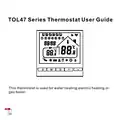
beok-controls TOL47 Series Thermostat User Guide
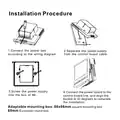
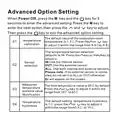
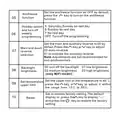
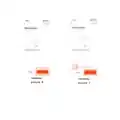
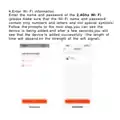
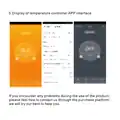


Installation Procedure
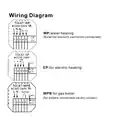
1.Connect the power box
according to the wiring diagram.
2.Separate the power supply
from the control board cable.
3.Screw the power supply
into the box of 86.
4.Connect the power board to the
control board line, and align the
buckle at 30 degrees to complete
the installation.
Adaptable mounting box: 86x86mm square mounting box
60mm European round box

| General | Details |
|---|---|
| Name | beok-controls TOL47 Series Thermostat User Guide |
| Make | BEOK CONTROLS |
| Language | English |
| Filetype | PDF (Download) |
| File size | 1.15 MB |
 (1 votes, average: 5.00 out of 5)
 Loading...

BEOK CONTROLS TDR83 WiFi Heating Thermostat User Guide

BEOK CONTROLS TCR7 IPS Colorful LCD Screen Smart Thermostat Owner’s Manual

BEOK CONTROLS TDR89 Thermostat User Guide

BEOK CONTROLS BOT-R7X Wireless Gas Boiler Heating Thermostat Instructions

BEOK CONTROLS TCR8 IPS Colorful LCD Screen Smart Thermostat Owner’s Manual

BEOK CONTROLS TGW60 Touch Screen Boiler Thermostat User Guide

BEOK CONTROLS TGR86 WiFi Thermostat User Guide

BEOK CONTROLS BOT-323W Series Boiler Thermostat Instruction Manual

BEOK CONTROLS TDS72 Digital Screen Thermostat Instruction Manual

BEOK CONTROLS BOT-R6W Gas Boiler Thermostat Instruction Manual


aube technologies CT230-120GA Slave and Master Thermostat Instruction Manual

MI-HEAT MTS200 WiFi Thermostat Instruction Manual

aube technologies TH104PLUS Programmable Thermostat Owner’s Manual

SALUS TS600 Remote-Only Thermostat User Guide
Honeywell Home RTH Series T5 Smart Thermostat Installation Guide

Beca BHT-8000 Heating Thermostat User Guide

LUXPRO PSD111+ Series Thermostat Instruction Manual

ENGO CONTROLS E901RF Series Programmable Thermostat User Guide

Honeywell Home T2 Programmable Thermostat Installation Guide

MOES ZTRV-BY-100 Radiator Thermostat User Guide