
Xetron STC-1000Pro Smart Digital Thermostat User Manual

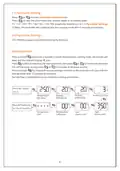





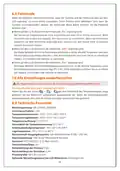


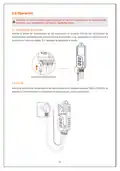










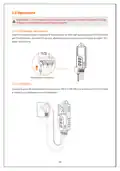






2.3 Parameter Viewing
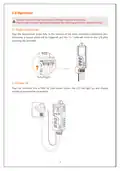
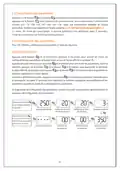
Press
Press
or
to enter parameter viewing mode.
to view the parameters and relative values in ascending order:
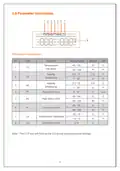
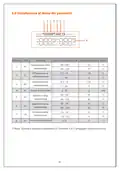
TS→CD→HD→PT→AH→AL→CA. The parameter details are in 2.4 Parameter Settings.
Note: The controller will automatically exit viewing mode after 5 seconds of inactivity.
2.4 Parameter Settings
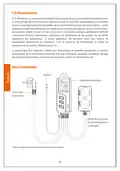
STC-1000Pro supports parameter settings by buttons.
Button Operation
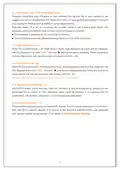
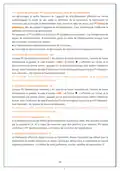
Press and hold
beep and the LCD will display
Press button to switch to the next parameter, then press
the setting value; or long press or to increase or decrease quickly.
Press and hold for 3 seconds to save settings and exit; or the controller will save and exit
button for 3 seconds to enter the parameter setting mode, the buzzer will
icon.
or
to increase or decrease
setting mode after 15 seconds of inactivity.
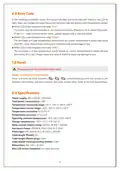
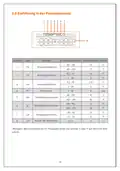
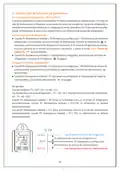
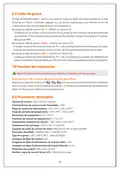
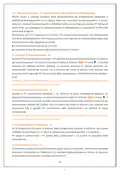
See the flow chart below for quick parameter setting procedures:
Press SET button
for 3s
Heating
Differential
Temperature
Set Value
Cooling
Differential
Protection Time
Press SET button for
3s/ 15s of inactivity
Temperature
Unit
Temperature
Calibration
Low
Alarm Limit
High
Alarm Limit
4

| General | Details |
|---|---|
| Name | Xetron STC-1000Pro Smart Digital Thermostat User Manual |
| Make | Xetron |
| Language | English |
| Filetype | PDF (Download) |
| File size | 2.37 MB |
 (1 votes, average: 5.00 out of 5)
 Loading...


White Rodgers 1E78 5 2 Day Programmable Thermostat Instruction Manual

Honeywell DT4 Room Thermostat User Manual

SALUS Thermostat and Smart Plug Installation Guide

ELDOM NHC-RHN-WiFi Electronic Thermostat User Manual

Roth Minishunt Plus Wireless Room Thermostat Installation Guide

PREMTOOL BHT-009 GA ThermaHeat Smart Dial Wi-Fi Thermostat User Guide

Network Thermostat X5-WIFI Smart Touchscreen Thermostat Instruction Manual

INKBIRD ITC-306A Digital Thermostat User Manual

Honeywell Home TH2110WF4008 Series Smart Thermostat User Manual

BEOK CONTROLS TDS75 Series Thermostat User Guide