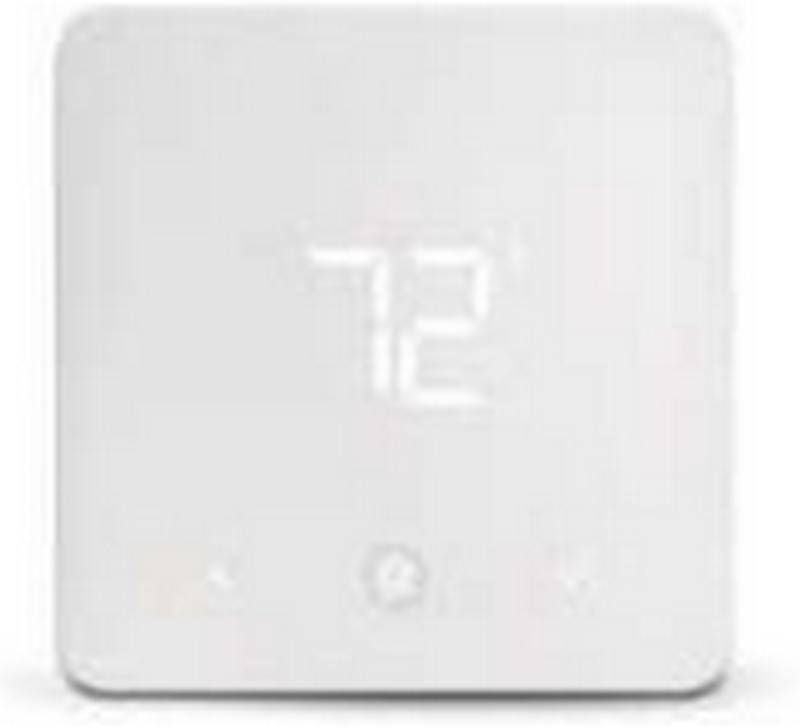
Home > URC Support > URC Support TIDE DIAL Smart Thermostat User Guide
×
- 1. Tide Dial (Smart Thermostat → Quick Startup Guide)
- 2. Tide Dial Smart Thermostat (Getting To Know Tide Dial Smart Thermostat → Whats In The Box ? → Guided Setup On My Nevo App → Adjusting The Temperature → Selecting System Mode → Setting Menu)
- 3.
- 4. Getting To Know Tide Dial Smart Thermostat (System Mode → Target Temperature → Display → Current Temperature/ Relative Humidity → Adjust Temperature/ Relative Humidity)
- 5. System Mode (Fan Mode → Menu → Display Brightness → Eco/boost Mode → Scene/schedule → Zone)
- 6. Whats In The Box? (Tide Dial Smart Thermostat → Wall Cover Plate (optional) → Modular Pack → Metal Plate (optional))
- 7. Out Of Box (Download My Nevo App To Set Up Tide Dial, Onboard Wi-fi Or Connect Sensors. → Scan Qr Code)
- 8. My Nevo App Detects The Installation Status And Directs You To Next Steps Of Completion. (Launch → My Nevo App → Different Stages Of Setup → My Nevo App → My Nevo App Identifies Successful Installation And Network Setup)
- 9. Step-by-step Guided Flow On My Nevo App For Thermostat Installation (My Nevo App → Turn Off Power To The Hvac System → Remove Old Thermostat Cover → Option To Take Photograph Of Wiring → Photograph Wiring)
- 10. Compatibility (Label Wires → Unscrew Old Thermostat → Add Wallplate → Install Modular → Screw Modular (optional) → Pack To The Wall)
- 11. Wiring (The Thermostat → Wire To Terminal → Attach Tide Dial → Add Security Screw (optional) → Turn The Power Back On → Gang Box Installation And/or Wall Plate Covering (optional))
- 12. Once Powered On, Thermostat Automatically Connects With My Nevo App And Configures Itself Without User Intervention.
- 13. Thermostat (Connect The Thermostat To Wi-fi With 3 Simple Steps → My Nevo App)
- 14. Guided Setup On My Nevo App (Guided Setup On My Nevo App)
- 15. Onscreen Setup (residential)
- 16. On Screen Setup (commercial) (Schedule Overrides)
- 17. Adjusting The Temperature (Adjusting Temperature And Setpoint Push)
- 18. Auto Mode (dual Set Point) (Adjusting Temperature)
- 19. Cool Is Selected (Heat Is Selected)
- 20. Selecting System Mode (Mode Menu Short Cut Key → Auto → Caution → Cool → Heat → Emergency Heat)
- 21. Selecting Fan Speed (Fan Mode Menu Short Cut Key → Auto → On)
- 22. Setting Menu (Network → Sensors)
- 23. Preferences (System)
- 24. Smart Home (About)
- 25. Regulatory Statement (Fcc Statement → Industry Canada Statement → Product Disposal (european Directive 2012/19/eu))
×
URC Support TIDE DIAL Smart Thermostat User Guide
| General | Details |
|---|---|
| Name | URC Support TIDE DIAL Smart Thermostat User Guide |
| Make | URC Support |
| Language | English |
| Filetype | PDF (Download) |
| File size | 0.99 MB |


Honeywell Home RCHT8610WF T5 Smart Thermostat Installation Guide

Schneider Electric CFMT02ZB Flush-Mounted Thermostat Instruction Manual

Centrometal TU-DT-2024-ENG Thermostat Instruction Manual

tecnoswitch Raffaello 230 TE215VU Electronic Recessed Thermostat User Guide

GREYSTONE TLGLF24X01 Glass Low Limit Thermostat Instruction Manual

Braeburn Programmable Touchscreen Thermostat User Manual

Beok Controls TGR85 Thermostat User Guide

EPH CDTP2 Room Thermostat Installation Guide

REPTITRIP HMT16N Reptile Heating Mat With Digital Thermostat User Manual

Haswill Electronics STC-8080A+ Thermostat User Guide
Table of Contents
- 1. Tide Dial - Smart Thermostat →
- 2. Tide Dial Smart Thermostat - Getting To Know Tide Dial Smart... →
- 3. Page 3 →
- 4. Getting To Know Tide Dial Smart Thermostat - System Mode →
- 5. System Mode - Fan Mode →
- 6. Whats In The Box? - Tide Dial Smart Thermostat →
- 7. Out Of Box - Download My Nevo App To Set Up Tide Dial, Onboa... →
- 8. My Nevo App Detects The Installation Status And Directs You ... →
- 9. Step-by-step Guided Flow On My Nevo App For Thermostat Insta... →
- 10. Compatibility - Label Wires →
- 11. Wiring - The Thermostat →
- 12. Once Powered On, Thermostat Automatically Connects With My N... →
- 13. Thermostat - Connect The Thermostat To Wi-fi With 3 Simple S... →
- 14. Guided Setup On My Nevo App - Guided Setup On My Nevo App →
- 15. Onscreen Setup (residential) →
- 16. On Screen Setup (commercial) - Schedule Overrides →
- 17. Adjusting The Temperature - Adjusting Temperature And Setpoi... →
- 18. Auto Mode (dual Set Point) - Adjusting Temperature →
- 19. Cool Is Selected - Heat Is Selected →
- 20. Selecting System Mode - Mode Menu Short Cut Key →
- 21. Selecting Fan Speed - Fan Mode Menu Short Cut Key →
- 22. Setting Menu - Network →
- 23. Preferences - System →
- 24. Smart Home - About →
- 25. Regulatory Statement - Fcc Statement →