
TIMEGUARD TRT05 Plug In Thermostat Instruction Manual







•
•
•
•
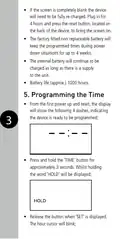
Use the ‘TEMP’ or ‘MODE’ button to set
the hours.
Press the ‘PROG’ button to save and move
to the minutes.
Use the ‘TEMP’ or ‘MODE’ button to set
the minutes.
Press the ‘PROG’ button to save and move
to the ‘Prog 2 ON’ time. Follow the same
procedure if more ON/OFF times are required,
there are 3 ON/OFF programmes available.
Note: If no more ON/OFF times are required,
leave the remaining programs set to 4 dashes
‘--:--‘, and hold down the ‘PROG’ button for
approximately 3 seconds. This will save and
exit the programming time mode (this can
be done at any time during programming).
7
7.1. Programming across
midnight
For example: an ON time of 22:00PM,
and an OFF time of 02:00AM;
•
Using program 1, enter your ON time.
Using the above example this will be 22:00.
•
•
Leave the OFF time set to 4 dashes ‘--:--‘.
Using program 2, enter an ON time of 0:00
(i.e. midnight).
•
Enter your OFF time. Using the above
example this will be 02:00.

| General | Details |
|---|---|
| Name | TIMEGUARD TRT05 Plug In Thermostat Instruction Manual |
| Make | TIMEGUARD |
| Language | English |
| Filetype | PDF (Download) |
| File size | 0.63 MB |
 (1 votes, average: 5.00 out of 5)
 Loading...


ezlo EZL-TSTAT-US Wave Thermostat Instruction Manual

K nighaus Infrarot Thermostat Owner’s Manual

Honeywell T6360 Room Thermostat User Manual

ENSTO ECO500 Frost Protection Thermostat Instruction Manual

beok TDR89 Wi-Fi Thermostat User Guide

HIVE Thermostat Mini User Guide

Google Nest Learning Thermostat (4th gen) Installation Guide

VIVE COMFORT TP-S-755 Cool Programmable Thermostat Instruction Manual

GENERAL LIFE MITRA 110S Digital Room Thermostat User Manual

qunda QD-HVAC10W Programmable Thermostat Installation Guide