
Home > SMART TEMP > Smart Temp SMT-850 Halo Thermostat User Guide
Smart Temp SMT-850 Halo Thermostat User Guide

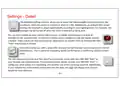
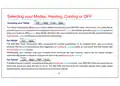
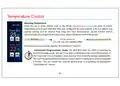
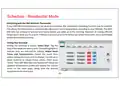



Wi-FI
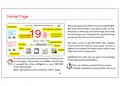
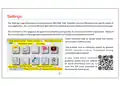
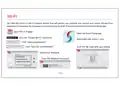
The SMT-850 Halo is a Wi-Fi capable device that will permit you monitor and control your home climate from
anywhere in the world. You must pair your Halo to your local Wi-Finetwork and then to the SmartTemp App.
Open the wi-fi page.
Wi-Fi
Open the Smart Temp app.
Enable Wi-Fi
Click the “Enable Wi-Fi” Check box
Select add new device - scan
Setup Connection
Click “Setup Connecꢀons”
Scan for new Network
Click “Scan for new Network”
Select your Network.
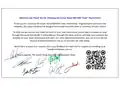
Scan the QR code with your phone
Wi-Fi..... Share Control
Wi-Fi..... Setup Connection
Scanning.......
Scan this QR code to pair the Halo with your App.
Abracadabra
Enter the Network Password
Wi-Fi..... Setup Connection
Yabba Dabba Do
Klaatu Barrada Nikto
PIN Protect QR Code
Rescan
Network
Klaatu Barada Nikto
Select your network
Connect
Password
42
Back
Back
- 11 -

| General | Details |
|---|---|
| Name | Smart Temp SMT-850 Halo Thermostat User Guide |
| Make | SMART TEMP |
| Language | English |
| Filetype | PDF (Download) |
| File size | 0.95 MB |
 (1 votes, average: 5.00 out of 5)
 Loading...

SMT-2W5 Smart Temp Wifi Thermostat Instruction Manual

SMART TEMP SMT-131 Hotel Touchscreen Thermostat User Manual

Smart Temp SMT-450 Flexistat WiFi Thermostat Instructions


AuVerte C501 Thermostat Installation Guide

HYSEN HY09RF WI-FI Wireless Thermostat User Manual

sensi 1F76U-22WFB Series Lite Smart Thermostat Installation Guide

VIMAR 02971 Smart Automation Rotary Dial Thermostat Instruction Manual

GENERAL HT220 RF Digital Room Thermostat User Manual

Milesight WT101 Smart Radiator Thermostat User Guide

Eberle UTE 3500 Smart Home Capable Flush Mounted Thermostat Installation Guide

LUX PSP511Ca Programmable Thermostat Instruction Manual

homematic IP HmIP-BWTH-A Wall Thermostat Installation Guide

HEATIT 54 304 59 DIN Smart Thermostat Installation Guide