
Home > PowerOptimal > PowerOptimal Elon Smart Thermostat User Guide
PowerOptimal Elon Smart Thermostat User Guide


Elon® Smart Troubleshooting
Guide for Electricians V1.4
Things to Remember
● After power up, the unit runs a self-test that takes about 30 seconds. Once the self-test passes
the unit will engage the correct power source determined by the heating policy. If the water is
below the temperature set point for the source (Grid or Solar), it will start heating water. You
should hear a click when this happens.
● If the two earth wires are not connected to the earth stud the unit will fail the self-test and never
start the heating process.
● The unit will detect the following installation faults and display them on the configuration
screen. These will stop the unit from connecting power to the element until they are cleared:
1. DC + and DC – are reversed (reversed polarity);
2. The earth straps are not connected to the earth stud;
3. AC is connected to DC input;
4. There is a fault between the solar wiring and earth (insulation failure);
5. Element faulty (this may happen if you insert the unit so only a single spade connector
makes contact with the element);
6. Unit component failure.
● The unit will also warn the installer if there is:
1. No power on the AC input. The alarm is not shown if heating policy Solar Only is selected.
2. No power on the DC input and it is daytime. The alarm is not shown if heating policy Grid
Only is selected.
● For any Heating policy except Grid Only, solar power is normally engaged except for the periods
listed in the table below.
● If the unit has no grid power and engaging the element causes the DC voltage of the solar panels
to drop below the voltage required to power the unit, the unit disconnects the element. If AC
power is supplied, then the unit can run down to 0 V on DC. If the unit disconnects the element,
it will stay disconnected for 2 minutes before connecting to the element again.
● If the unit is connected to the grid, it may draw a small amount of power (<3W) from the grid
even if Solar Only heating policy is selected.
● How to switch on solar power to element: Select Solar Only heating policy on the configuration
screen.
● How to switch on mains power to element: Select Grid Only heating policy on the configuration
screen.
Heating Profile
option
Solar power use
Grid power
use
Comments
Grid Only
Solar Only
Never
Always
Select this option if you don’t have any solar panels installed.
ONLY use solar power. NEVER use grid power.
Always
Never
Morning Shower Always except
3 am – 5 am
Solar power will be used whenever available, and grid power will only be used
early in the morning to boost water temperature to the Grid set point if the
temperature is lower than that.
for 3 – 5 am
Evening Shower
Always except
for 5 – 7 pm
5 pm – 7 pm
Solar power will be used whenever available, and grid power will only be used in
the late afternoon to boost water temperature to the Grid set point if the
temperature is lower than that.
Morning and
Always except
for 3 – 5 am & 5
– 7 pm
3 am – 5 am & Solar power will be used whenever available, and grid power will only be used in
Evening Shower
the early morning and late afternoon to boost water temperature to the Grid set
5 pm – 7 pm
point if the temperature is lower than that.

| General | Details |
|---|---|
| Name | PowerOptimal Elon Smart Thermostat User Guide |
| Make | PowerOptimal |
| Language | English |
| Filetype | PDF (Download) |
| File size | 0.22 MB |
 (1 votes, average: 5.00 out of 5)
 Loading...


Digital Touch Thermostat Troubleshooting User Guide

Beok Controls TS4 Series Thermostat User Guide

COLDBUSTER MWD5 Programmable Thermostat User Manual

Honeywell TH8000 VisionPro WiFi Thermostat Instruction Manual

QuietWarmth THERMAEGH-ET72 Thermaegh Wifi Programmable Touchscreen Thermostat User Manual

Honeywell Home FocusPRO 200 Series Programmable Thermostat Installation Guide

SECURE ThermoPlus PRT1 Programmable Room Thermostat Instruction Manual

Satel ART-200 Wireless Radiator Thermostat Installation Guide

GENERAL LIFE FH252S Underfloor Heating Thermostat User Manual
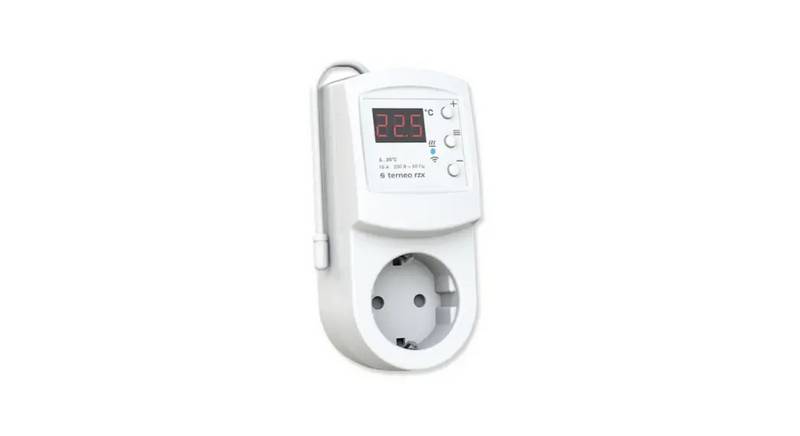
terneo rzx Smart Thermostat User Manual