Home > InverterCool > InverterCool CPT100 2C Wi-Fi Thermostat Instruction Manual
×
- 1. Cpt100 (H/2c Wi-fi Thermostat → Installation Manual)
- 2. Regulatory Statements (Fcc → Fcc And Industry Canada → Industry Canada)
- 3. Safety Instructions (Installation And Usage → Temperature Control System → Environmental Considerations → Maintenance Guidelines)
- 4. Using This Manual (Safety → Important Information → Your Benefit)
- 5. Regulatory Statements (Safety Instructions → Using This Manual → Installing The Thermostat → Device Boot Sequence → Screen Display & Controls → Specifications/troubleshooting)
- 6. In The Box (Cpt100 Thermostat → With Mounting Plate → Wall Plate (if Required) → Mounting Screws & Anchors → Installation Manual)
- 7. Installing The Thermostat (Tools → Determine Wiring Configuration → Remove Old Thermostat → Install Cpt100 Base → Connect Wires → Attach Display)
- 8. Determine Wiring Configuration (Install Mounting Plate → Wire Color Record)
- 9. Wire Color Record
- 10. Remove Old Thermostat (The Cpt100 Thermostat Is Not Compatible With Supply Voltages Above 30 Vac. → Do Not Install The Thermostat.)
- 11. Install Mounting Plate (with Wall Plate, If Required)
- 12. Attach Wiring
- 13. Attach Display To Mounting Plate
- 14. Turn On Power To The Hvac System (Device Boot Sequence → Mobile Setup)
- 15. Screen (Display & Controls → Alphanumeric Text Display → Cooling Mode → Off Mode → Heating Mode → Wi-fi Indicator)
- 16. Parameter Settings (Press Mode + Fan For Longer Than 3 Seconds To Access Parameter Settings Menu → System → Hvac → Heat, Cool, Or Heatcool → Set Time Zone)
- 17. Parameter Name (Settings → Reset → Frost → Deadband → Factory Reset → Additional Keypad Shortcuts)
- 18. Specifications (Communications → Dimensions → Weight → Compliance → Warranty → Troubleshooting)
- 19. Warranty
- 20. Warranty (continued) (Customers Sole And Exclusive Remedy Under This Limited Warranty Is Product Repair Or Replacement As Provided Herein. → If A Product Under Warranty Is Defective, The Customer May: → Contact The Party ('seller') From Which The Customer Purchased The Product To Obtain An Equivalent Replacement Product After The Seller Has Determined That The Product Is Defective And The Customer Is Eligible For A Replacement. → Contact Invertercool Service At Support@invertercool.com, To Determine Whether The Device Qualifies For A Replacement. → This Warranty Gives You Specific Legal Rights, And You May Also Have Other Rights That Vary From Jurisdiction To Jurisdiction. → If You Have Any Questions Regarding This Warranty, Please Write Invertercool At:)
- 21. Appendi X - Wiring Diagrams (Cpt100 Thermostat Terminal Reference → Non-heat Pump → Heat Pump → Terminal)
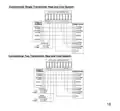
- 22. Invertercool Heat Pump System
- 23. Conventional Single Transformer Heat And Cool System: (Conventional Two Transformer Heat And Cool System:)
- 24. Manufacturer Reserves The Rights To Change Specifications Or Designs Without Notice.
×
InverterCool CPT100 2C Wi-Fi Thermostat Instruction Manual
Install Mounting Plate (with Wall Plate, if required):
Use the included wall anchors and screws to attach the Mounting Plate to
the wall, making sure the wires run through the center opening.
To cover paint or screw holes on the wall behind the thermostat, insert the
Wall Plate between the Mounting Plate and the wall as shown. Both plates
are secured with the same screws.
6
| General | Details |
|---|---|
| Name | InverterCool CPT100 2C Wi-Fi Thermostat Instruction Manual |
| Make | InverterCool |
| Language | English |
| Filetype | PDF (Download) |
| File size | 0.3 MB |


VIMAR 02912 Wi-Fi Thermostat Instruction Manual

ENGO E20i Series Wi-Fi Wireless Internet Thermostat User Guide

EPH CONTROLS CDTP2 Hardwired Room Thermostat Instruction Manual

Roth Touchline SL Plus Room Thermostat Instruction Manual

GENERALLIFE MITRA 230S RF Wireless Room Thermostat User Manual

OUELLET OTH24 Low Voltage Non Programmable Electronic Thermostat Owner’s Manual

HONEYWELL RTH5160 Series Non-Programmable Thermostat Installation Guide

uheat TW02 Touch Screen Room Thermostat User Guide

GENERAL LIFE 230S RF Digital Room Thermostat User Manual

tekmar T-560 Touchscreen Thermostat User Manual
Table of Contents
- 1. Cpt100 - H/2c Wi-fi Thermostat →
- 2. Regulatory Statements - Fcc →
- 3. Safety Instructions - Installation And Usage →
- 4. Using This Manual - Safety →
- 5. Regulatory Statements - Safety Instructions →
- 6. In The Box - Cpt100 Thermostat →
- 7. Installing The Thermostat - Tools →
- 8. Determine Wiring Configuration - Install Mounting Plate →
- 9. Wire Color Record →
- 10. Remove Old Thermostat - The Cpt100 Thermostat Is Not Compati... →
- 11. Install Mounting Plate (with Wall Plate, If Required) →
- 12. Attach Wiring →
- 13. Attach Display To Mounting Plate →
- 14. Turn On Power To The Hvac System - Device Boot Sequence →
- 15. Screen - Display & Controls →
- 16. Parameter Settings - Press Mode + Fan For Longer Than 3 Seco... →
- 17. Parameter Name - Settings →
- 18. Specifications - Communications →
- 19. Warranty →
- 20. Warranty (continued) - Customers Sole And Exclusive Remedy U... →
- 21. Appendi X - Wiring Diagrams - Cpt100 Thermostat Terminal Ref... →
- 22. Invertercool Heat Pump System →
- 23. Conventional Single Transformer Heat And Cool System: - Conv... →
- 24. Manufacturer Reserves The Rights To Change Specifications Or... →