
Honeywell Programmable Thermostat T4 Pro Installation Guide


Power options
Insert R and C wires into
designated terminals
for primary AC power (C
terminal is optional if
batteries are installed,
but it is recommended).
Remove wires by
L/A
O/B
AUX
E
A
S
S
Insert AA
Y
W2
batteries for
primary or
backup power.
Y2
G
C
W
K
U
U
R
Rc
depressing the terminal
tabs.
UWP Mounting System
Setting Slider Tabs
Set R Slider Tab.
•
•
•
Use built-in jumper (R Slider Tab)
to differentiate between one or two
transformer systems.
If there is only one R wire, and it is
connected to the R, Rc, or RH terminal, set
the slider to the up position (1 wire).
If there is one wire connected to the R
terminal and one wire connected to the Rc
terminal, set the slider to the down position
(2 wires).
NOTE: Slider Tabs for U terminals should be
left in place for T4 Pro models.
R/Rc Slider Tab
(built-in jumper)
UWP Wiring terminal designations
L/A
- A
Not used for T4 thermostat.
S
S
Y
Not used for T4
thermostat.
O/B
Changeover valve
Compressor contactor
(stage 1)
AUX -
W2
Auxiliary heat (TH4210U
only)
Not used for T4
thermostat.
Emergency heat (TH4210U
only)
E
Y2
G
Fan
W
Heat (stage 1)
Note: Not all
terminals may be
used, depending
on the system
type that is being
wired. The most
commonly used
terminals are
24VAC common. For 2
transformer systems,
use common wire from
cooling transformer.
Connect to K on C-wire
adaptor**
K
C
24VAC power from heating
transformer*
R
U
U
Not used for T4
thermostat.
24VAC power from cooling
transformer*
Rc
shaded.
*
Terminal can be jumped using Slider Tab. See “Setting Slider Tabs” above.
** The THP9045A1098 C-wire adaptor is used on heat/cool systems when you only have four wires at the
thermostat, and you need a fifth wire for a common wire. Use the K terminal in place of the Y and G terminals on
conventional or heat pump systems to provide control of the fan and the compressor through a single wire—the
unused wire then becomes your common wire. See THP9045 instructions for more information.
3

| General | Details |
|---|---|
| Name | Honeywell Programmable Thermostat T4 Pro Installation Guide |
| Make | Honeywell |
| Language | English |
| Filetype | PDF (Download) |
| File size | 1.08 MB |
 (1 votes, average: 5.00 out of 5)
 Loading...

Honeywell T6 Pro Programmable Thermostat User Manual

Honeywell D1-528 Direct Thermostat Installation Guide

Honeywell FocusPRO P200 Programmable Thermostat User Guide

Honeywell RCHT8610WF Series Smart Thermostat Installation Guide

Honeywell T9 Smart Thermostat Installation Guide

Honeywell TH2320WF4011 FocusPRO Smart S200 Series Thermostat User Guide

Honeywell TL116A Thermostat Installation Guide

T10 Pro Smart Thermostat with Redlink Room Sensor

Honeywell TH6320WF2003 Lyric T6 Pro Wi-Fi Programmable Thermostat User Guide

Honeywell RTH9580 Wi-Fi Color Touchscreen Programmable Thermostat User Guide


Honeywell T140 7-Day Programmable Wired Thermostat User Guide

MYSON Unisenza WiFi Programmable Thermostat User Guide
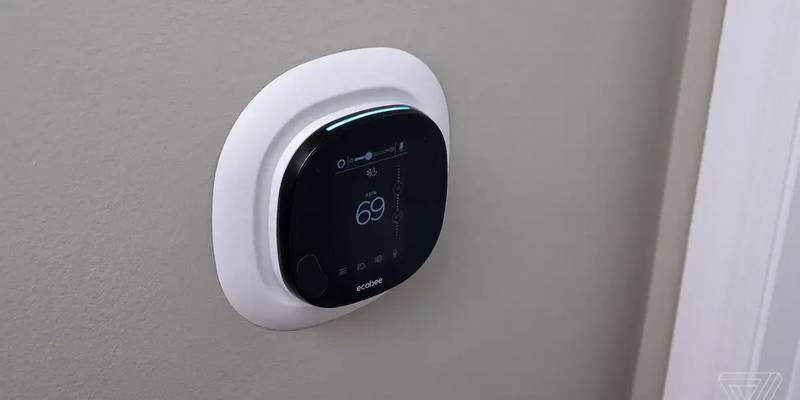
bryant ecobee3 Lite Smart Thermostat User Guide

Danfoss RT 9E Automatic Thermostat Installation Guide

White Rodgers 1F78-151 Non Programmable Thermostat Instructions

GENERAL LIFE MITRA HT10 RF Digital Room Thermostat User Guide

Schneider Electric 2290B Programmable Room Thermostat Instruction Manual

HELTUN Fan Coil Thermostat HE-FT01 User Manual

Decdeal HY607 WIFI Digital Heating Thermostat User Manual

PRO1 T755 Heat 2 Cool Dual Fuel Thermostat User Manual