
Carrier 53DFS250-SL Programmable Digital Thermostat Owner’s Manual


Basic Operation
Select Mode
Programming
Occupied and Unoccupied Periods
The HEAT setting indicates
the temperature the room has
to reach before the unit will
turn on to heat the room.
:
:
Pm
M
occupied
1
Select the maximum number
HEAT
of occupied periods to be
used on any one day.
Typically 1.
(1,2 or 3)
The COOL setting indicates
the temperature the room has
to reach before the unit will
turn on to cool the room.
Pm
M
COOL
occupied 1
Adjust the cooling
set point for occupied 1.
COOL
(35 to 99 F)
AUTO will automatically
select heat or cool based on
room temperature demand.
:
Pm
M
COOL
HEAT
AUTO
occupied 1
COOL
HEAT
Adjust the heating
set point for occupied 1.
Program On will activate the
stored timer operation.
(Occupied and Unoccupied
periods.)
ProgramOn
unoccupied
(35 to 99 F)
:
Pm
M
COOL
HEAT
Adjust the cooling
set point for unoccupied
periods.
unoccupied
COOL
OFF indicates the system is
turned off.
:
Pm
(35 to 99 F)
M
unoccupied
Adjust the heating
set point for unoccupied
periods.
COOL
HEAT
Select Desired Temperature
(35 to 99 F)
In any mode, adjust the
desired Set Point Temperature
with
:
Pm
M
COOL
M
Select the day for
Occupied 1.
occupied 1
AUTO
(M-Su)
HEAT
buttons.
Pressing the up/down buttons in Auto mode will adjust both the
heat and cool set point temperatures simultaneously.
Am
Start
occupied 1
:
Pressing the up/down buttons in Heat or Cool modes will adjust
only the heat or cool set point temperature.
Adjust the start time
for occupied 1.
M
During programmed, unoccupied
Override
periods a press of the Override
button will force the thermostat
into Occupied 1 comfort settings,
ProgramOn
Stop
:
temporarily.
Pm
Stop
occupied 1
:
Pm
Su
Adjust the stop time
for occupied 1.
M
unoccupied
With each successive push of the
Override button, the override tim-
er will add 30 minutes, until the
maximum of 4 hours is reached.
Then the next press will zero out
the override timer, returning to un-
occupied if there are no further
button presses.
COOL
HEAT
Pm
M
:
occupied 1
When in Override, the Override
icon and the Occupied 1 icon
appear on the display.
Select Occupied 1 to run
on this day (On), or not to
run this day (Off).
ProgramOn
:
Pm
Su
The time of day clock alternates
with the time remaining in
override.
occupied 1
COOL
Override
During Override, the set point
temperatures are adjustable, pro-
vided the keypad is not locked.
HEAT
Page 3

| General | Details |
|---|---|
| Name | Carrier 53DFS250-SL Programmable Digital Thermostat Owner’s Manual |
| Make | Carrier |
| Language | English |
| Filetype | PDF (Download) |
| File size | 0.48 MB |
 (1 votes, average: 5.00 out of 5)
 Loading...

Carrier 33TWSPL-4 Wifi Stat Plus Thermostat Owner’s Manual

Carrier EB-STATE3LTICB-01 lLite Smart Thermostat Instructions

Carrier ecobee3 Lite Smart Thermostat User Manual

Carrier EB-STATE7ICR-01 Ecobee for Smart Thermostat Owner’s Manual

Carrier TSTATCCEWF-01 Smart Thermostat Owner’s Manual

Carrier 33WIFISTAT43 Wi-Fi Thermostat Installation Guide

Carrier Wi-Fi Enabled 24V Smart Thermostat Instruction Manual


Honeywell Home RTH9585WF Smart Color Touchscreen Programmable Thermostat User Guide

Spacio Innovations Inc 13EA2A7RI Remote Thermostat User Manual

Expert4house BHT-9000 Smart Knob Thermostat User Guide

Pro1 Technologies T855iSH Wall Thermostat Instruction Manual

COOKING PERFORMANCE GROUP 351030208 Retrofit Thermostat Instructions

Honeywell TH8732WFH5004 Round Smart Thermostat User Guide

White-Rodgers 1F56N-444 Thermostat User Manual
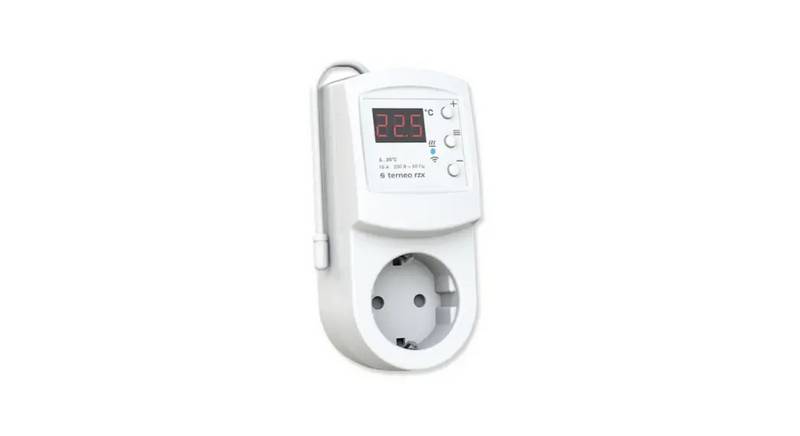
terneo rzx Smart Thermostat User Manual

Honeywell T9 Smart Thermostat Installation Guide

AJAX ETHT82 White Touch Screen Thermostat Instruction Manual