
AVATTO TRV06 Wireless Smart Radiator Thermostat User Manual
























APP Connection Instruction
Before configuring WIFI, please make sure your phone is connected to 2.4GHz WIFI.
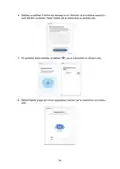
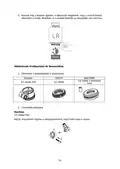
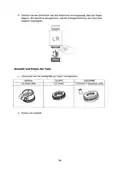
1. Use your mobile phone to scan the QR code below to download the “Tuya Smart”
app.
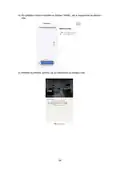
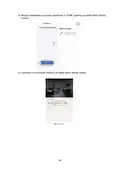
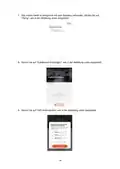
2. Open the “Tuya Smart” app and click “Add Device” as shown below.
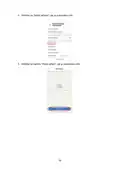
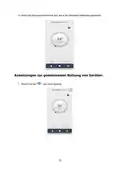
3. After clicking “Gateway Control” select and click “Router (Gateway)” as shown in
the figure below.
10

| General | Details |
|---|---|
| Name | AVATTO TRV06 Wireless Smart Radiator Thermostat User Manual |
| Make | AVATTO |
| Language | English |
| Filetype | PDF (Download) |
| File size | 0.73 MB |
 (1 votes, average: 5.00 out of 5)
 Loading...

AVATTO WT598 Smart Thermostat Instruction Manual

AVATTO WT598 1T1 Smart Thermostat


LUX PSP511A Series Programmable 5-2 Thermostat Instruction Manual

aube Electronic Thermostat TH131 Owner’s Manual

micro-Air EasyTouch RV 351 Thermostat User Manual

HYSEN HY09RF WI-FI Wireless Thermostat User Manual

NT NetX X5 IP Ethernet Thermostat Instruction Manual

Honeywell TH2320WF4011 FocusPRO Smart S200 Series Thermostat User Guide

DIGITEN DTC-101, DTC-151 Thermostat User Manual

Konveka MT230 Room Thermostat Instruction Manual

EPH CONTROLS CDT2 Room Thermostat Instruction Manual

EONEBATW-B ZigBee Smart Thermostat User Guide