
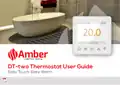
Amber DT-two Programmable Thermostat User Guide




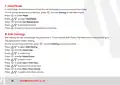
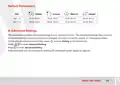
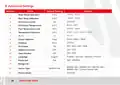
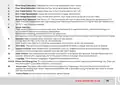


Function & Operation
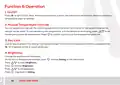
1. On/Off
Press 1 to turn On/Off. Note: When frost protection is active, the thermostat will maintain the frost protection
temperature when on standby.
2. Manual Temperature Override
You can temporarily override the current temperature, if this done it will only be for the current timed period
and will not be saved. To override the current temperature, with the temperature showing, press @ \ to set
the temporary override temperature. Press
to confirm and return to the displayed temperature.
O
3. Key-Lock
Lock all keys to prevent the settings from being changed. On the actual temperature interface, press and hold
r
for 3 seconds to lock or unlock all the keys.
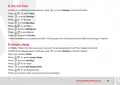
4. Brightness
Change the brightness of the display.
On the actual temperature interface, press
Press @ \ to select Brightness.
to enter Setting on the thermostat.
O
Press
to enter Brightness.
O
Press @ \ to set brightness.
Press
to go back to Setting.
O
10
0800 056 0494

| General | Details |
|---|---|
| Name | Amber DT-two Programmable Thermostat User Guide |
| Make | Amber |
| Language | English |
| Filetype | PDF (Download) |
| File size | 0.38 MB |
 (1 votes, average: 5.00 out of 5)
 Loading...


Braebur 1230 Non Programmable Thermostat Instruction Manual

Drayton Wiser Smart Room Thermostat Instruction Manual

Tense STC-1000 Thermostat User Guide

MYSON Unisenza WiFi Programmable Thermostat User Guide

LUX PSP511A Smart Temp Electronic Thermostat Instruction Manual

SunTouch 500950-SB CommandPlus Touchscreen Programmable Smart Thermostat Instruction Manual

beok BOT-T9N-WIFI Room Thermostat Instruction Manual

Honeywell T7350 Programmable Thermostat Owner’s Manual

PERRY TE541 Digital Thermostat User Manual

GENERAL Life SENNA 300 RF Wireless Room Thermostat User Guide