×
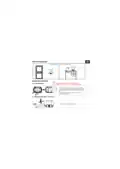
- 2. 1. WHAT'S IN THE BOX (2. PRODUCT DIAGRAM → Child-lock → Frost Protection → Connection with Receiver → Outdoor RH)
- 3. 2.2 Receiver
- 4. Utilization: Boiler and electric heating systems
- 5. Amazon Alexa: Yes, compatible
- 6. 4. PRODUCT INSTALLATION Ey
- 7. Central unit placement EN |
- 8. Receiver installation
- 9. CLOSE Boiler Max (Output for Boiler → Electronic)
- 10. Pairing the receiver with the central unit (paired from factory)
- 11. 5. PRODUCT UTILIZATION Ey (Function Steps → Time Temperature)
- 12. Central unit advanced settings (Usually for professional technicians)
- 13. Receiver operating instructions
- 14. Important notes:
- 15. ***Set up router Ey
- 16. distribution network;
- 17. - Wireless mode should be 802.11.b/g/n (WiFi 6 protocol 802.11ax is no
- 18. 1. Go to Home menu on Alexa app.
- 19. 9. GOOGLE HOME INTEGRATION
- 20. 2. Hit the “Add new" button, enter Tellur Smart in the search bar and
- 21. The crossed-out wheeled-bin symbol on your product, battery, literatur
- 23. 1. WHAT'S IN THE BOX (2. DIAGRAMA PRODUSULUI → Timp → Conexiune WiFi)
- 25. Utilizare: Boilere si sisteme electrice de incalzire
- 26. Amazon Alexa: Da, compatibil
- 27.
- 28.
- 29. 1) Eliberati capacul frontal prin !
- 30. Max
- 32.
- 33. CAnd alimentarea este oprit&, apasati "butonul principal” timp de 3 se
- 35. 6. ASOCIERE WIFI FOLOSIND APLICATIA TELLUR SMART APP i
- 36. Acest dispozitiv accepta doar router cu banda de frecventa de 2,4 GHz,
- 37. 4. Activarea modului de asociere pentru unitatea centrala i
- 38.
- 39. 8. INTEGRARE CU AMAZON ALEXA
- 40. 9. INTEGRARE CU GOOGLE HOME
- 41.
- 42.
- 44. 2. DIAGRAMA DE PRODUCTO (Conexién WiFi → Tiempo)
- 46. 3. ESPECIFICACIONES TECNICAS
- 47. Amazon Alexa: Si, compatible
- 48. 4. INSTALACION DEL PRODUCTO
- 49. Colocacion de la unidad central
- 50. la cabeza de un destornillador en la !
- 51. Caldera
- 52. Emparejamiento del receptor con la unidad central (emparejado de fabri
- 53. Funcion Pasos
- 54. Configuracion avanzada de la unidad central
- 56. Notas importantes:
- 57. ***Configurar el enrutador
- 58. 4. Activar el modo de emparejamiento para la unidad central
- 59.
- 60. 1, Acceda al menu principal de la aplicacion Alexa.
- 61. 9. INTEGRACION CON GOOGLE HOME
- 62. 2. Haga clic en “Agregar nuevo"(Add new}, ingrese Tellur Smart en la b
- 63.
- 65. 2. DIAGRAMME DE PRODUIT (Connexion WiFi → Horloge)
- 67. 3. CARACTERISTIQUES TECHNIQUES
- 68. Amazon Alexa: Oui, compatible
- 69. 4. INSTALLATION DU PRODUIT
- 70.
×
TELLUR TLL331431 WiFi Smart Ambient Thermostat TSH02 User Manual
| General | Details |
|---|---|
| Name | TELLUR TLL331431 WiFi Smart Ambient Thermostat TSH02 User Manual |
| Make | Tellur |
| Language | English |
| Filetype | PDF (Download) |
| File size | 8.21 MB |

TELLUR TSH02 WiFi Smart Thermostat User Manual

TELLUR TLL331441 Thermostat Instructions


Dettson R02P034 Communicating Thermostat Instruction Manual

KOnighaus Infrarot Smart Thermostat User Guide

ELKO EKO07258 16A Smart ZB Thermostat User Guide

Honeywell Home FocusPRO N100 Series Non Programmable Thermostat Installation Guide

GENERAL LIFE FH250 Floor Heating Room Thermostat User Manual

FRICO TD10 Electronic Thermostat Instructions

19810-102 Digital Room Thermostat Libra Auraton Weekly User Manual

Comfortmaker ION Gray Smart Thermostat Instruction Manual

AJAX ETHT82 White Touch Screen Thermostat Instruction Manual

WILLIAMS P322016 Millivolt Wall Thermostat Instructions
Table of Contents
- 2. 1. WHAT'S IN THE BOX - 2. PRODUCT DIAGRAM →
- 3. 2.2 Receiver →
- 4. Utilization: Boiler and electric heating systems →
- 5. Amazon Alexa: Yes, compatible →
- 6. 4. PRODUCT INSTALLATION Ey →
- 7. Central unit placement EN | →
- 8. Receiver installation →
- 9. CLOSE Boiler Max - Output for Boiler →
- 10. Pairing the receiver with the central unit (paired from fact... →
- 11. 5. PRODUCT UTILIZATION Ey - Function Steps →
- 12. Central unit advanced settings (Usually for professional tec... →
- 13. Receiver operating instructions →
- 14. Important notes: →
- 15. ***Set up router Ey →
- 16. distribution network; →
- 17. - Wireless mode should be 802.11.b/g/n (WiFi 6 protocol 802.... →
- 18. 1. Go to Home menu on Alexa app. →
- 19. 9. GOOGLE HOME INTEGRATION →
- 20. 2. Hit the “Add new" button, enter Tellur Smart in the searc... →
- 21. The crossed-out wheeled-bin symbol on your product, battery,... →
- 23. 1. WHAT'S IN THE BOX - 2. DIAGRAMA PRODUSULUI →
- 25. Utilizare: Boilere si sisteme electrice de incalzire →
- 26. Amazon Alexa: Da, compatibil →
- 27. Page 27 →
- 28. Page 28 →
- 29. 1) Eliberati capacul frontal prin ! →
- 30. Max →
- 32. Page 32 →
- 33. CAnd alimentarea este oprit&, apasati "butonul principal” ti... →
- 35. 6. ASOCIERE WIFI FOLOSIND APLICATIA TELLUR SMART APP i →
- 36. Acest dispozitiv accepta doar router cu banda de frecventa d... →
- 37. 4. Activarea modului de asociere pentru unitatea centrala i →
- 38. Page 38 →
- 39. 8. INTEGRARE CU AMAZON ALEXA →
- 40. 9. INTEGRARE CU GOOGLE HOME →
- 41. Page 41 →
- 42. Page 42 →
- 44. 2. DIAGRAMA DE PRODUCTO - Conexién WiFi →
- 46. 3. ESPECIFICACIONES TECNICAS →
- 47. Amazon Alexa: Si, compatible →
- 48. 4. INSTALACION DEL PRODUCTO →
- 49. Colocacion de la unidad central →
- 50. la cabeza de un destornillador en la ! →
- 51. Caldera →
- 52. Emparejamiento del receptor con la unidad central (emparejad... →
- 53. Funcion Pasos →
- 54. Configuracion avanzada de la unidad central →
- 56. Notas importantes: →
- 57. ***Configurar el enrutador →
- 58. 4. Activar el modo de emparejamiento para la unidad central →
- 59. Page 59 →
- 60. 1, Acceda al menu principal de la aplicacion Alexa. →
- 61. 9. INTEGRACION CON GOOGLE HOME →
- 62. 2. Haga clic en “Agregar nuevo"(Add new}, ingrese Tellur Sma... →
- 63. Page 63 →
- 65. 2. DIAGRAMME DE PRODUIT - Connexion WiFi →
- 67. 3. CARACTERISTIQUES TECHNIQUES →
- 68. Amazon Alexa: Oui, compatible →
- 69. 4. INSTALLATION DU PRODUIT →
- 70. Page 70 →