
REPTO R3300030 Smart Thermostat Instruction Manual


REPTO SMART
Thermostat
Instruction Manual
Gebrauchsanweisung
Mode d’Emploi
Gebruiksaanwijzing


| General | Details |
|---|---|
| Name | REPTO R3300030 Smart Thermostat Instruction Manual |
| Make | REPTO |
| Language | English |
| Filetype | PDF (Download) |
| File size | 1.14 MB |
 (1 votes, average: 5.00 out of 5)
 Loading...

REPTO R3300030 Smart Thermostat Instruction Manual Overview
Summary of Contents
- Page 1: Thermostat instruction manual. Gebrauchsanweisung. Mode d’emploi. Gebruiksaanwijzing.
- Page 2: Page 2
- Page 3: Power plug Time Temperature Power socket Time period Working indicator Temperature probe Technical data Temperature control range: 20˚C ~ 50˚C / 68˚F ~ 122 ˚F Input voltage: AC 110 ~ 240V 50 Hz / 60Hz
- Page 4: Repto Smart Thermostat Read this manual carefully before using this device. Keep this manual for future reference. This device complies with all applicable EU standards. This device may not be disposed of with normal household waste but must be collected separately for recycling. Always follow the safety instructions below for safe use of the device. Ensure the voltage shown on the label matches the mains supply voltage. This device must be connected to a socket which is earthed. Don’t use the product if the device, cord or plug is damaged. This device can be used by children aged from 8 years and above, persons with reduced physical, sensory or mental capabilities, if they have been given supervision or instructions concerning the use of the device in a safe way. Modifications to the device may affect the safety. The warranty will also expire.
- Page 5: Recycling This symbol indicates that this product may not be disposed of with normal household waste. Instead, it must be handed in at an official collection centre or returned to the dealer when purchasing a similar new product. Follow the applicable rules in your country for the separate collection of electrical and electronic products. Separate collection and recycling are better for the environment. Warranty There is a 2 year manufacturer’s warranty on materials and construction defects. Devices must be returned complete with all components, accompanied with an official proof of purchase for any warranty claims. Incomplete devices and those without proof of purchase are not eligible for warranty. Damage due to incorrect use or contamination is not covered by the warranty. Always keep the proof of purchase, without it the warranty will be void.
- Page 6: Setting Celsius or Fahrenheit Press and hold the main button. Rotate the main button 90˚ counter clockwise while holding the main button down. Release the main button, only the ˚C or ˚F will be displayed. Rotate the main button clockwise or counter clockwise to switch between ˚C or ˚F. During the setting process if you do not do any input within 15 sec. the setting value will be saved and it will return to the working state. Press and hold the main button for 3 sec. to complete the setting. Setting Clock Press and hold the main button. Rotate the main button 90˚ clockwise while holding the main button down. Release the main button, only the time will be displayed. The hour will be flashing. Rotate the main button clockwise or counter clockwise to set the hour. Press the main button to switch to the minute setting. The minutes will be flashing. Rotate the main button clockwise or counter clockwise to set the minutes. Press and hold the main button for 3 sec. to complete the setting.
- Page 7: Setting time periods and temperature Press and hold the main button for 3 seconds to enter the setting stage. During the setting process, if you do not do any input within 15 seconds, the setting value will be saved and it will return to the working state. You are now in the setting state. T1 will be flashing. Rotate the main button clockwise or counterclockwise to switch between T1 up to T8. Press the main button to enter the time setting stage. The time will be flashing. Rotate the main button clockwise or counterclockwise to increase or decrease the time by 30 minutes. Rotate the main button counterclockwise (past 00:00) to delete the setting. Press the main button to enter the temperature setting stage. The temperature will be flashing. Rotate the main button clockwise or counterclockwise to increase or decrease the temperature (20˚C to 50˚C).
- Page 8: Repto Smart Thermostat Allgemeine Anweisung Lesen Sie dieses Handbuch sorgfältig durch, bevor Sie das Gerät verwenden. Bewahren Sie dieses Handbuch für den späteren Gebrauch auf. ACHTUNG! Dies bedeutet Vorsicht, nützliche Informationen oder Ratschläge. Bedeutung der Symbole Die folgenden Warnsymbole und/oder Signalwörter werden in diesem Handbuch verwendet. WARNUNG! Dieses Gerät darf nicht über den normalen Hausmüll entsorgt werden, sondern muss separat zum Recycling. GEFAHR! Dies bedeutet eine unmittelbare Gefahr durch Stromschlag. Sicherheitshinweise Befolgen Sie stets die nachstehenden Sicherheitshinweise zur sicheren Verwendung des Geräts. Die Nichtbeachtung dieser Anweisungen kann Personen oder die Umgebung gefährden.
- Page 9: Recycling Dieses Symbol weist darauf hin, dass dieses Produkt (falls es ausrangiert wird) nicht mit dem normalen Hausmüll entsorgt werden darf. Stattdessen muss es bei einer offiziellen Sammelstelle abgegeben werden oder es kann beim Kauf eines ähnlichen neuen Produkts an den Händler zurückgegeben werden. Getrennte Entsorgung und Recycling ist besser für die Umwelt, die öffentliche Gesundheit und reduziert den Abfall. Garantie 2 Jahre Herstellergarantie auf Material- und Konstruktionsfehler. Geräte müssen komplett mit allen Komponenten zusammen und einem offiziellen Kaufbeleg zurückgeschickt werden, damit Garantieansprüche geltend gemacht werden können. Unvollständige Geräte und Geräte ohne Kaufnachweis kommen für die Garantie nicht in Frage. Schäden durch unsachgemäßen Gebrauch sind nicht durch die Garantie abgedeckt. Bewahren Sie den Kaufbeleg immer auf, ohne Kaufbeleg erlischt die Garantie!
- Page 10: Einstellung Celsius oder Fahrenheit Drücken und halten Sie die Haupttaste. Drehen Sie die Haupttaste 90˚ gegen den Uhrzeigersinn, während Sie die Haupttaste gedrückt halten. Lassen Sie die Haupttaste los, es wird nur noch das ˚C oder ˚F angezeigt. Drehen Sie die Haupttaste im oder gegen den Uhrzeigersinn, um zwischen ˚C oder ˚F zu wechseln. Achtung: Wenn Sie während des Einstellvorgangs ˚F 72 innerhalb von 15 Sekunden keine Eingabe machen, wird der Einstellwert gespeichert. Halten Sie die Haupttaste 3 Sek. lang gedrückt, um die Einstellung abzuschließen. Einstellung der Uhr Drehen Sie die Haupttaste um 90˚ im Uhrzeigersinn, während Sie die Haupttaste gedrückt halten. Lassen Sie die Haupttaste los, es wird nur noch die Uhrzeit angezeigt.
- Page 11: Einstellung von Zeiträumen und Temperatur Halten Sie die Haupttaste 3 Sekunden lang gedrückt, um in die Einstellphase zu gelangen. Wenn Sie während des Einstellvorgangs innerhalb von 15 Sekunden keine Eingabe machen, wird der Einstellwert gespeichert und das Gerät kehrt in den Betriebszustand zurück. Sie befinden sich jetzt im Einstellmodus. T1 blinkt. Drehen Sie den Hauptknopf im oder gegen den Uhrzeigersinn, um zwischen T1 und T8 zu wechseln. Drücken Sie die Haupttaste, um in die Phase der Zeiteinstellung zu gelangen. Die Uhrzeit wird blinkend angezeigt. Drehen Sie den Hauptknopf im oder gegen den Uhrzeigersinn, um die Zeit um 30 Minuten zu erhöhen oder zu verringern. Drehen Sie den Hauptknopf gegen den Uhrzeigersinn, um die Einstellung zu löschen. Drücken Sie die Haupttaste, um in die Phase der Temperatureinstellung zu gelangen. Die Temperatur wird blinkend angezeigt. Drehen Sie den Hauptknopf im oder gegen den Uhrzeigersinn, um die Temperatur zu erhöhen oder zu verringern. Wenn Sie auf die Position “OFF” drehen, wird Ihr Heizgerät ausgeschaltet.
- Page 12: Remarque : Cela signifie prudence, informations utiles ou conseils. Repto Smart Thermostat Instructions générales Lisez attentivement ce manuel avant d’utiliser l’appareil. Conservez ce manuel pour ses futures utilisations. Signification des symboles Cet appareil est conforme aux normes européennes applicables. Cet appareil ne doit pas être jeté avec les ordures ménagères normales mais doit être collecté séparément pour être recyclé. Sécurité Suivez toujours les instructions de sécurité ci-dessous pour une utilisation sûre de l’appareil. Cet appareil peut être utilisé par des enfants âgés de 8 ans et plus et des personnes ayant des capacités physiques, sensorielles ou mentales réduites, s’ils ont reçu une supervision ou des instructions concernant l’utilisation de l’appareil de manière sûre.
- Page 13: Recyclage Ce symbole indique que ce produit ne peut pas être éliminé avec les ordures ménagères normales. Il doit être déposé dans un centre de collecte officiel ou retourné au revendeur lors de l’achat d’un nouveau produit similaire. La collecte et le recyclage séparés sont meilleurs pour l’environnement. Garantie Garantie du fabricant de 2 ans sur les défauts de matériaux et de construction. Les appareils doivent être retournés complets avec tous les composants, accompagnés d’une preuve d’achat officielle. Les appareils incomplets et sans preuve d’achat ne sont pas éligibles à la garantie. Les dommages dus à une mauvaise utilisation ne sont pas couverts par la garantie. Gardez toujours la preuve d’achat, sans preuve d’achat la garantie sera annulée.
- Page 14: Réglage Celsius ou Fahrenheit Appuyez sur le bouton principal et maintenez-le enfoncé. Tournez le bouton principal à 90° dans le sens inverse des aiguilles d’une montre tout en maintenant le bouton principal enfoncé. Relâchez le bouton principal, seul le ˚C ou le ˚F est affiché. Tournez le bouton principal pour alterner entre ˚C ou ˚F. Si, pendant le processus de réglage, vous n’effectuez aucune action dans les 15 secondes, la valeur de réglage est enregistrée. Maintenez le bouton principal enfoncé pendant 3 secondes pour terminer le réglage. Réglage de l’heure Appuyez sur le bouton principal et le maintenir enfoncé. Tournez le bouton principal de 90˚ dans le sens des aiguilles d’une montre tout en maintenant le bouton principal enfoncé.
- Page 15: Réglage des périodes et de la température Maintenez le bouton principal enfoncé pendant 3 secondes pour accéder à la phase de réglage. Si, pendant le processus de réglage, vous n’effectuez aucune action dans les 15 secondes, la valeur de réglage est enregistrée. Vous vous trouvez maintenant en mode réglage. T1 clignote. Tournez le bouton principal pour passer de T1 à T8. Appuyez sur le bouton principal pour accéder à la phase de réglage de l’heure. Tournez le bouton principal pour augmenter ou diminuer l’heure de 30 minutes. Les périodes restantes sont réorganisées dans l’ordre. Appuyez sur le bouton principal pour accéder à la phase de réglage de la température. Tournez le bouton principal pour augmenter ou diminuer la température. Si vous le tournez sur la position “OFF”, votre appareil de chauffage s’éteint.
- Page 16: Repto Smart Thermostat Algemene instructies Lees deze gebruiksaanwijzing zorgvuldig door voordat u het apparaat in gebruik neemt. Bewaar deze gebruiksaanwijzing voor toekomstig gebruik. Dit apparaat voldoet aan de geldende EU normen. WAARSCHUWING! Dit apparaat mag niet met het normale huishoudelijk afval afgedankt worden, maar moet gescheiden worden ingezameld voor recycling. GEVAAR! Dit betekent een dreigend gevaar door elektrische schok, indien de veiligheidsinstructies niet worden opgevolgd. Neem de onderstaande veiligheidsinstructies altijd in acht voor een veilig gebruik van het apparaat. Controleer of de spanning die op het label wordt aangegeven, overeenkomt met de netspanning. Dit apparaat moet worden aangesloten op een geaard stopcontact. Dit apparaat kan worden gebruikt door kinderen vanaf 8 jaar en door personen met verminderde lichamelijke, zintuiglijke of geestelijke capaciteiten of weinig ervaring en kennis, mits zij onder toezicht staan of instructies hebben gekregen voor veilig gebruik van dit apparaat.
- Page 17: Recycling Dit symbool geeft aan dat dit product niet samen met het gewone huishoudelijk afval mag worden weggegooid. Het moet worden ingeleverd bij een officieel inzamelpunt of kan worden ingeleverd bij het verkooppunt tijdens de aankoop van een vergelijkbaar nieuw product. Volg de in uw land geldende regels voor het gescheiden inzamelen van elektrische en elektronische producten. Gescheiden inzameling en recycling is beter voor het milieu en de volksgezondheid. Garantie 2 jaar fabrieksgarantie op materiaal en constructiefouten. Het apparaat dient compleet, met alle onderdelen en het originele aankoopbewijs ter garantie aangeboden te worden. Een apparaat waarvan onderdelen missen of zonder aankoopbewijs komt niet in aanmerking voor garantie. Schade door verkeerd gebruik valt niet onder de garantie. Bewaar altijd het aankoopbewijs, zonder aankoopbewijs kunt u geen aanspraak maken op garantie.
- Page 18: Celsius of Fahrenheit instellen Houd de hoofdknop ingedrukt. Draai de hoofdknop 90˚ naar links terwijl u de hoofdknop ingedrukt houdt. Laat de hoofdknop los, alleen de ˚C of ˚F wordt weergegeven. Draai de hoofdknop met de klok mee of tegen de klok in om te schakelen tussen ˚C of ˚F. Als u tijdens het instellen niet binnen 15 sec. iets invoert, wordt de instelwaarde ˚F 72 opgeslagen. Houd de hoofdknop 3 sec. ingedrukt om de instelling te voltooien. Klok instellen Draai de hoofdknop 90˚ met de klok mee terwijl u de hoofdknop ingedrukt houdt. Laat de hoofdknop los, alleen de tijd wordt weergegeven.
- Page 19: Tijdperioden en temperatuur instellen Houd de hoofdknop 3 sec. ingedrukt om naar de instelprocedure te gaan. Als u tijdens het instellen niet binnen 15 sec. iets invoert, wordt de instelwaarde opgeslagen en keert het apparaat terug naar de werkstatus. U bent nu in de instelprocedure. T1 knippert. Draai de hoofdknop rechtsom of linksom om te schakelen tussen T1 t/m T8. Druk op de hoofdknop om de tijd in te stellen. De tijd knippert. Draai de hoofdknop met de klok mee of tegen de klok in om de tijd met 30 minuten te verhogen of verlagen. Draai de hoofdknop tegen de klok in om de instelling te verwijderen. Druk op de hoofdknop om de temperatuur in te stellen. De temperatuur knippert. Houd de hoofdknop 3 sec. ingedrukt om de instelling te voltooien.
- Page 20: Page 20
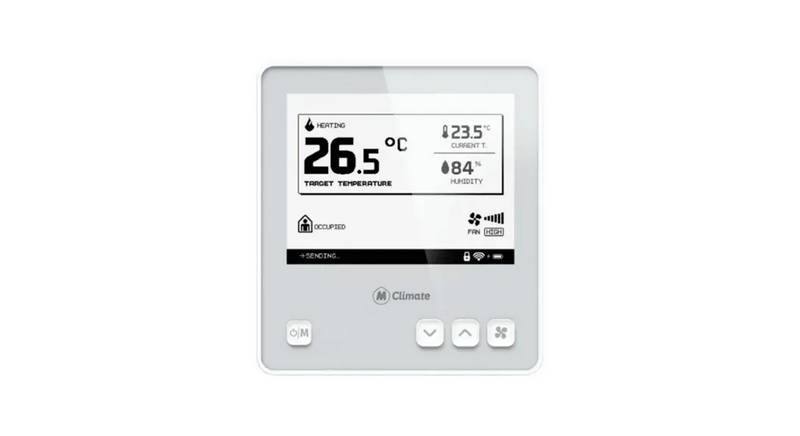
MClimate MC-LW-FCT-01 LoRaWAN Fan Coil Thermostat User Manual

emos P56201UF GoSmart Digital Room Thermostat Instruction Manual

Honeywell TH6320ZW T6 Pro Z-Wave Programmable Thermostat User Guide

AURATON Libra Room Thermostat User Manual

Wengart TP808 Low Voltage Thermostat User Guide

BN-LINK 6×8 Reptile Heat Thermostat Instructions

Hotwire HWGL2 Dual Programming Thermostat Instructions

Milesight WT201 Smart Thermostat User Guide

Honeywell TH6320ZW2003 Pro Z-Wave Programmable Thermostat Installation Guide

GENERAL LIFE Mitra 260S RF Wireless Room Thermostat User Manual