
Home > Quality Heating > Quality Heating PRF-80 Touch Thermostat Instructions
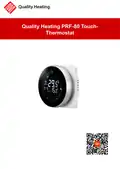
Quality Heating PRF-80 Touch Thermostat Instructions
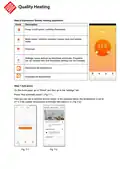


Edit
WARNING! Always switch off the power before starting to install the thermostat.
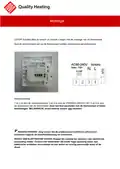
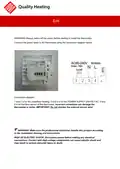
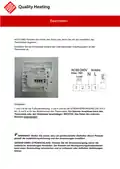
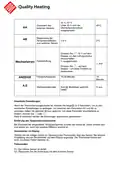
Connect the power wires to the thermostat using the connection diagram below.
Connection diagram:
1 and 2 is for the underfloor heating. 3 and 4 is for the POWER SUPPLY 230VOLT AC. 5 and
6 is for the floor sensor of the thermostat. Incorrect connection can damage the
thermostat or boiler. IMPORTANT: Do not shorten the external sensor wire!
WARNING: Make sure the professional electrician installs this product according
to the installation drawing and instructions.
RISK OF ELECTRIC SHOCK: Disconnect power before making any electrical
connections. Contact with high-voltage components can cause electric shock and
may result in serious personal injury or death.

| General | Details |
|---|---|
| Name | Quality Heating PRF-80 Touch Thermostat Instructions |
| Make | Quality Heating |
| Language | English |
| Filetype | PDF (Download) |
| File size | 0.47 MB |
 (1 votes, average: 5.00 out of 5)
 Loading...

QH Basic Quality Heating CV Clock Thermostat Instruction Manual

Quality Heating Plug In Programmable WiFi Thermostat Instruction Manual

Honeywell FocusPRO P200 Programmable Thermostat User Guide

Decdeal HY607 WIFI Digital Heating Thermostat User Manual

sinope TH1500ZB Smart Double Pole Thermostat Installation Guide

SALUS HTRS-RF Wireless Digital Thermostat Instruction Manual

heatmiser neoStat-e Electric Floor Heating Thermostat Instructions

Honeywell T3 Programmable Thermostat User Guide

Danfoss RET230 HCW-1 Electronic Heat Cool Thermostat User Manual

aube TH146-P-2H1C Programmable Thermostat Installation Guide

Cielo CT101WA Smart Thermostat User Manual

Honeywell CT2800 Programmable Thermostat Installation Guide