
PYMETER PY-23T PID Dimming Thermostat Instruction Manual




3
Quick Start
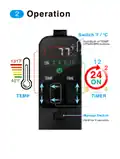
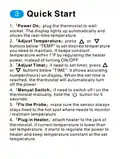
1.「Power On」plug the thermostat to wall
socket. The display lights up automatically and
shows the real-time temperature.
2.「Adjust Temperature」press ꢀꢀ ꢀꢀꢀꢀor
buttons below “TEMP” to set desired temperature
you need to maintain. It keeps constant
temperature within 1℉ by regulating the heater
power, instead of turning ON/OFF.
3.「Adjust Timer」if need to set timer, press ꢀꢀꢀ
or ꢀꢀꢀ ꢀꢀbuttons below “TIME”. It shows according
number(hours) on display. When the set time is
reached, the thermostat will automatically turn
off the power.
4.「Manual Switch」if need to switch off / on the
button for 5
thermostat manually, hold theꢀ
seconds.
5.「Fix the Probe」make sure the sensor always
stays fixed to the hot spot where needs to monitor
/ maintain temperature.
6.「Plug in Heater」attach heater to the jack of
thermostat, if current temperature is lower than
set temperature, it starts to regulate the power to
heater and keep temperature constant at the set
temperature.

| General | Details |
|---|---|
| Name | PYMETER PY-23T PID Dimming Thermostat Instruction Manual |
| Make | Pymeter |
| Language | English |
| Filetype | PDF (Download) |
| File size | 0.64 MB |
 (1 votes, average: 5.00 out of 5)
 Loading...


Honeywell RTH230B Programmable Electronic Thermostat User Guide

DAIKIN IM 1368 Vertical Stack WSHP Thermostat Instruction Manual

BEOK BOT-R6X Wireless Gas Boiler Thermostat User Manual

EAE TECHNOLOGY KNX ORIA Thermostat Installation Guide

Danfoss RET1000 Floor Heating Room Thermostat Installation Guide

PROSELECT PSTSN11AWH Non Programmable Thermostat Installation Guide

BAXI uSense 2 Wired Smart Thermostat Gateway Installation Guide

EUROSTER 2006TXRX Wireless Programmable Thermostat Installation Guide

Robertshaw RS8210 Non-Programmable Multi-Stage 2H-1C Wall Thermostat User Manual

EMERSON 1F75C-11PR Programmable Thermostat Installation Guide