
Home > PECO CONTROL SYSTEMS > PECO CONTROL SYSTEMS T8168B-2 BACnet IP Connection Thermostat Instructions
PECO CONTROL SYSTEMS T8168B-2 BACnet IP Connection Thermostat Instructions


T8168B-2 BACnet™ IP Connection
Connecting to the Thermostat
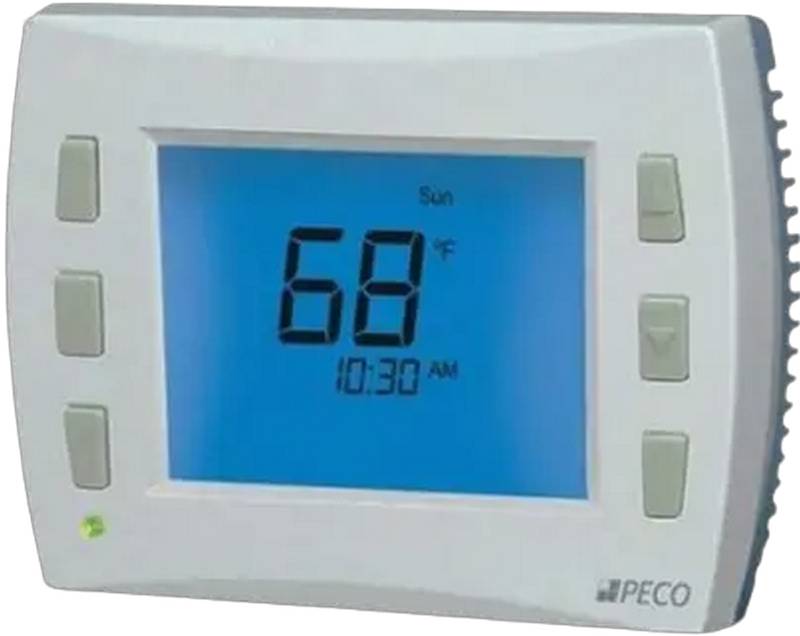
Congratulations on your selection of the PECO T8168B-2 Thermostat. These instructions decribe the process for BACnet™
IP Connection.
Connect the T8168B-2 thermostat to power. The display will turn on and the unit will automatically become accessable on
Wi-Fi.
Open the internet settings on the phone or device and look for the T8168 network. Actual screen images vary for IOS and
Android.
•
•
•
•
Select “T8168 xxxxx” (xxxxx can be any 4-5 digits)
Enter password “12345678”
Press “Connect”
Sign into open BACnet™ Configuration Page at IP Address 10.10.0.1 on the T8168#### network
Select T8168 XXXX Network
Enter Password 12345678
Select Sign In to T8168 Network
Sign-In to open BACnet
Configuration Page
Network Details
Internet
Internet
Internet
Tap a network to connect
Tap a network to connect
Tap a network to connect
T8168 #####
Wi-Fi
Wi-Fi
Wi-Fi
T8168 #####
Password
X
Building Network
T8168 #####
Forget Sign-In Disconnect Share
Sign In to Network
12345678
Visitor Network
Visitor Network
Connected, secured
Show Password
Connected, secured
Office Network
Signal Strength
Frequency
Disconnect
Office Network
Cancel
Connect
T8168 #####
>
See All
Security
DONE
DONE
More....
DONE
!
BACnet™ is a trademark of ASHRAE
© COPYRIGHT 2024 PECO Control Systesm. ALL RIGHTS RESERVED.
P/N 3220-2413 REV 0
1


| General | Details |
|---|---|
| Name | PECO CONTROL SYSTEMS T8168B-2 BACnet IP Connection Thermostat Instructions |
| Make | PECO CONTROL SYSTEMS |
| Language | English |
| Filetype | PDF (Download) |
| File size | 0.3 MB |
 (1 votes, average: 5.00 out of 5)
 Loading...
PECO T8168B-2 BACnet Connection Manual: Questions and Answers
How do I know the PECO T8168B-2 BACnet Connection is connected to my network?
The Configuration Page will display Success. View your assigned IP Address on the Connected Network screen. Instructions, p. 2
How do I set up the PECO T8168B-2 for BACnet after powering it on?
The thermostat automatically becomes accessible on Wi-Fi once powered on.
- Connect the T8168B-2 to power.
- From your device's internet settings, select the T8168 network.
- Enter password 12345678 and select Connect.
- Sign into the BACnet Configuration Page at IP Address 10.10.0.1.
- Choose your local network or enter its password and press Join. Instructions, p. 1
Why won't the PECO T8168B-2 BACnet Connection reconnect to Wi-Fi after I disconnected it?
After disconnecting from Wi-Fi, you must remove power and reapply it. Instructions, p. 2
More PECO thermostat manuals

COMPUTHERM E800RF Multizone Wi-Fi Thermostat Instruction Manual

Garza 400616B Digital Thermostat User Guide

LAE AC1-2W Digital Thermostat Instruction Manual

GLOBAL WIFI Digital Heating Thermostat User Manual

BOSCH BCC110 Connected Control Wi-Fi Thermostat User Manual

Coplax PH1001T Portable Electric Space Heater with Thermostat Instruction Manual

Danfoss TP7000 Series Electronic 7 Day Programmable Room Thermostat Instruction Manual

Robertshaw RS10420T WIFI Programmable Thermostat User Guide

EUROTRONIC Sparmatic COMET Programmable Energy-Saving Radiator Thermostat User Manual

SALUS RT310 Thermostat User Manual