
LUXPRO PSD111+ Series Thermostat Instruction Manual
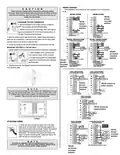


C A U T I O N
Do not allow wires to touch each other or parts on thermostat.
Terminated wires must be trapped between black spacer and
brass terminal. Securely tighten all 8 electrical terminal screws.
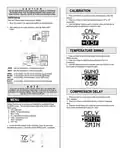
CALIBRATION
1. Press and hold the Up and Down button simultaneously at the CAL
selection.
JUMPER Settings
2. Press Up or Down to select the Calibration amount (-5F to +5F
increments)
3. Once the desired calibration point is reached, press and hold the Up
and Down button simultaneously to select the value
There are 2 Basics steps involving jumper settings:
1. Move the Jumper to the appropriate position as described below.
2. After making all the jumper selections, press the Reset (RST)
button.
TEMPERATURE SWING
1. Press and hold the Up and Down button simultaneously at the
SWNG selection.
2. Press Up or Down to select the Swing setting (0.25 to 2.25
increments)
3. Once the desired swing point is reached, press and hold the Up and
Down button simultaneously to select the value
HORZ: Sets the thermostat in a Horizontal orientation.
VERT: Sets the thermostat in a Vertical orientation.
OPEN: In this position, the RH and RC terminals are not shorted.
RH=RC: In this position, the RH and RC terminals are shorted.
GAS:
In this position, the thermostat is set for GAS furnace
operation.
ELECT: In this position, the thermostat is set for Electrical furnace
operation
N O T E
If you have an electric system and the blower does not operate after
installation, find the electric/gas heat jumper on the back of the body as
indicated in the following diagram. Move the jumper from the center and
right pins, to the center and left pins.
COMPRESSOR DELAY
1. Press and hold the Up and Down button simultaneously at the
DELY selection.
2. Press Up or Down to select the 5 Minute or 2 Minute Compressor
delay
3. Once the desired delay point is reached, press and hold the Up and
Down button simultaneously to select the value
MENU
Multiple Features can be accessed and selected by navigating through
the MENU screen. The instructions below detail all the options under the
MENU screen:
a. CAL: Calibration
b. SWNG: Temperature Swing
c. DELY: Delay
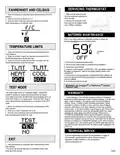
d. F/C: Fahrenheit and Celsius Selection
e. TLMT: Temperature Limit
f. TEST: Test Mode
g. EXIT: Exit
1. Access the Menu Screen: In the off position, press Up and Down
simultaneously (approx. 3 seconds) until the MENU screen is displayed

| General | Details |
|---|---|
| Name | LUXPRO PSD111+ Series Thermostat Instruction Manual |
| Make | LUXPRO |
| Language | English |
| Filetype | PDF (Download) |
| File size | 0.25 MB |
 (1 votes, average: 5.00 out of 5)
 Loading...

LuxPro T10-1141 Heat Thermostat Instruction Manual

LuxPro PSPLV512d Programmable Heating Thermostat Instruction Manual


Robertshaw RTC500 WIFI Thermostat Instruction Manual

TELLUR TLL331431 WiFi Smart Ambient Thermostat TSH02 User Manual
terneo rzx Smart Thermostat User Manual

UNDERFLOOR HEATING WORLD UM1 Thermostat Instruction Manual

hysencontrol HY01RF Wireless Thermostat User Manual

Honeywell RTH6500WF Wi-Fi Programmable Thermostat User Guide

OLIMPIA SPLENDID 9899 Thermostat User Manual

bticino SX Series Smart Thermostat Installation Guide
Haswill STC-8080A Thermostat User Guide

EZAIoT 723 IPS Wired Smart Thermostat Instruction Manual