
LG PREMTA200 Deluxe Thermostat User Guide
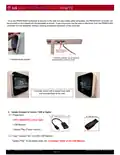
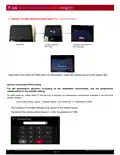
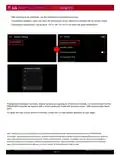


Once the PREMTA200 backplane is secured to the wall and associated cable terminated, the PREMTA200 controller can
be mounted on and clipped into the backplate as shown. A securing screw may be used to effectively ‘lock’ the PREMTA200
controller into the backplate, thereby avoiding accidental dislocation of the controller.
1.5 Remote controller can be locked to
1.4 Reinstall remote controller
backplate with a screw as shown
Controller shown with a sealed back plate
and mounted flush to the wall.
2. Update firmware to version 1.006 or higher
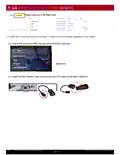
2.1. Preparation
- OTG Cable (USB to micro 5pin)
- USB Memory
- Update Files (Target version )
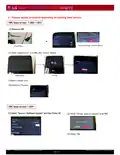
2.2. Copy “Update Files” into the USB Memory
- “Update Files” to be added under the “rrcUpdate” folder of the USB Memory
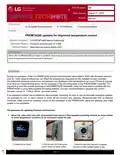
STN 59 59 - PREMTA200 updates for improved temperature control
Page 2 of 6
©2023 LG Electronics U.S.A., Inc. All rights reserved.

| General | Details |
|---|---|
| Name | LG PREMTA200 Deluxe Thermostat User Guide |
| Make | LG |
| Language | English |
| Filetype | PDF (Download) |
| File size | 0.49 MB |
 (1 votes, average: 5.00 out of 5)
 Loading...


LG PREMTB10U Programmable Thermostat Instruction Manual


Danfoss Link Connect Thermostat User Guide

MONARCH I 1031 Homematic IP Wall Thermostat Instruction Manual

InverterCool CPT100 2C Wi-Fi Thermostat Instruction Manual

SALUS CONTROLS BTR230 Non Programmable Thermostat User Guide
BARD THERMOSTAT Menu Driven Display 1120-445A User Manual

Regulus TP18 LCD Electronic Thermostat User Manual

White Rodgers Big Blue Universal Thermostat 1F95-1277 Installation Guide

TFC Group OP-WFSTAT Wi-Fi Thermostat User Guide

KALOR TECH 603H Thermostat Instruction Manual

SALUS FC600 Fan Coil Thermostat User Guide