
LG PREMTA200 Deluxe Thermostat User Guide
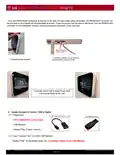
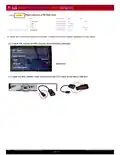
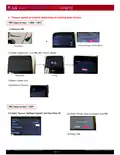
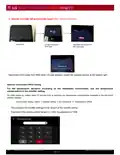


4. Remote Controller will automatically restart after update completion
LG logo disconnect
OTG cable
(Alternate) Disconnect OTG
and reset power
Disconnect OTG cable from RRC when LG logo appears, check the updated version at the bottom right.
Optional Temperature Offset Setting
For the temperature deviation according to the installation environment, use the temperature
compensation in the installer setting.
On initial power up, please allow 10 minutes prior to applying any temperature compensation available in the advanced
installer settings.
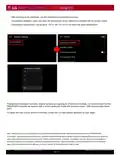
- How to enter setting : Menu -> Installer setting -> Air conditioner -> Temperature Offset
The password for installer settings is the version of the remote control.
Example) If the remote-control version is 1.006, the password is 1006.
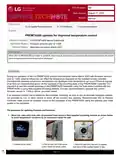
STN 59 59 - PREMTA200 updates for improved temperature control
©2023 LG Electronics U.S.A., Inc. All rights reserved.
Page 5 of 6

| General | Details |
|---|---|
| Name | LG PREMTA200 Deluxe Thermostat User Guide |
| Make | LG |
| Language | English |
| Filetype | PDF (Download) |
| File size | 0.49 MB |
 (1 votes, average: 5.00 out of 5)
 Loading...

LG PREMTB10U Programmable Thermostat Instruction Manual


Honeywell Home ElitePRO S1200 Smart Thermostat User Guide

HIVE Thermostat for Heating Owner’s Manual

shadow-caster SCM-Series Thermostat Instruction Manual

SALUS CONTROLS RT520 Thermostat User Manual

tekmar U-T-562 WiFi Thermostat User Manual

sinope Smart Floor Heating Thermostat TH1310WF Installation Guide

GENERAL LIFE HT100S RF Wireless Room Thermostat User Manual

thermokon JOY 5DO Digital Room Thermostat User Manual

PECO T8168 Performance Pro Thermostat Installation Guide

Danfoss FH-RT Wireless Room Thermostat Installation Guide