
HYSEN HY09RF WI-FI Wireless Thermostat User Manual


Factory
Default
00
Advanced Option A
Power off state, long press
confirm. Press “ ” and “ ” to adjust options.
After finish setting , stand for about 5 seconds ,it will save setting then exit .
NO
Setting Options
Data Setting Function
for 3-5 seconds to do advanced option A. Short press “ ” to switch and
B1
B2
IP address high setting
IP address low setting
00-FF
01-FF
01
Within 10 seconds after the receiver
connection (the orange LED is always on),
then continuously clicking the " " button of
the thermostat, the thermostat will send the
IP to the receiver, display”55” means IP
match successfully.
N1:single built-in sensor
N3:both built-in sensor and external sensor.
0-30 minutes
Factory
Default
NO
A1
Setting Options
Data Setting Function
Thermostat and receiver
paired
B3
00
-9-+9℃ (Displayed as the corrected room
temperature value)
Temp Calibration
-1℃
Start/stop working
temperature difference
setting
N1
A2
A3
0.5-2.5℃
1℃
B4
B5
B6
Sensor type
Minute interval of RF
transmission
Second interval of RF
transmission
Child Lock
0:half lock
0:Thermostat on/off with memory when
1:full lock
0
00
05
Power on/off state
memory after electricity
cut
3-30 seconds
electrify
A4
A5
0
0
1:Thermostat off when electrify
2:Thermostat on when electrify
! Considering battery usage, RF data updates every 20 minutes. If you wanna shorten interval,
pls use USB power and remove batteries. Follow B05, B06 operation.
0: 5+2
1: 6+1
2: 7
Progarm mode type
Return difference : limit valve of external sensor is 45℃ for factory default (A5),value of external
sensor control return difference (A3) is 2. when temperature rise to 45℃,then relay stop working and will
remind high temperature production alarm. If temperature decline to 43℃relay continue to work and
heating alarm will be relieved. (it can be operated ,only when room temperature is lower than setting
temperature )
Setting temperature
minimum limit
Setting temperature
maximum limit
A6
A7
1-10℃
5℃
20-70℃
35℃
1-10°C
Low temperature
protection
Sensor fault display:please choose correct working way of sensor type, if choose wrongly or sensor
fault (breakdown), “E1” or “E2” will be displayed on the screen. Thermostat will stop heating until the fault
is eliminated
A8
A9
AA
When setting temp = 10℃, if press
display 【--】, cancel low temperature protection
20°C-70°C
1. When setting temp = 20°C, , if press
will
5℃
High temperature
protection for external
sensor
High temperature
protection temperature
difference setting
Window function triggers 10-20°C,setting temperature is 10°C,decrease
temperature
Window function
running time
will
45°C
Description of thermostat data communication:
1. Communication every 20 minutes under normal working conditions
2. On/off will communicate with the receiver once time
3. When the output status is switched, it will communicate with the receiver once.
: It is always on when wireless communication is normal, and it flashes when wireless
communication is abnormal.
display 【--】, cancel high temperature protection
1-9℃
2℃
--
AB
AC
AD
it ,will display【--】,then canceled this function
10-20min
10
Receiver Indicator Light
Power indicator (green): Power on receiver, green light always on; turn off receiver, the green light is
on for 1 second and off for 1 second.
Display Ao, long press until show the whole
screen
Factory defaults
RF signal indicator (orange): It is always on within 10 seconds after power-on (At this time, you can
send the IP address of the thermostat to the receiver to complete the pairing: refer to the advanced
option B3). After the pairing is successful, the signal light will be off; or if no pairing is performed
within 10 seconds It will automatically turn off; when it is working normally, the light will flash when
it receives a wireless signal.
Load/fault indicator (red): In normal operation, the load output is turned on, the light is on, and the
load output is off, and the light is off; when there is a fault, it blinks and the alarm is indicated as
follows:
Advanced Option B
Power off state, long press
for 3-5 seconds to access advanced option B.
short press
to choose the option, and adjust data by
or ,Rrmain about 5 seconds after finish
setting will quit setting.

| General | Details |
|---|---|
| Name | HYSEN HY09RF WI-FI Wireless Thermostat User Manual |
| Make | HYSEN |
| Language | English |
| Filetype | PDF (Download) |
| File size | 0.41 MB |
 (1 votes, average: 5.00 out of 5)
 Loading...

HYSEN HY518WE WIFI Digital Heating Thermostat User Manual

HYSEN HY312 Wi-Fi Digital Heating Thermostat Instruction Manual

HYSEN HY510 WiFi Heating Thermostat Instruction Manual

HYSEN HY511 WiFi Heating Thermostat Owner’s Manual

HYSEN HY608 Wi-Fi Digital Heating Thermostat User Manual

HYSEN HY02B05RF Wireless Heating Thermostat User Manual

HYSEN HY02DB-WIFI Wifi Plug In Thermostat User Manual


Honeywell TH2320WF4011 FocusPRO Smart S200 Series Thermostat User Guide

LG PREMTA200 Deluxe Thermostat User Guide

GENERAL FH260S Underfloor Heating Thermostat User Manual

SIEMENS RDF660MB Flush Mount Room Thermostat Instruction Manual

telethings 2D Smart LoRaWAN Thermostat User Manual
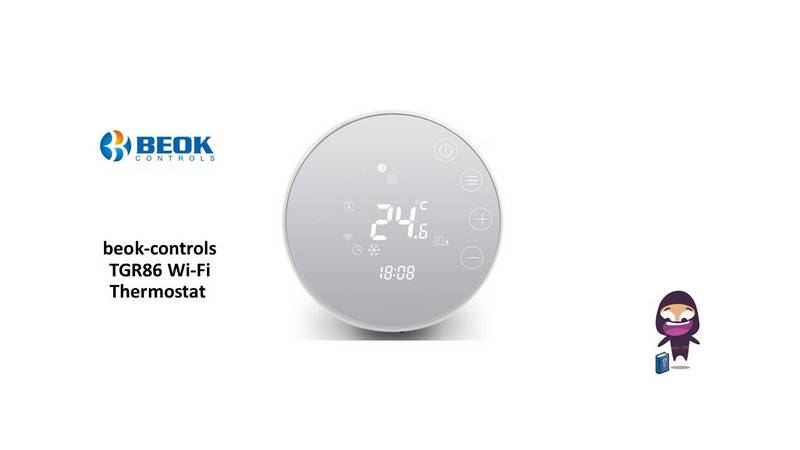
beok-controls TGR86 Wi-Fi Thermostat User Guide

TX1000 Thermostat Instruction Manual

technolysis HYT002-WIFI WI-FI Digital Heating Thermostat User Manual

neptronic TMA54-EXT1 Thermostat Instruction Manual

SALUS AT10 Pipe-Fitted Thermostat User Guide