
HACH LT200 Dry Thermostat User Manual


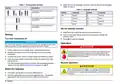




Table 3 Stored programs—LT 200
Table 4 Stored programs—DRB 200 (continued)
Program Description
Program Description
COD
Increases the temperature of the sample cells to 148 °C for
120 minutes. In the cooling phase, four beeps are heard when the
sample cells are at 80 °C. Remove and carefully invert the sample
cells several times, before letting them decrease in temperature in a
rack.
100 °C
Increases the temperature of the sample cells to 100 °C for 30, 60 or
120 minutes. For example, the “100 °C, 60 minutes” temperature
program is used to:
•
•
•
Digest samples using the Metals Prep Set
Identify phosphate and chromium
Digest heavy metals
The COD temperature program can be used for all COD sample cell
tests.
100 °C
Increases the temperature of the sample cells to 100 °C for 10, 60 or
120 minutes.
105 °C
150 °C
165 °C
Increases the temperature of the sample cells to 105 °C for 30, 60 or
120 minutes.
For example, the “100 °C, 60 minutes” temperature program is used
to:
Increases the temperature of the sample cells to 150 °C for 30, 60 or
120 minutes.
•
•
•
Identify phosphate and chromium
Digest heavy metals
Digest samples using the LCW 902 Crack Set
Increases the temperature of the sample cells to 165 °C for 30, 60 or
120 minutes.
40 °C
Increases the temperature of the sample cells to 40 °C for
10 minutes.
User programs
The LT 200 has six temperature programs that are configured by the
user (PRG1–PRG6). The DRB 200 has three temperature programs that
are configured by the user (PRG1–PRG3).
For example, the “40 °C, 10 minutes” temperature program is used
for formaldehyde test or enzymatic food tests.
To configure a user temperature program:
Table 4 Stored programs—DRB 200
1. Select a user temperature program using the keys.
Program Description
2. Push Prog to enter programming mode.
COD
Increases the temperature of the sample cells to 150 °C for
120 minutes. In the cooling phase, four beeps are heard when the
sample cells are at 120 °C. Remove and carefully invert the sample
cells several times, before letting them decrease in temperature in a
rack.
3. Select a 4-character name for the program. Push the left key to
change the character. Push the right arrow key to move the cursor to
the next position. Push OK to save the change.
4. Push or hold down the up and down arrow keys to set the
TOC
Increases the temperature of the sample cells to 105 °C for
120 minutes. The TOC temperature program can be used for all Hach
TOC sample cell tests.
temperature (37 to 150 °C). Push OK to save the change.
5. Push or hold down the up and down arrow keys to set the time (0 to
480 minutes). Push OK to save the change.
6. Push OK to save the program.
10 English

| General | Details |
|---|---|
| Name | HACH LT200 Dry Thermostat User Manual |
| Make | HACH |
| Language | English |
| Filetype | PDF (Download) |
| File size | 0.46 MB |
 (1 votes, average: 5.00 out of 5)
 Loading...

REHAU NEA SMART 2.0 Room Thermostat Installation Guide

Roth Basicline H 230V Room Thermostat Instructions

ESI ESRTP6B WiFi Wireless Programmable Room Thermostat Instruction Manual

LUX DHP2120 Battery Powered Non Programmable Digital Heat Pump Thermostat Installation Guide

GENERAL LIFE FH104 Underfloor Heating Thermostat User Manual

Danfoss Ally Cheap Radiator Thermostat Owner’s Manual

degrii THP Remote Thermostat User Guide

Aideepen STC-3028 Temperature Humidity Controller User Manual

HVAC Controls UT32 Titan Touchscreen Thermostat User Manual

Honeywell TH1320U4002 Non Programmable Thermostat User Guide