
fastwarm HM-01-16A Digital Programmable Thermostat Instruction Manual



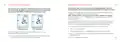
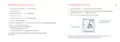
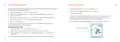

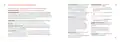
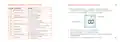


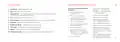
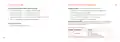
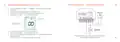


Mode Select
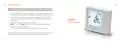
ProDigital™ can either be used as a thermostat or a time clock. Thermostat mode is the
default setting. To change between thermostat & time clock modes, follow these steps.
•
•
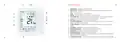
Use the ‘Left/Right’
arrow keys to highlight
then press and hold the ✓ button
for 3 seconds. At this point the screen will go blank showing only ‘SETUP’ and ‘CLOCK’.
Tap either of the ‘Up’ or ‘Down’
arrow keys to highlight ‘SETUP’, then hold the
✓ key for 10 seconds. The ProDigital™ will factory reset then provide 2 selectable
Mode 1
Thermostat
mode options.
•
•
Use the Left / Right keys to scroll between modes
Mode 1 = Thermostat. Mode 2 = Time Clock. Note: the selected option will flash.
Press the ✓ key to confirm selection.
The ProDigital™ will reset all parameters and restart in the selected mode.
Note: The Mode Select function will reset all parameters that were entered during the set-
up operations. These processes must be repeated after the restart has completed.
8

| General | Details |
|---|---|
| Name | fastwarm HM-01-16A Digital Programmable Thermostat Instruction Manual |
| Make | fastwarm |
| Language | English |
| Filetype | PDF (Download) |
| File size | 0.22 MB |
 (1 votes, average: 5.00 out of 5)
 Loading...

fastwarm 16AMP Touchscreen Thermostat Instruction Manual


PRO1 R250W Wireless System Thermostat Owner’s Manual

Honeywell Home FocusPRO S200 Series Smart Thermostat User Guide

BEOK CONTROLS TGR86 WiFi Thermostat User Guide

Vine TJ-610E Smart Thermostat User Manual
fastwarm 16AMP Touchscreen Thermostat Instruction Manual

homematic IP HmIP-eTRV-F Radiator Thermostat Instruction Manual

Moes 002 Series Wifi Thermostat User Guide

FC610 Bandary Smart Thermostat Owner’s Manual

Danfoss RT 106 Thermostat Installation Guide

Danfoss TP7000 Series Electronic 7 Day Programmable Room Thermostat Instruction Manual