
Home > ESi Controls > ESi Controls ESRTERFW Wireless Digital Room Thermostat Installation Guide
ESi Controls ESRTERFW Wireless Digital Room Thermostat Installation Guide






Safety Notice
WARNING!
Always isolate the AC mains supply before installing. This product must
be installed by a qualified person and installation must comply with the
guidance provided in the current editions of BS7671 (IEE wiring
regulations) and part ‘P’ of the building regulations.
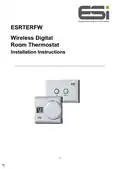
Installing the Room Thermostat
The latest government guidelines state that a thermostat should be
installed between 0.9M and 1.2M above floor level, in a location
where the thermostat is accessible, reasonably lit and free from
extremes of temperature and draughts. Do not install the thermostat
near sources of heat, such as radiators, lights, TV, direct sunlight or
on an outside wall.
1. Loosen the screws on the backplate and remove from the unit.
2. Attach the backplate onto a flat wall using wall plugs & screws
or on a flush mounting single conduit box.
3. Insert the AA batteries provided & attach the thermostat to the
backplate, tightening the screws underneath.
5

| General | Details |
|---|---|
| Name | ESi Controls ESRTERFW Wireless Digital Room Thermostat Installation Guide |
| Make | ESi Controls |
| Language | English |
| Filetype | PDF (Download) |
| File size | 0.17 MB |
 (1 votes, average: 5.00 out of 5)
 Loading...

ESi Controls ESRTP4TOUCH Programmable Room Thermostat Instruction Manual


White Rodgers BP150 Line Voltage Programmable Thermostat User Guide

GENERAL HT220S Digital Room Thermostat User Manual

INKBIRD ITC-306A Digital Thermostat User Manual

Roth 1135006445 Wireless Room Thermostat Touchline 230 V Instruction Manual

Danfoss AN325057 Icon Wireless Room Thermostat Installation Guide

Roth Basicline 230T Programmable Clock Thermostat Instruction Manual

TPI KT Series Line Voltage Thermostat Instruction Manual

TFC Group OP-WFSTAT Wi-Fi Thermostat User Guide

Honeywell TL116A Thermostat Installation Guide

LENNOX L40 Smart Thermostat Owner’s Manual