
Carrier 33WIFISTAT43 Wi-Fi Thermostat Installation Guide


recommended) when the thermostat is in a dormant state
(not being viewed or adjusted by the end user).
Drag a wheel up or down or tap the top or bottom of the wheel to
increase or decrease by 1 increment.
Software Screen and Backlight Screen
SOFTWARE — Displays the current software's status.
BACKLIGHT — Use to change the backlight intensity in Active
and Dormant modes.
Filter
Use this screen to access and change more advanced settings. See
Table 3 for Parameter Names and Ranges.
•
The blue Active Backlight wheel adjusts the backlight in-
tensity from 10 to 100%, (75% is the default and recom-
mended) when the thermostat is in an active state (being
accessed or viewed by the end user).
•
The purple Dormant Backlight wheel adjusts backlight in-
tensity from 0 to 25%, (25% is the default and
Table 3 — Filter Screen Advanced Settings
PARAMETER NAME/DESCRIPTION
DEFAULT AND RANGE
D:
SYNC TIME TO SERVER — Sync time and date with cloud server based on thermostat location, which is determined by
Yes
your mobile app or ISP during setup
No / Yes
R:
D:
R:
SCREEN TIMEOUT — The maximum amount of time the BACKLIGHT stays active when no activity is sensed at the
thermostat
15 sec
5 to 30 sec
(5 sec intervals)
D:
R:
D:
R:
D:
R:
D:
R:
D:
R:
PROXIMITY — Enable or disable proximity sensing that changes the screen backlighting from Dormant to Active when a
Yes
person is sensed in front of the thermostat
No / Yes
PROX SENSITIVITY — Change the proximity sensing feature from HIGH to MEDIUM to LOW. Increasing the sensitivity
increases the range the sensor can detect presence, but also increases the possibility of a false presence.
Medium
High / Medium / Low
# PROGRAM DAY PARTS — Number of periods per day for programming occupancy
2
2 or 4
DST — Enable or disable automatic Daylight Saving Time change in the thermostat
Enabled
Disabled / Enabled
WIRELESS — Enable or disable Wi-Fi for the thermostat. If disabled, then the Wi-Fi radio in this product is
turned off and functions, such as the following, are not available:
Enabled
Disabled / Enabled
•
•
•
•
Sync Time To Server
Outdoor Temperature via Wi-Fi Geo location
Server & Wi-Fi Errors
Remote Access Services via app or Web
NOTE: If you disable this function after the thermostat has been set up and connected to the local Wi-Fi network, you
must set it up again using the mobile App.
D:
R:
SOUND — Adjust the sound made when touching the thermostat
Click
Off, Click, or Beep
13

| General | Details |
|---|---|
| Name | Carrier 33WIFISTAT43 Wi-Fi Thermostat Installation Guide |
| Make | Carrier |
| Language | English |
| Filetype | PDF (Download) |
| File size | 0.39 MB |
 (1 votes, average: 5.00 out of 5)
 Loading...

Carrier 53DFS250-SL Programmable Digital Thermostat Owner’s Manual

Carrier 33TWSPL-4 Wifi Stat Plus Thermostat Owner’s Manual

Carrier EB-STATE3LTICB-01 lLite Smart Thermostat Instructions

Carrier ecobee3 Lite Smart Thermostat User Manual

Carrier EB-STATE7ICR-01 Ecobee for Smart Thermostat Owner’s Manual

Carrier TSTATCCEWF-01 Smart Thermostat Owner’s Manual

Carrier Wi-Fi Enabled 24V Smart Thermostat Instruction Manual


Satel ART-200 Wireless Radiator Thermostat Installation Guide

TECH CONTROLLERS EU-T-4.1n, EU-T-4.2n Wireless Thermostat User Manual

EBERLE UTE Series Flush Mounted Room Thermostat Owner’s Manual

Danfoss VIMCA20F 24V RT Room Thermostat Installation Guide

IMMERGAS 3.030909 Smartech Plus Smart Chrono Thermostat Installation Guide

GENERALLIFE ARUNA 302S RF Wireless Room Thermostat User Manual

Honeywell 5000 Non Programmable Digital Thermostat User Guide

Honeywell Lyric T5 Wi-Fi Thermostat Installation Guide
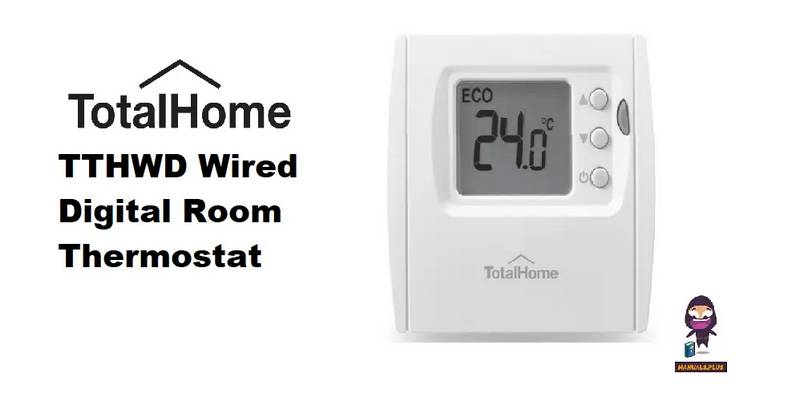
Total Home TTHWD Wired Digital Room Thermostat User Guide

Klima 825201 Intelligent Control Wi-Fi Underfloor Heating Thermostat User Manual