
BEOK TGP508 Vertical Buttons Underfloor Heating Thermostat User Guide


Operating Instruction
The default value of the set temperature upper limit is
60℃, and the adjustment range Is 35-95 ℃ by pressing
the up and down keys.
Set upper
temperature limit
9
1. Power on/off: Long press M key for 3 seconds to turn on/off the thermostat.
2. Short press the M key to switch between manual and Away modes.
Backlight
Brightness
00: Turn off the backlight
02: Medium brightness
01:Micro brightness
03: High brightness
10
11
3. Simultaneously press and hold the
or cancel the child lock.
and
keys for 3 seconds to add
Set to restore the factory default setting to display “-”,
Press the up button to adjust the display "---”, press the
enter button to restore the factory settings
Restore Factory
Defaults
4. Long press M key and
key to enter the clock setting, press M key to
switch settings item, press
or
keys to adjust the value of each parameter.
Note: the time of WIFI model will be Automatically gets Internet time
About WIFI connection
5. In the power off state, long press
key to detect the ground temperature.
Before using the WIFI thermostat for the first time, you should set the WIFI signal
and configuration through your smart phone or tablet to allow communication
between your connected devices.
Note: only applicable to thermostats connected to external sensor.
Time programming instructions
WIFI link: Bluetooth thermostat, please turn on the phone's Bluetooth
Long press M key and
key to enter the programming setting, short press M
WIFI connection: When the thermostat is on, long press
key for 5 seconds,
key to switch the option, press the
key or
key to adjust each option
the WIFI icon flashes on the thermostat display, and the thermostat enters the
code matching state.
parameter. Long press the M key to exit and save.
1. Download the APP
OPTION
ICON
TIME ADJUST DEFAULT ADJUST
Search for "Tuya" in App market or scan below QR Code to download
1
06:00
20℃
16℃
16℃
16℃
22℃
16℃
22℃
16℃
2
3
4
5
6
08:00
11:30
12:30
17:00
22:00
08:00
23:00
workday
Holiday
2
2. Register Account
Advanced options
If you don't have an APP account yet, you can choose to register or log in via
SMS verification code. Click "Create a new account", you will enter the Tuya
Smart Platform Privacy Policy page. After you click Agree, you will officially enter
the mobile phone registration page.
In the POWER OFF state, press the M key and
key for 3 seconds to enter
the advanced option settings.
Press the M key to enter the next option, then press the
or
key to adjust
options, and long press the M key to exit the advanced option setting mode.
The default value of the calibration room temperature is
Temperature
-2 ℃. Press the up and down keys to adjust. The
1
2
compensation
adjustable range is 9.9 °C to -9.9 ℃.
The temperature sensor is selected as IN by default.
Sensor selection Press the up and down keys to adjust as IN respectively,
indicating that the internal.
The default temperature limit value is 35 ℃. Press the up
and down keys to adjust the range from 5 ℃ to 60 ℃.
Modify the
temperature limit
3
4
Temperature
difference start
The default temperature difference is set to 1 ℃. Press
the up and down keys to adjust the range to 1-10 degrees.
Set the default anti-freeze function to OFF, display OFF,
press the up key to tum on anti-freeze and display ON.
5
6
Antifreeze function
The system automatically determines the current country/region. You can also
select the country/region manually. After entering your mobile phone number or
email address, click "get verification code" . Enter the received verification code,
then enter the password, and click "finish" to register successfully.
Set the default rest day as double OFF. Press the up and
down keys to adjust It to double OFF (1-5), single OFF
(1-6), no OFF (1 -7) and tum off week programming
(OFF).
Holiday option and
turn off weekly
programming
Set the default main and auxiliary reversal to 0. Press the
up and down keys to adjust 0 to tum off the main and
Primary and
7
8
secondary reverse auxiliary reversal. 01 means auxiliary reverse, 02 means
selection
auxiliary reverse, 03 means main and auxiliary reverse,
shutdown and antifreeze is not on, stop output.
Sound
ON: turn on the sound OFF: turn off the sound

| General | Details |
|---|---|
| Name | BEOK TGP508 Vertical Buttons Underfloor Heating Thermostat User Guide |
| Make | BEOK |
| Language | English |
| Filetype | PDF (Download) |
| File size | 0.49 MB |
 (1 votes, average: 5.00 out of 5)
 Loading...

BEOK Color TFT-LCD Heating Thermostat User Manual

BEOK TDS21WIFI-AC Fan Coil Thermostat Instruction Manual

BEOK TGR85-EP Underfloor Heating Thermostat User Guide

BEOK TDR89 Zigbee Room Thermostat User Guide

BEOK BOT-R7X Wireless Gas Boiler Heating Thermostat Instruction Manual

BEOK TDS23 Wi-Fi Fan Coil Thermostat Instruction Manual

BEOK TGP53 China Piano Buttons Underfloor Heating Thermostat User Guide

beok TGW60 Thermostat User Guide

BEOK TS4 Series Wi-Fi Touch Screen Thermostat User Manual

BEOK TGP53 Wifi Thermostat User Guide


Blue Universal OH-1202 Touchscreen Thermostat Instruction Manual

Bio Green PAL 2.0 USDT Palma Greenhouse Heater with Thermostat Instruction Manual

GENERAL Life HT100S Digital Room Thermostat User Guide

king K702E-2 SimplStat Electronic Thermostat Instruction Manual

Beca BHT-008 Heating Thermostat User Guide

sinope Smart Low Voltage Thermostat TH1400WF Installation Guide

Honeywell RTH230B Programmable Electronic Thermostat User Guide

Remotec REMEZTRVV01 Z Wave Thermostat User Guide
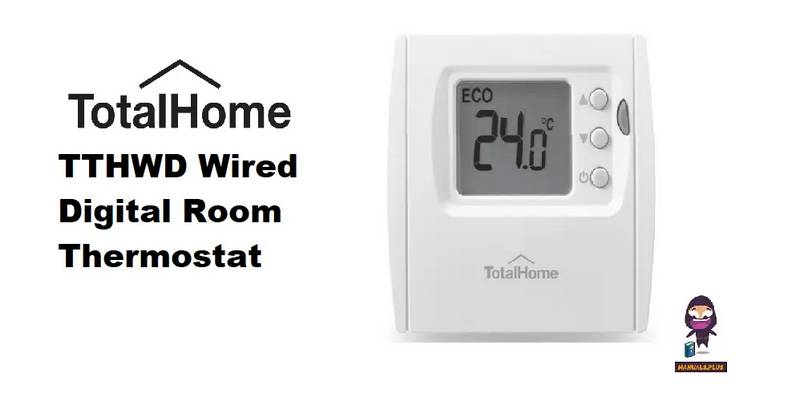
Total Home TTHWD Wired Digital Room Thermostat User Guide

EPH CONTROLS eTRV Smart Radiator Thermostat Instruction Manual