
Home > OJ Electronics > OJ ELECTRONICS MCD5 Touch Thermostat Instructions
OJ ELECTRONICS MCD5 Touch Thermostat Instructions


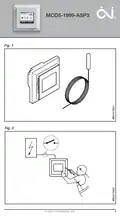





MCD5-1999-ASP3
English
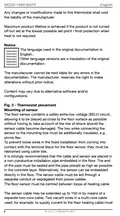
Any changes or modifications made to this thermostat shall void
the liability of the manufacturer.
Maximum product lifetime is achieved if the product is not turned
off but set at the lowest possible set point / frost protection when
heat is not required.
Notice
The language used in the original documentation is
English.
Other language versions are a translation of the original
documentation.
The manufacturer cannot be held liable for any errors in the
documentation. The manufacturer reserves the right to make
alterations without prior notice.
Content may vary due to alternative software and/or
configurations.
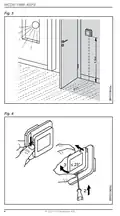
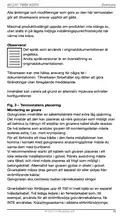
Fig. 3 - Thermostat placement
Mounting of sensor
The floor sensor contains a safety extra-low voltage (SELV) circuit,
allowing it to be placed as close to the floor surface as possible
without having to take account of the risk of shock should the
sensor cable become damaged. The two wires connecting the
sensor to the mounting box must be additionally insulated, e.g.
shrink flex.
To prevent loose wires in the fixed installation from coming into
contact with the terminal block for the floor sensor, they must be
restrained using cable ties.
It is strongly recommended that the cable and sensor are placed in
a non-conductive installation pipe embedded in the floor. The end
of the pipe must be sealed and the pipe placed as high as possible
in the concrete layer. Alternatively, the sensor can be embedded
directly in the floor. The sensor cable must be led through a
separate conduit or segregated from power cables.
The floor sensor must be centred between loops of heating cable.
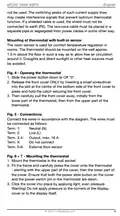
The sensor cable may be extended up to 100 m by means of a
separate two-core cable. Two vacant wires in a multi-core cable
used, for example, to supply current to the floor heating cable must
8
© 2021 OJ Electronics A/S

| General | Details |
|---|---|
| Name | OJ ELECTRONICS MCD5 Touch Thermostat Instructions |
| Make | OJ Electronics |
| Language | English |
| Filetype | PDF (Download) |
| File size | 0.19 MB |
 (1 votes, average: 5.00 out of 5)
 Loading...

OJ ELECTRONICS UTN5 OJ Microline Non Programmable Thermostat User Manual

OJ ELECTRONICS UTN5 Non Programmable Touch Thermostat Instruction Manual

OJ ELECTRONICS UDG-4999 Thermostat with Class A GFCI Owner’s Manual

OJ ELECTRONICS MWD5-1999-UAC3 Voice Control Wi-Fi Thermostat Instructions

OJ ELECTRONICS MWD5-1999-R3C3 Voice Thermostat Instructions

OJ ELECTRONICS MCD3 Digital Thermostat Instructions

OJ ELECTRONICS UTN-4991 Non Programmable Thermostat Owner’s Manual


COPELAND 1F76U-22WFB Series Sensi Lite Smart Thermostat Installation Guide

GENERAL FH100 Floor Heating Thermostat User Guide

INKBIRD ITC-308-WIFI Digital Temperature Controller Thermostat Instruction Manual

Danfoss ECtemp 532 Electronic Thermostat Installation Guide

SALUS AT10F Wireless Contact Thermostat User Manual

finder 1C.B1 Bliss2 Smart Thermostat User Manual

terneo BeeRT Digital Thermostat Instruction Manual

EMOS P5601UF Floor Heating Thermostat User Manual

Honeywell RTH7500D Programmable Thermostat Owner’s Manual

Honeywell Home T2 Programmable Thermostat Installation Guide