
Honeywell RTH230B Thermostat Installation Guide


2.3.1 2-wire Heating
2.4 Setting J2 Jumper
The jumper defines the fan operation when the fan is placed in auto-
matic mode.
Use this setting if you have an electric furnace. In
this setting, when the fan is placed in automatic
mode, it works only when heating or cooling is
J2 jumper
HE
activated.
Heat relay
Use this setting if you have a gas or fuel oil fur-
nace. In this setting, when the fan is placed in
automatic mode, it works as follows:
2.3.2 2-wire Cooling
•
When the thermostat is placed in cool mode,
the fan works only when cooling is activated.
HG
•
When the thermostat is placed in heat mode,
the fan is controlled by the furnace fan control
circuitry.
2.5 Installing the Batteries
Cool relay
2.3.3 3-wire Heating
Pull out the battery cover.
Install the batteries as shown. Observe the polarity.
Heat relay
Reinstall the battery cover. You will hear a clicking sound.
Fan relay
After the batteries are installed, the thermostat performs a series of
tests for approximately 5 seconds.
Afterwards, the screen displays the actual
temperature. It is normal that the displayed
2.3.4 3-wire Cooling
temperature be higher than the ambient
temperature if you are holding the thermo-
stat. The thermostat will display the ambient temperature once it is
installed on the wall. By default, the setpoint is 70°F (21°C).
2.6 Completing the Installation
Cool relay
Fan relay
2.3.5 4-wire Heating and Cooling
Once the baseplate and the batteries are installed, mount the
thermostat on the baseplate.
Heat relay
Cool relay
Secure the thermostat using the locking screw and install the
faceplate.
Apply power back to the system.
Fan relay
3. Basic Functions
2.3.6 5-wire Heating and Cooling
3.1 System Operating Mode
Use the selector switch to place the system in Heating
mode (HEAT) or Cooling mode (COOL), or to set the
system off.
Fan relay
Note: When you place the thermostat in Cooling mode, you might need to
wait up to five minutes before cooling can start. This is a safety feature for
the compressor.
will flash on the screen until cooling can start again.
Heat relay
Cool relay
RTH230B
69-1800—03 03-11 2/4

| General | Details |
|---|---|
| Name | Honeywell RTH230B Thermostat Installation Guide |
| Make | Honeywell |
| Language | English |
| Filetype | PDF (Download) |
| File size | 0.46 MB |
 (1 votes, average: 5.00 out of 5)
 Loading...

Honeywell T6 Pro Programmable Thermostat User Manual

Honeywell D1-528 Direct Thermostat Installation Guide

Honeywell FocusPRO P200 Programmable Thermostat User Guide

Honeywell RCHT8610WF Series Smart Thermostat Installation Guide

Honeywell T9 Smart Thermostat Installation Guide

Honeywell TH2320WF4011 FocusPRO Smart S200 Series Thermostat User Guide

Honeywell TL116A Thermostat Installation Guide

T10 Pro Smart Thermostat with Redlink Room Sensor

Honeywell TH6320WF2003 Lyric T6 Pro Wi-Fi Programmable Thermostat User Guide

Honeywell RTH9580 Wi-Fi Color Touchscreen Programmable Thermostat User Guide


VIMAR 02913 Surface LTE Thermostat Installation Guide

MOES ZTRV-BY-100 Radiator Thermostat User Guide

Jung FTR231 Floor Thermostat Instruction Manual

FRICO TD10 Electronic Thermostat Instructions

Moes M30 x 1.5 Smart Radiator Thermostat User Manual

Danfoss CET2000B-RF + RX1-S + CS2 Thermostat User Guide

BEOK Color TFT-LCD Heating Thermostat User Manual
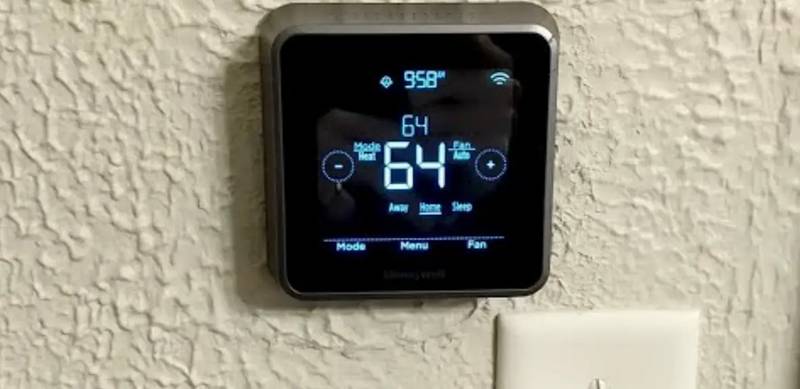
Honeywell Home RTH Series T5 Smart Thermostat Installation Guide

LUX PSP511A Series Programmable 5-2 Thermostat Instruction Manual

GA Plumbing I8 Wi-Fi Underfloor Heating Thermostat User Manual