
Gigaset ONE X Thermostat User Guide
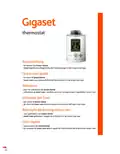






So installieren Sie thermostat
How to install thermostat
Comment installer thermostat
Um thermostat in Betrieb zu nehmen, installieren Sie bitte die kostenlose Gigaset
elements App und folgen den Schritten und Anweisungen. Führen Sie zuerst das
Pairing Ihres Thermostats mit base durch, bevor Sie thermostat an gewünschtem
Heizkörper montieren.
thermostat muss sich zum Pairing in der Nähe von base befinden.
Bitte beachten Sie dazu auch die beiliegenden Hinweise.
To start thermostat up, please install the free Gigaset elements app and follow the
steps and instructions. Ensure to pair thermostat with base before attaching
thermostat to your chosen radiator.
thermostat has to be near base during pairing.
Also, please observe the attached notes.
Pour mettre en service le thermostat, veuillez installer l'application gratuite Gigaset
elements et suivre les étapes et les consignes. Procédez d'abord à l'appairage de votre
thermostat avec base, avant le montage de thermostat sur le radiateur choisi.
Le thermostat doit se trouver tout près de votre base lors de l'appairage.
Veillez également respecter les remarques jointes.
Vous pouvez joindre le service d‘assistance directement depuis l‘application ou sur
Come installare thermostat
Installeren thermostat
Cómo instalar thermostat
Per mettere in funzione thermostat, installare l’app gratuita Gigaset elements e seguire
i passaggi e le istruzioni. Una volta eseguita la registrazione (pairing) del termostato
con base, montare thermostat al radiatore prescelto.
Durante la registrazione thermostat deve essere in prossimità di base.
Attenersi anche alle note allegate.
Installeer de gratis elements-app van Gigaset en volg de stappen en instructies om
thermostat in gebruik te nemen. Voer eerst de registratie procedure van uw
thermostat met de basis uit, voordat u thermostat op het gewenste
verwarmingselement monteert.
thermostat moet zich tijdens de registratie in de buurt van de basis bevinden.
Neem daarbij ook de meegeleverde aanwijzingen in acht.
Para poner el dispositivo thermostat en funcionamiento, instale la app gratuita Gigaset
elements y siga los pasos y las instrucciones que se le vayan indicando. Antes de
montar el dispositivo thermostat en el radiador deseado emparéjelo con la base
de Gigaset.
El dispositivo thermostat debe encontrarse cerca de la base para realizar el
emparejamiento.
Tenga en cuenta las indicaciones adjuntas durante el proceso.
El servicio de asistencia está disponible directamente a través de la app o en
www.gigaset.com/support. También encontrará más información en

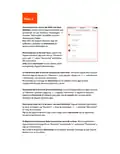
Step 1
»
»
»
»
Blende vom thermostat entfernen
Batterien einlegen
Blende wieder aufstecken
JIN wird im Display angezeigt
»
»
»
»
Remove battery cover from thermostat
Insert batteries
Replace battery cover
JIN appears in the display
»
»
»
»
Retirer le cache du thermostat
Insérer les piles
Remettre le cache en place
L'écran affiche JIN
»
»
»
»
Rimuovere il pannello da thermostat
Inserire le batterie
Reinserire il pannello
Sul display viene visualizzato JIN
»
»
»
»
Verwijder het klepje van thermostat
Plaats de batterijen
Het klepje terug plaatsen
In het display verschijnt JIN
»
»
»
»
Retire la cubierta de thermostat
Inserte las pilas
Vuelva a cerrar la cubierta
Se muestra JIN en la pantalla

| General | Details |
|---|---|
| Name | Gigaset ONE X Thermostat User Guide |
| Make | Gigaset |
| Language | English |
| Filetype | PDF (Download) |
| File size | 0.1 MB |
 (1 votes, average: 5.00 out of 5)
 Loading...

Gigaset Thermostat Instruction Manual


PRO T751 Thermostat Installation Guide

HYSEN HY02DB-WIFI Wifi Plug In Thermostat User Manual

LEDLux LL0167 WiFi Fan Coil Unit Thermostat Instruction Manual

ENSTO ECO16BT-J Floor Heating Thermostat User Guide

GENERAL LIFE HT220 Smart Room Thermostat User Manual

Robertshaw RS9423T Thermostat Installation Guide

Honeywell CT2800 Programmable Thermostat Installation Guide

GENERAL LIFE Mitra 230S RF Wireless Room Thermostat User Manual

Vine TJ-610E Smart Thermostat User Manual

Braeburn 2030 Programmable Thermostat Instruction Manual