
Home > asa ELECTRONICS > ASA Electronics ACTH12 Digital LCD Thermostat Instruction Manual
ASA Electronics ACTH12 Digital LCD Thermostat Instruction Manual

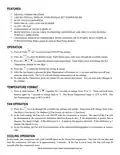



FEATURES
•
DIGITAL COMMUNICATION
•
•
•
•
•
•
LIQUID CRYSTAL DISPLAY WITH ROOM & SET TEMPERATURE
BLUE LED ILLUMINATION
INDIVIDUAL LED’s FOR EACH MODE
AUTO / ON FAN
FAHRENHEIT & CELSIUS DISPLAY
ROOF TOP FAN CAN BE USED TO PROVIDE ADDITIONAL AIR CIRCULATION DURING
FURNACE OPERATION
•
UNIVERSAL DESIGN IS COMPATIBLE WITH COOLING, HEAT PUMPS, HEAT STRIPS, &
FURNACES (Heat Strips cannot be used on Heat Pump models)
OPERATION
1) Press & Hold
for 3 seconds to turn ON/OFF the system.
2) Press the
3) Press the
to select the desired mode. Each button press with cycle through the available modes.
to select the desired room temperature. Each button press will change the Set
Temperature display by one digit.
4) Press the
to select the desired fan setting & speed.
5) After the last button is pressed the Blue Illumination will remain for 15 seconds and then turn off and
enter the sleep mode. The LCD will still display temperatures & fan settings.
6) To wake up the Thermostat, press any button for one second and release. You can now make changes to
the settings.
TEMPERATURE FORMAT
1) Press & hold buttons
together for 3 seconds to change from °F to °C. Press and hold these
buttons again for 3 seconds to change back to °F. The Room Temperature range is 32°F to 99°F. The
Set Temperature range is 60°F to 86°F.
FAN OPERATION
1) Press the
to cycle through the available fan settings and speeds. Each press will change from Auto,
On High (3 Fan Icons), On Medium (2 Fan Icons), & On Low (1 Fan Icon).
2) In the Auto setting, the Fan will cycle On/Off with the compressor or furnace. The speed of the Fan will
be determined by the temperature difference between Room & Set. If the temperature is greater than 4
degrees, the speed is High. If the difference is 3 - 4 degrees, the speed is Medium. If the difference is 2
degrees the speed is Low.
3) In the On setting, the Fan will run continuously at the selected speed regardless of compressor or furnace
state.
COOLING OPERATION
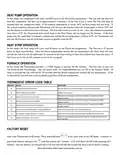
In this mode, the compressor will cycle On/Off based on the Room/Set temperature. The Fan will run first and
then the compressor will turn on in approximately 3 minutes. If the Fan is set to Auto, the Fan will stop 30
seconds after the compressor stops.

| General | Details |
|---|---|
| Name | ASA Electronics ACTH12 Digital LCD Thermostat Instruction Manual |
| Make | asa ELECTRONICS |
| Language | English |
| Filetype | PDF (Download) |
| File size | 0.17 MB |
 (1 votes, average: 5.00 out of 5)
 Loading...


Honeywell T6/T6R Smart Thermostat User Guide

BEOK TGP53 Wifi Thermostat User Guide

GENERAL LIFE FH104 Underfloor Heating Thermostat User Manual

Honeywell Home RTH9585WF Smart Color Touchscreen Programmable Thermostat User Guide

GENERAL LIFE HT25 RF Wireless Room Thermostat User Manual

hysencontrol HY01RF Wireless Thermostat User Manual

Honeywell RTH9580 Wi-Fi Color Touchscreen Programmable Thermostat User Guide

Honeywell RTH7500D Programmable Thermostat Owner’s Manual

EPH Controls CDT2-24 24V Room Thermostat Installation Guide

EUROSTER 2006TXRX Wireless Programmable Thermostat Installation Guide