
Home > Aprilaire > Aprilaire S86WMUPR Programmable Wi-Fi Multi Stage Universal Thermostat Installation Guide
Aprilaire S86WMUPR Programmable Wi-Fi Multi Stage Universal Thermostat Installation Guide
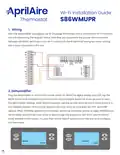



Wi-Fi Installation Guide
Thermostat
S86WMUPR
1. Wiring
With the dehumidifier unplugged, use 18-24 gauge thermostat wire to connect the Wi-Fi control to
the unit referencing the diagram below. Note that you must leave the jumper wire connected
between the RH/RC terminals on the Wi-Fi control with the RH terminal having two wires running
into it once connected to the unit.
ODT
VENT DEH
+
-
A
B
Sensor
2. Dehumidifier
Plug the dehumidifier in and turn the rocker switch on. While the digital display says OFF, tap the
MODE button to illuminate the screen and then hold the MODE button for three seconds to open
the dehumidifier settings. When REMOTE appears, use the up and down arrows to make sure it is in
the DISABLED position. Hit the mode button three more times to cycle past the VENT and ZONE
options. When EXTERNAL appears on the screen use the up and down arrows to select ENABLED and
hit the MODE button three more times to skip through the screens for DEH W/AC and RH OFFSET.
DONE will blink on the screen. You can then hit the ON/OFF button to turn the unit on to configure
the thermostat.
ON/OFF
MODE
ON/OFF
MODE
REMOTE
EXTERNAL
DISABLED
ENABLED


| General | Details |
|---|---|
| Name | Aprilaire S86WMUPR Programmable Wi-Fi Multi Stage Universal Thermostat Installation Guide |
| Make | Aprilaire |
| Language | English |
| Filetype | PDF (Download) |
| File size | 0.11 MB |
 (1 votes, average: 5.00 out of 5)
 Loading...

Aprilaire 8570 Premium Programmable Thermostat Instruction Manual

Aprilaire 8538 Digital Heat Cool Thermostat Owner’s Manual

AprilAire S86W MUPR WiFi Thermostat User Guide

Aprilaire S86N MU Multi Stage Universal Thermostat Instruction Manual

Aprilaire S86N MUPR Multi Stage Universal Thermostat Owner’s Manual

Aprilaire S84N 1H1C Programmable Single Stage Universal Thermostat Owner’s Manual

Aprilaire S86WMUPR Multi Manual: Questions and Answers
How do I wire the Aprilaire S86WMUPR Multi to my dehumidifier?
With the dehumidifier unplugged, connect the Wi-Fi control to the unit using 18-24 gauge thermostat wire. Keep the jumper wire connected between RH/RC terminals, with two wires running into the RH terminal. Installation Guide, p. 1
What wire gauge does the Aprilaire S86WMUPR Multi require?
18-24 gauge thermostat wire. Installation Guide, p. 1
More Aprilaire thermostat manuals

ICP Control Ion Gray Smart Thermostat Owner’s Manual

HEAT-MY-HOME HMH200 WiFi Thermostat User Guide

GENERAL HT250 Digital Room Thermostat User Manual

EBECO EB-Therm 500 Floor Heating Thermostat Instruction Manual

Konveka MT230 Room Thermostat Instruction Manual

CORDIVARI Ardesia Electric Radiators with Digital Thermostat Instruction Manual

MOES BHT-12 Smart Thermostat Instruction Manual

Honeywell TH5220D Non-Programmable Digital Thermostat Installation Guide

ENGO CONTROLS E10W230WIFI WiFi Temperature Thermostat User Guide

STELPRO ST402PFF Programmable Electronic Thermostat Owner’s Manual