
Tense STC-1000 Thermostat User Guide
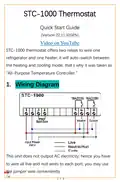



2. Function Menu
Code Function
Temperature Setpoint
F1
F2
F3
F4
Temperature Hysteresis /
Protection Delay Time for the
Temperature Calibration
3. Set the Aimed Temp Range
The aimed temperature range was defined
from “F1 - F2” (if lower than this, trigger heating)
to “F1 + f2” (if higher than this, trigger cooling), hence
you need to set both “F1” and “F2”.
3.1. Configure Parameters
1)
Hold the
key for 3s to enter the menu list; the display
shows the code F1;
2)
Press the
key to see the existing value, press direction
keys to change it;
3) Press the
key to save data.
Attention: the new data will be discarded and back to
normal status if without operation in 8 seconds.
2 / 3

| General | Details |
|---|---|
| Name | Tense STC-1000 Thermostat User Guide |
| Make | Tense |
| Language | English |
| Filetype | PDF (Download) |
| File size | 0.1 MB |
 (1 votes, average: 5.00 out of 5)
 Loading...


WILLIAMS P322016 Thermostat Instruction Manual

BEOK TDS23 Wifi Thermostat Owner’s Manual

Honeywell Home DT92E Wireless Room Thermostat User Manual

Danfoss CET B-RF Wireless Electronic Hot Water Cylinder Thermostat Installation Guide

EZAIoT 723 IPS Wired Smart Thermostat Instruction Manual

Google Nest Learning Thermostat (4th gen) Installation Guide

ROLBIT C124W Under Floor Thermostat Instructions

vtech T961NN50 E-Smart Thermostat Installation Guide

STELPRO ST252NPFF Non-Programmable Electronic Thermostat for Fan Heaters Owner’s Manual

DEVIreg 316 Electronic Thermostat Installation Guide