×
- 2. © To quickly jump to a specific chapter page, click on the
- 4. Please keep this manual properly for reference. You can also scan the
- 5. Technical Specifications (Brand INKBIRD → Model C216T C226T → Temperature Control Range → Temperature Display Error → Temperature Measurement Error)
- 6. Temperature Calibration Range (Maximum Timing Range → Alarm Function → Product Diagram)
- 9. FUNCTION
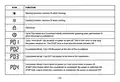
- 10. ICON (FUNCTION)
- 11. BUTTON (FUNCTION)
- 12. START (6.1 Operating Guidelines for Temperature Control Mode)
- 13. 6.1.1 Set Start and Stop Temperatures
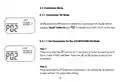
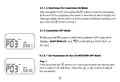
- 14. 6.1.2 Set Other Parameters
- 15. Briefly press the (=) button to enter the refrigeration delay time men
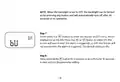
- 16. NOTE: When the backlight is set to OFF, the backlight can be turned
- 17. CYCLE TIME (6.2 Operating Guidelines for Cycle Time Mode → 6.2.1 Set Parameters for the CYCLE TIME Mode)
- 18. CYCLE TIME
- 19. COUNT DOWN ON (6.3 Countdown Mode → 6.3.1 Countdown ON Mode → 6.3.1.1 Set Parameters for the COUNTDOWN ON Mode)
- 20. COUNT DOWN (OFF → 6.3.2 Countdown OFF Mode → 6.3.2.1 Set Parameters for the COUNTDOWN OFF Mode)
- 21. COUNT DOWN ONSOFF
- 22. COUNT DOWN ONSOFF
- 23. 6.4 OFF Mode (6.5 Child Lock Mode)
- 24. 6.6 Factory Reset (Parameters Default Value Range)
- 25. 8.1 This product is a strong electrical product, not waterproof, and n
- 26. CAUSE FIRE HAZARDS (Issues Possible Solution)
- 27. Failure to switch on or off
- 28. Displaying ER
- 29. Changes or modifications not expressly approved by the party responsib
- 30. Customer Service
- 31. Warm tips
- 32. MADE IN CHINA (DESIGNED BY INKBIRD)
×
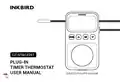
INKBIRD C216T Plug In Timer Thermostat User Manual
| General | Details |
|---|---|
| Name | INKBIRD C216T Plug In Timer Thermostat User Manual |
| Make | INKBIRD |
| Language | English |
| Filetype | PDF (Download) |
| File size | 3.99 MB |

INKBIRD ITC-306A Digital Thermostat User Manual

INKBIRD C216T-C226T Plug In Timer Thermostat User Manual
INKBIRD ITC-308-WIFI Digital Temperature Controller Thermostat Instruction Manual


tekmar TEK564 Invita WiFi Thermostat User Manual

Honeywell CMR707A1049 Programmable Room Thermostat User Guide

telkonet Aida Wireless Thermostat User Guide

WARMZONE BR1015A07 WZ Touch Thermostat User Guide

BEOK TDS23 Wi-Fi Thermostat User Manual

STELPRO STCP Floor Heating Thermostat Multiple Programming User Guide

Honeywell CT87N The Round Non Programmable Thermostat Owner’s Manual

BEOK TGP508 Vertical Buttons Underfloor Heating Thermostat User Guide

namron 1402746 Touch Thermostat Instruction Manual

Stelrad Radiator Thermostat RAS-D2 Combi Pack, Radiator Pack Instructions
Table of Contents
- 2. © To quickly jump to a specific chapter page, click on the →
- 4. Please keep this manual properly for reference. You can also... →
- 5. Technical Specifications - Brand INKBIRD →
- 6. Temperature Calibration Range - Maximum Timing Range →
- 9. FUNCTION →
- 10. ICON - FUNCTION →
- 11. BUTTON - FUNCTION →
- 12. START - 6.1 Operating Guidelines for Temperature Control Mod... →
- 13. 6.1.1 Set Start and Stop Temperatures →
- 14. 6.1.2 Set Other Parameters →
- 15. Briefly press the (=) button to enter the refrigeration dela... →
- 16. NOTE: When the backlight is set to OFF, the backlight can be... →
- 17. CYCLE TIME - 6.2 Operating Guidelines for Cycle Time Mode →
- 18. CYCLE TIME →
- 19. COUNT DOWN ON - 6.3 Countdown Mode →
- 20. COUNT DOWN - OFF →
- 21. COUNT DOWN ONSOFF →
- 22. COUNT DOWN ONSOFF →
- 23. 6.4 OFF Mode - 6.5 Child Lock Mode →
- 24. 6.6 Factory Reset - Parameters Default Value Range →
- 25. 8.1 This product is a strong electrical product, not waterpr... →
- 26. CAUSE FIRE HAZARDS - Issues Possible Solution →
- 27. Failure to switch on or off →
- 28. Displaying ER →
- 29. Changes or modifications not expressly approved by the party... →
- 30. Customer Service →
- 31. Warm tips →
- 32. MADE IN CHINA - DESIGNED BY INKBIRD →