×
- 1. Operating Manual (Visionpro Th8000 Series → Touchscreen Programmable Thermostat)
- 2. Be Careful! (This Manual Covers The Following Models → Need Help?)
- 3. About Your New Thermostat (Thermostat Features → Programming & Operation → In Case Of Difficulty → Optional Remote Sensors → Limited Warranty)
- 4. About Your New Thermostat (Features)
- 5. Visionpro Th8000 Series (Set Clock → Select Fan Setting → Select System Setting → Program Schedules → One-touch Temp Control)
- 6. Operating Manual (Quick Reference To Controls → Temperature Settings → Press To Set Program Schedule → Press To Select System Type → Press To Override Program Schedule → Press To Set Clock → Press To Lock Keypad For 30 Seconds To Clean Screen)
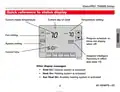
- 7. Visionpro Th8000 Series (Quick Reference To Status Display → Current Inside Temperature → Temperature Setting → Fan Setting → System Setting → Adaptive Intelligent Recovery In Effect)
- 8. Operating Manual (Clock Setting)
- 9. Visionpro Th8000 Series (Fan Setting → Following Schedule → System → Clock Screen)
- 10. Operating Manual (System Setting → Heat → Cool → Off → Auto → Em Heat)
- 11. Visionpro Th8000 Series (Save Money By Setting Program Schedules → Wake → Leave → Return → Sleep)
- 12. Energy-saving Settings For Maximum Cost Savings (Adjusting Times And Temperatures)
- 13. Visionpro Th8000 Series (To Adjust Program Schedules → Set Time For Program Period To Start)
- 14. Operating Manual (Program Schedule Override (temporary) → Adjust Temperature → Hold Temperature → Cancel)
- 15. Program Schedule Override (permanent) (Adjust Temperature → Permanent Hold)
- 16. Operating Manual (Vacation Hold → Set Temperature → Hold Temperature)
- 17. Visionpro Th8000 Series (Special Features → Auto Changeover → Adaptive Intelligent Recovery → Compressor Protection)
- 18. Operating Manual (Screen Lock → Following Schedule → Set To → Advanced Function)
- 19. Visionpro Th8000 Series (Screen Cleaning → Screen Lock Timer (30 Seconds) → Note)
- 20. Operating Manual (Select Models Can Display The Current Indoor Humidity Level. → Indoor Humidity Level)
- 21. Visionpro Th8000 Series (Humidity → Dehumidifier)
- 22. Operating Manual (Batteries → Installation → Maintenance)
- 23. Visionpro Th8000 Series (Function → Setting)
- 24. Operating Manual (Year Setting (first Two Digits) → Year Setting (second Two Digits) → Month Setting → Date Setting)
- 25. Visionpro Th8000 Series (Advanced Functions → Program Schedule On/off → Temperature Format (f/c) → Daylight Savings Time On/off)
- 26. Furnace Filter Change Reminder (Humidifier Pad Change Reminder → Function)
- 27. Visionpro Th8000 Series (Advanced Functions → Uv Lamp Change Reminder → Program Schedule Periods → Clock Format → Screen Lock)
- 28. Operating Manual (In Case Of Difficulty → Display Is Blank → No Response To Key Presses (or Temperature Will Not Change) → Backlight Is Dim)
- 29. Visionpro Th8000 Series (In Case Of Difficulty → Heating Or Cooling System Does Not Respond → Display Shows Fan Auto And On Or Auto And Circ At The Same Time)
- 30. Operating Manual (Optional Remote Sensors (select Models) → If An Outdoor Sensor Is Installed, The Current → If An Indoor Remote Sensor Is Installed, The Display Shows The Indoor Temperature At The Location Of The Sensor. → If More Than One Indoor Sensor Is Installed, The Display Shows An Average Of Temperature Readings From All Sensors.)
- 31. Visionpro Th8000 Series (Year Limited Warranty → Warranty Coverage → Defective Product Return Process → Limitations Of Warranty → Legal Rights Under Warranty)
- 32. Automation And Control Solutions (Honeywell International Inc. → Honeywell Limited-honeywell Limitée → U.s. Registered Trademark → Us Patent No. 6595430, D509151; Other Patents Pending)
- 33. Visionpro Série Th8000 (Thermostat Programmable À Écran Tactile)
- 34. A T T E N T I O N ! (Modèles De Thermostat → Assistance Concernant Ce Produit → Consignes De Manipulation Spéciales)
- 35. À Propos De Votre Nouveau Thermostat (Caractéristiques Du Thermostat → La Programmation En Bref → Aide-mémoire Sur Les Commandes → Changement Des Piles → Fonctions Évoluées → En Cas De Difficultés)
- 36. À Propos De Votre Thermostat (Caractéristiques)
- 37. Réglage De L'horloge (Sélection De La Configuration Du Ventilateur → Sélection Du Mode De Fonctionnement → Programme De Régulation → Commande De Température Par Touche Unique)
- 38. Mode Demploi (Configuration Du Ventilateur → Sélectionner Le Type De Fonctionnement → Paramétrer Le Programme → Régler Lhorloge → Annuler Le Programme → Verrouiller Le Pavé Numérique)
- 39. Visionpro Serie (Réglage De La Température → Réglage Ventilation → Réglage Système → Recovery → Adaptive Intelligent)
- 40. Mode Demploi (Appuyez Sur Clock → Remarque : Lhorloge Temps Réel Ne Devrait Jamais Nécessiter De Réglage Puisquelle Est Automatiquement Mise À Jour Lors Des Changements Entre Heure Dété Et Heure Dhiver. → Remarque : Pour Modifier Laffichage Du Jour De La Semaine Actuel, Voir La Page 22.)
- 41. Visionpro Serie (Mode De Fonctionnement Du Ventilateur → On → Auto → Circ → Déroger Aux Réglages Programmés → Remarque)
- 42. Mode Demploi (Fonctionnement → Système → Auto → Em Heat)
- 43. Visionpro Serie (Th8000 → Il Est Facile De Programmer Votre Système Afin De Réaliser Un Maximum Déconomies Dénergie. → Wake → Leave → Return → Sleep)
- 44. Réglages Déconomie Dénergie Pour Des Économies Dénergie Maximales (Chauffage → Refroidissement)
- 45. Visionpro Serie (Pour Modifier Le Programme → Appuyez Sur Sched → Remarque : Vous Pouvez Appuyer Sur Cancel Period Pour Éliminer Toute Plage Horaire Inutile. → Remarque : Appuyez Sur Fan Pour Adapter Les Réglages Du Ventilateur Pour Nimporte Quelle Plage Horaire. → Fixez Lheure Du Début De La Plage Du Programme)
- 46. Annulation De La Programmation (momentanée) (Réglez La Température → Appuyez Sur S Ou T Modifier Immédiatement → La Nouvelle Température Sera Maintenue → Pour Annuler Le Réglage Temporaire À Un Moment Quelconque, Appuyez Sur Cancel)
- 47. Visionpro Serie (Annulation Du Programme (permanente) → Modifiez La Température → Cancel (ou Sched) Pour Annuler Hold)
- 48. Mode Demploi (Suspension Vacances → Programmez La Température → Appuyez Pour Régler Lheure À → En Cas De Retour Plus Tôt Que Prévu, Appuyez Sur Cancel → Appuyez Pour Sélectionner Le Nombre De Jours)
- 49. Visionpro Serie (Fonctions Spéciales → Commutation Automatique → Adaptive Intelligent Recovery → Protection Du Compresseur)
- 50. Verrouillage De Lécran (Following Schedule → Fonction Évoluée)
- 51. Visionpro Serie (Nettoyage De Lécran → Minuteur De Verrouillage Décran)
- 52. Mode Demploi (Degré Dhumidité Intérieure → Certains Modèles Peuvent Afficher Le Degré → Following Schedule → Set To 70 → Inside → Auto System)
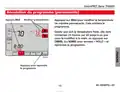
- 53. Visionpro Serie (Th8000 → Contrôle De L'humidité → Programmer Le Degré D'humidité Désiré → Sauvegarder Et Quitter)
- 54. Saisissez Le Thermostat Et Tirez-le Pour Le Sortir De La Plaque (Les Piles Sont Facultatives (pour Fournir Une Alimentation De Secours) Si Le Thermostat A Été Câblé Pour Fonctionner Sur Secteur Lors De Linstallation. → Montez Des Piles Neuves Dès Que Lavertissement Lo Batt Commence À Clignoter. → Lavertissement Clignote Environ 30 Jours Avant Que Les Piles Soient Complètement À Plat. → Il Est Conseillé De Changer Les Piles Une Fois Par An Ou Avant De Sabsenter Pendant Plus Dun Mois. → Posez 3 Piles Alcalines Aaa Neuves.)
- 55. Visionpro Serie (Fonction → Réglage)
- 56. Mode Demploi (Programmation De Lannée (deux Premiers Chiffres) → Programmation De Lannée (deux Derniers Chiffres) → Programmation Du Mois → Programmation De La Date)
- 57. Visionpro Serie (Programmation Marche/arrêt → Format De Température (f/c) → Changement Horaire Été/hiver)
- 58. Rappel De Changement Du Filtre De La Chaudière (Fonction → Rappel De Changement Du Tampon De Lhumidificateur)
- 59. Visionpro Serie (Fonctions Évoluées → Rappel De Changement De La Lampe Uv → Plages Du Programme → Format De Lhorloge → Verrouillage De Lécran)
- 60. Si Vous Rencontrez Des Difficultés Avec Votre Thermostat, Veuillez Essayer Les Suggestions Ci-dessous. La Plupart Des Problèmes Se Corrigent…
- 61. Visionpro Serie (Le Chauffage Ou La Climatisation Ne Réagit Pas. → Vérifiez Le Disjoncteur Et Le Réenclencher Si Nécessaire. → Vérifiez Que Le Commutateur Dalimentation Du Système De Chauffage Et De Climatisation Est En Marche. → Si Wait Est Affiché, Le Minuteur De Protection Du Compresseur Est En Marche. → Il Sagit Là Du Mode De Fonctionnement Normal.)
- 62. Capteurs À Distance En Option (certains Modèles Haut De Gamme) (Température Intérieure → Température Extérieure)
- 63. Visionpro Serie (Garantie Limitée De 5 Ans → Conditions De La Garantie → Exclusions De La Garantie → Droits Du Consommateur → Contact Pour Questions Concernant La Garantie)
- 64. Solutions De Régulation Et Dautomatisation (Honeywell International Inc. → Honeywell Limited-honeywell Limitée → Brevet Américain N . 6595430, D509151 Et Autres Brevets En Instance)
- 65. Termostato Programable Con Pantalla Activada Por Tacto
- 66. Tenga Cuidado! (Este Manual Cubre Los Siguientes Modelos → Necesita Ayuda? → Lea Y Conserve Estas Instrucciones)
- 67. Acerca De Su Nuevo Termostato (Funciones Del Termostato → Programación A Simple Vista → Referencia Rápida De Los Controles → Funciones Avanzadas → En Caso De Dificultades → Garantía Limitada)
- 68. Acerca De Su Nuevo Termostato (Funciones)
- 69. Visionpro Serie (Ajuste La Hora → Seleccione El Ajuste Del Ventilador → Seleccione El Ajuste Del Sistema → Horarios De Programas → Control De Temp. De Un Sólo Toque)
- 70. Referencia Rápida De Los Controles (Ajustar El Horario De Programa → Configuración De Temperatura → Funcionamiento Del Ventilador → Tipo De Sistema → Ajustar El Reloj → Bloquear El Teclado)
- 71. Visionpro Serie (Referencia Rápida De La Pantalla → Ajuste De Temperatura → Ajustes Del Ventilador → Ajustes Del Sistema → Otros Mensajes De Pantalla)
- 72. Manual De Uso (Ajuste Del Reloj → Nota: El Reloj De Hora-real No Debería Requerir Ajuste Nunca Ya Que Se Actualiza Automáticamente De Acuerdo Al Horario De Ahorro De Energía Diurno.)
- 73. Visionpro Serie (Ajustes Del Ventilador → On → Auto → Circ → Puede Presionar El Botón Fan)
- 74. Manual De Uso (Ajustes Del Sistema → Heat → Cool → Off → Auto → Em Heat)
- 75. Visionpro Serie (Ahorre Dinero Con El Ajuste De Los Horarios De Programas → Wake → Leave → Return → Sleep)
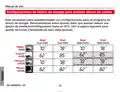
- 76. Configuraciones De Ahorro De Energía Para Máximo Ahorro De Costos (Este Termostato Viene Predeterminado Con Configuraciones Para Un Programa De)
- 77. Visionpro Serie (Para Ajustar Los Horarios De Programas → Seleccione Día(s) → Ajuste La Hora De Comienzo Del Período De Programa)
- 78. Anulación (temporaria) De Horario De Programas (Ajuste La Temperatura → Hold Temperature)
- 79. Visionpro Serie (Anulación (permanente) De Horario De Programas → Ajuste La Temperatura → Permanent Hold)
- 80. Suspensión Por Vacaciones (Fije La Temperatura → Cualquier Temperatura Que Fije Se Mantendrá → Si Usted Regresa Antes De Lo Previsto)
- 81. Visionpro Serie (Funciones Especiales → Cambio Automático → Adaptive Intelligent Recovery → Protección Del Compresor)
- 82. Bloqueo De Pantalla (Screen Locked → Funciones Avanzadas)
- 83. Visionpro Serie (Limpieza De Pantalla → Temporizador De Bloqueo De Pantalla)
- 84. Manual De Uso (Visualización De Nivel De Humedad (modelos Seleccionados) → Nivel De Humedad Interior)
- 85. Visionpro Serie (Control De Deshumidificación (modelos Seleccionados) → El Termostato Controla La Humedad. → Oprima Para Fijar La Humedad Deseada → Oprima Done Para Guardar Y Salir)
- 86. Reemplazo De Baterías
- 87. Visionpro Serie (Funciones Avanzadas → Ajuste)
- 88. Manual De Uso (Funciones Avanzadas → Ajuste De Año (primeros Dos Dígitos) → Ajuste De Año (segundos Dos Dígitos) → Ajuste De Mes → Ajuste De Fecha)
- 89. Visionpro Serie (Funciones Avanzadas → Horario De Programas On/off → Formato De Temperatura (f/c) → Horario De Ahorro De Energía On/off)
- 90. Funciones Avanzadas (Recordatorio De Cambio De Filtro De La Estufa → Recordatorio De Cambio De Paño Del Humidificador)
- 91. Visionpro Serie (Funciones Avanzadas → Recordatorio De Cambio De Lámpara Uv → Períodos De Horario De Programas → Formato De Reloj → Bloqueo De Pantalla)
- 92. En Caso De Dificultades (Pantalla En Blanco → No Responde Cuando Se Oprimen Las Teclas (o La Temperatura No Cambia) → La Iluminación Posterior Es Muy Débil)
- 93. Visionpro Serie (En Caso De Dificultades → No Responde → El Sistema De Calefacción O De Refrigeración)
- 94. Manual De Uso (Sensores Remotos Opcionales (modelos Seleccionados) → Si Hay Un Sensor Exterior Instalado, Se)
- 95. Visionpro Serie (Garantía Limitada De 5 Años → Si El Producto Es Defectuoso → Esta Garantía No Cubre Los Costos De Remoción O Reinstalación → Honeywell No Será Responsable Por Ninguna Pérdida Ni Daños → Ésta Es La Única Garantía Expresa De Honeywell → Derechos Legales Específicos)
- 96. Automatización Y Control Desenlace (Honeywell International Inc. → Copyright 2011 Honeywell International Inc. → Patente En Ee.uu: Nº 6595430, D509151 Y Otras Patentes Pendientes.)
×
Honeywell TH8000 VisionPro WiFi Thermostat Instruction Manual
®
VisionPRO Serie TH8000
Para ajustar los horarios de programas
Oprima SCHED
1. Oprima SCHED, luego EDIT.
SCHED
HOLD
CLOCK SCREEN MORE
2. Oprima los botones de los días (MON-SUN)
para seleccionar los días.
M29350
3. Oprima s o t para fijar el horario en que
Oprima EDIT
se despierta en los días seleccionados.
4. Oprima s o t para fijar la temperatura
de calefacción y refrigeración para este
período.
5. Oprima otros períodos (LEAVE, RETURN,
SLEEP) para fijar el horario y la temperatura
de cada uno.
6. Oprima DONE para guardar y salir (u
oprima CANCEL para salir sin guardar los
cambios).
DONE
EDIT
WAKE
LEAVE RETURN SLEEP CANCEL
Seleccione
día(s)
Seleccione niveles Md2e93h51eat/
cool
MON
TUE
WED
THU
FRI
SAT
SUN
OK TO PICK MULTIPLE DAYS
FAN
AUTO
HEAT
70
CANCEL
PERIOD
Nota: Puede oprimir CANCEL PERIOD para eliminar
cualquier período que no desee.
AM
COOL
78
6:00
Nota: Oprima FAN para personalizar los ajustes del
ventilador en cualquier período (ver página 7).
DONE
WAKE
LEAVE RETURN SLEEP CANCEL
M29352
Ajuste la hora de comienzo del
período de programa
69-1894EFS—03
11
| General | Details |
|---|---|
| Name | Honeywell TH8000 VisionPro WiFi Thermostat Instruction Manual |
| Make | Honeywell |
| Language | English |
| Filetype | PDF (Download) |
| File size | 0.58 MB |

Honeywell T6 Pro Programmable Thermostat User Manual

Honeywell D1-528 Direct Thermostat Installation Guide

Honeywell FocusPRO P200 Programmable Thermostat User Guide

Honeywell RCHT8610WF Series Smart Thermostat Installation Guide

Honeywell T9 Smart Thermostat Installation Guide

Honeywell TH2320WF4011 FocusPRO Smart S200 Series Thermostat User Guide

Honeywell TL116A Thermostat Installation Guide

T10 Pro Smart Thermostat with Redlink Room Sensor

Honeywell TH6320WF2003 Lyric T6 Pro Wi-Fi Programmable Thermostat User Guide

Honeywell RTH9580 Wi-Fi Color Touchscreen Programmable Thermostat User Guide


EMERSON Programmable Touchscreen Thermostat Setup in E2 and Site Supervisor User Guide

BEOK TS4 Series Wi-Fi Touch Screen Thermostat User Manual

DELTA 8000 Heating Thermostat Instructions

TOUPWELL TP808 WiFi Low Voltage Thermostat User Guide

STELPRO STE241 Low Voltage 24V Electronic Thermostat User Guide

WARMZONE BR1015A07 WZ Touch Thermostat User Guide

Vine Smart Wi-Fi Thermostat with Nightlight TJ-225 User Guide

hawco AC2-5 Two Stage Thermostat Instruction Manual

STELPRO ST402PFF Programmable Electronic Thermostat Owner’s Manual

Honeywell Home T3 Pro Non-Programmable Thermostat User Manual
Table of Contents
- 1. Operating Manual - Visionpro Th8000 Series →
- 2. Be Careful! - This Manual Covers The Following Models →
- 3. About Your New Thermostat - Thermostat Features →
- 4. About Your New Thermostat - Features →
- 5. Visionpro Th8000 Series - Set Clock →
- 6. Operating Manual - Quick Reference To Controls →
- 7. Visionpro Th8000 Series - Quick Reference To Status Display →
- 8. Operating Manual - Clock Setting →
- 9. Visionpro Th8000 Series - Fan Setting →
- 10. Operating Manual - System Setting →
- 11. Visionpro Th8000 Series - Save Money By Setting Program Sche... →
- 12. Energy-saving Settings For Maximum Cost Savings - Adjusting ... →
- 13. Visionpro Th8000 Series - To Adjust Program Schedules →
- 14. Operating Manual - Program Schedule Override (temporary) →
- 15. Program Schedule Override (permanent) - Adjust Temperature →
- 16. Operating Manual - Vacation Hold →
- 17. Visionpro Th8000 Series - Special Features →
- 18. Operating Manual - Screen Lock →
- 19. Visionpro Th8000 Series - Screen Cleaning →
- 20. Operating Manual - Select Models Can Display The Current Ind... →
- 21. Visionpro Th8000 Series - Humidity →
- 22. Operating Manual - Batteries →
- 23. Visionpro Th8000 Series - Function →
- 24. Operating Manual - Year Setting (first Two Digits) →
- 25. Visionpro Th8000 Series - Advanced Functions →
- 26. Furnace Filter Change Reminder - Humidifier Pad Change Remin... →
- 27. Visionpro Th8000 Series - Advanced Functions →
- 28. Operating Manual - In Case Of Difficulty →
- 29. Visionpro Th8000 Series - In Case Of Difficulty →
- 30. Operating Manual - Optional Remote Sensors (select Models) →
- 31. Visionpro Th8000 Series - Year Limited Warranty →
- 32. Automation And Control Solutions - Honeywell International I... →
- 33. Visionpro Série Th8000 - Thermostat Programmable À Écran Tac... →
- 34. A T T E N T I O N ! - Modèles De Thermostat →
- 35. À Propos De Votre Nouveau Thermostat - Caractéristiques Du T... →
- 36. À Propos De Votre Thermostat - Caractéristiques →
- 37. Réglage De L'horloge - Sélection De La Configuration Du Vent... →
- 38. Mode Demploi - Configuration Du Ventilateur →
- 39. Visionpro Serie - Réglage De La Température →
- 40. Mode Demploi - Appuyez Sur Clock →
- 41. Visionpro Serie - Mode De Fonctionnement Du Ventilateur →
- 42. Mode Demploi - Fonctionnement →
- 43. Visionpro Serie - Th8000 →
- 44. Réglages Déconomie Dénergie Pour Des Économies Dénergie Maxi... →
- 45. Visionpro Serie - Pour Modifier Le Programme →
- 46. Annulation De La Programmation (momentanée) - Réglez La Temp... →
- 47. Visionpro Serie - Annulation Du Programme (permanente) →
- 48. Mode Demploi - Suspension Vacances →
- 49. Visionpro Serie - Fonctions Spéciales →
- 50. Verrouillage De Lécran - Following Schedule →
- 51. Visionpro Serie - Nettoyage De Lécran →
- 52. Mode Demploi - Degré Dhumidité Intérieure →
- 53. Visionpro Serie - Th8000 →
- 54. Saisissez Le Thermostat Et Tirez-le Pour Le Sortir De La Pla... →
- 55. Visionpro Serie - Fonction →
- 56. Mode Demploi - Programmation De Lannée (deux Premiers Chiffr... →
- 57. Visionpro Serie - Programmation Marche/arrêt →
- 58. Rappel De Changement Du Filtre De La Chaudière - Fonction →
- 59. Visionpro Serie - Fonctions Évoluées →
- 60. Si Vous Rencontrez Des Difficultés Avec Votre Thermostat, Ve... →
- 61. Visionpro Serie - Le Chauffage Ou La Climatisation Ne Réagit... →
- 62. Capteurs À Distance En Option (certains Modèles Haut De Gamm... →
- 63. Visionpro Serie - Garantie Limitée De 5 Ans →
- 64. Solutions De Régulation Et Dautomatisation - Honeywell Inter... →
- 65. Termostato Programable Con Pantalla Activada Por Tacto →
- 66. Tenga Cuidado! - Este Manual Cubre Los Siguientes Modelos →
- 67. Acerca De Su Nuevo Termostato - Funciones Del Termostato →
- 68. Acerca De Su Nuevo Termostato - Funciones →
- 69. Visionpro Serie - Ajuste La Hora →
- 70. Referencia Rápida De Los Controles - Ajustar El Horario De P... →
- 71. Visionpro Serie - Referencia Rápida De La Pantalla →
- 72. Manual De Uso - Ajuste Del Reloj →
- 73. Visionpro Serie - Ajustes Del Ventilador →
- 74. Manual De Uso - Ajustes Del Sistema →
- 75. Visionpro Serie - Ahorre Dinero Con El Ajuste De Los Horario... →
- 76. Configuraciones De Ahorro De Energía Para Máximo Ahorro De C... →
- 77. Visionpro Serie - Para Ajustar Los Horarios De Programas →
- 78. Anulación (temporaria) De Horario De Programas - Ajuste La T... →
- 79. Visionpro Serie - Anulación (permanente) De Horario De Progr... →
- 80. Suspensión Por Vacaciones - Fije La Temperatura →
- 81. Visionpro Serie - Funciones Especiales →
- 82. Bloqueo De Pantalla - Screen Locked →
- 83. Visionpro Serie - Limpieza De Pantalla →
- 84. Manual De Uso - Visualización De Nivel De Humedad (modelos S... →
- 85. Visionpro Serie - Control De Deshumidificación (modelos Sele... →
- 86. Reemplazo De Baterías →
- 87. Visionpro Serie - Funciones Avanzadas →
- 88. Manual De Uso - Funciones Avanzadas →
- 89. Visionpro Serie - Funciones Avanzadas →
- 90. Funciones Avanzadas - Recordatorio De Cambio De Filtro De La... →
- 91. Visionpro Serie - Funciones Avanzadas →
- 92. En Caso De Dificultades - Pantalla En Blanco →
- 93. Visionpro Serie - En Caso De Dificultades →
- 94. Manual De Uso - Sensores Remotos Opcionales (modelos Selecci... →
- 95. Visionpro Serie - Garantía Limitada De 5 Años →
- 96. Automatización Y Control Desenlace - Honeywell International... →