
ECOSTAR AC7300 WiFi Programmable Thermostat User Guide

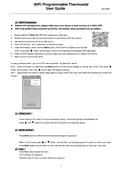



WiFi Programmable Thermostat
User Guide
AC7300
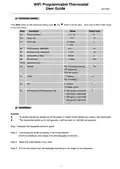
Parameter setting
Press Menu button to enter parameter setting, press
and
button to set the value. Each press of Menu button will go
to next item setting.
Menu
01
Description
Temp. calibration
Temp. unit
Range
-8 ℃ ~8 ℃
°F/℃
Default Value
0℃
°F
0
02
05
Child Lock
0: Unlock
1: Lock
06
07
08
09
1st stage temp. differential
2nd stage temp. differential
Compressor on delay
Fan off delay
0-3℃
0℃
3℃
4
1~10℃
0-9min
0-3min
1min
18/19 Software version
30
Outdoor
AC--Conventional cooling
HP--Heat pump
AC
AC0--No cooling
31
Indoor
H--Heating
H
H0--No heating
32
33
Fan
F--Furnace
F
0
F0--Boiler, no fan
O/B reversing valve(heat pump only)
0--OB signal=0; cool mode
OB signal=1; heat mode
1--OB signal=1; cool mode
OB signal=0; heat mode
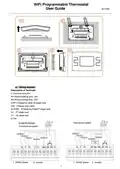
Installation
Caution:
⚫
⚫
To protect the device, please cut off the power of master switch before you install a new thermostat.
This thermostat works on 24 volt systems, it will not work on 120/240 volt systems.
Step 1 Separate the baseplate and front panel.
Step 2 Connecting the wires according to the wiring diagram.
Use the screwdriver and screws to fix the baseplate on the wall. .
Step 3 Install the 2xAA battery if you need.
Step 4 Put the front panel onto the baseplate according to the snaps on the baseplate.
4

| General | Details |
|---|---|
| Name | ECOSTAR AC7300 WiFi Programmable Thermostat User Guide |
| Make | ECOSTAR |
| Language | English |
| Filetype | PDF (Download) |
| File size | 0.22 MB |
 (1 votes, average: 5.00 out of 5)
 Loading...


ECOSTAR AC603H WIFI Thermostat User Guide


Aprilaire S86N MUPR Multi Stage Universal Thermostat Owner’s Manual

TPI KT Series Line Voltage Thermostat Instruction Manual

emerald AC Link Smart Thermostat Owner’s Manual

Honeywell Lyric Thermostat THP2400A1019 Installation Guide

DIGITEN DTC-101, DTC-151 Thermostat User Manual

UNDERFLOOR HEATING WORLD UT5 Touch Screen Thermostat Instruction Manual

Honeywell T6 Pro Programmable Thermostat User Manual

ADAX 62208 WiFi Thermostat User Guide

homematic IP TRV-E-A Monday Radiator Thermostat Instruction Manual

EBERLE UTE 1002-55, UTE 1002-50 Flush Mounted Room Thermostat Instructions