×
- 1. Wireless Programmable Thermostat
- 2. Installation (Description → Wireless Association → Configuration → Setting The Clock → Setting The Temperatures → Defining The Comfort Setting)
- 3. Defining The Economy Setting (Defining The Frost Protection Setting → Behavioural Indicator → Programming → Auto Mode → 'party' Mode → Absence Mode)
- 4. Installation (Place The Thermostat)
- 5. Description (Auto Mode → Comfort Mode → Economy Mode → Temperature Setting → Frost Protection Mode → Date And Time Setting/programming → Shutdown Mode)
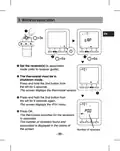
- 6. Wireless Association (Set The Receiver(s) To Association Mode → The Thermostat Must Be In Shutdown Mode → Press And Hold The 2nd Button From The Left → The Screen Displays The Thermostat Version → The Thermostat Searches For The Receivers To Associate → Number Of Receivers)
- 7. Configuration (Cf01 - Correcting The Temperature Measured → Cf02 - Temperature Displayed In Auto Mode)
- 8. Cf04 - Control Type (Cf05 - Energy Saving Mode → Cf06 - On/off Button Display In Standby Mode → Cf07 - Backlighting)
- 9. Configuration (Cf08 - Opening Detection Function → Cf09 - Presence Detection Function → Cf10 - Value Of The Max. Comfort Setting → Cf11 - Programming Format)
- 10. Cf12 - Time Display Format (Cf13 - Automatic Change To Summer/winter Time → Cf15 - Display Of The Symbol → Cf16 - Display Of The Symbol (heating Request))
- 11. Configuration (Cf17 - Display Of The Symbol → Cf18 - Display Of The Consumption)
- 12. Setting The Clock
- 13. Setting The Temperatures (settings) (Defining The Comfort Setting → Defining The Economy Setting → Defining The Frost Protection Setting)
- 14. Behavioural Indicator (When The Settings Are Adjusted, Depending On The Thermostat Model, The Colour Of The Screen Changes Or An Indicator Is Displayed According To The Selected Temperature.)
- 15. Programming
- 16. Programmable Period (Setting Assigned To The Period → Press Ok To Validate And Go To The Next Day → Pressing Ok For 3 Seconds Confirms The Program And Copies It Over To The Next Day (copy Function) → Start Again For Each Day Of The Week)
- 17. Auto Mode (Absence Mode → Party Mode → Frost Protection → Presence Detection → Heating Request → Temperature Measured)
- 18. 'party' Mode
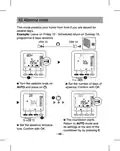
- 19. Absence Mode (Set The Number Of Days Of Absence → Return To Auto Mode → Set The Absence Temperature)
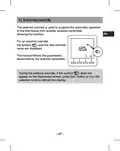
- 20. External Override
- 21. Information Button
- 22. Locking Access To The Settings (Off Mode)
- 23. Return To Initial Settings (Automatic Reset Of Parameters To Factory Setting)
- 24. Initialisation Of All The Parameters
- 25. Remove The Wireless Association
- 26. Changing The Batteries (Troubleshooting)
- 27. Technical Characteristics (Power → Class Iii Insulation → Mhz Transmission Frequency → Wireless Remote Control Device → Dimensions → Protection Index → Storage Temperature)
- 28. Installatie (Omschrijving → Radioverbinding → Configuratie → Instelling Van De Klok → Instellen Van De Gewenste Temperaturen)
- 29. Economy-instelpunt Instellen (Antivries-instelpunt Instellen → Gedragindicator → Programmering → Automatische Modus → 'party' Modus → Afwezigheidsmodus)
- 30. Installatie (Plaats De Thermostaat → Belangrijk)
- 31. Omschrijving (Automatische Modus → Comfortmodus → Temperatuur-instelling → Spaarmodus → Antivriesmodus → Instelling Datum En Uur / Programmering)
- 32. Radioverbinding (Aantal Ontvangers)
- 33. Configuratie (Cf01 - Correctie Van De Gemeten Temperatuur → Cf02 - Temperatuur Weergegeven In De Modus Auto)
- 34. Exit (Cf04 - Type Instelling → Cf05 - Energiebesparende Modus → Cf06 - Weergave Van Toets On/off In De Standby-modus → Cf07 - Achtergrondverlichting)
- 35. Configuratie (Cf08 - De Functie Detectie Opening → Cf09 - De Functie Aanwezigheidsdetectie → Cf10 - Waarde Van Instelpunt Comfort Max → Cf11 - Formaat Van Programmering)
- 36. Cf12 - Tijdnotatie (Cf13 - Automatische Omschakeling Zomertijd/wintertijd → Cf15 - Weergave Van Symbool → Cf16 - Weergave Van Symbool (warmtevraag))
- 37. Configuratie (Cf17 - Weergave Van Symbool → Cf18 - Weergave Van Verbruik)
- 38. Instelling Van De Klok (Stel Het Uur In → Stel De Minuten In → Stel De Dag In → Stel De Maand In → Stel Het Jaar In)
- 39. Instellen Van De Gewenste Temperaturen (Comfort-instelpunt Instellen → Economy-instelpunt Instellen → Antivries-instelpunt Instellen)
- 40. Gedragindicator (Instelpunten → Kleur Van De Display → Indicatoren → Temperatuurinstellingen → Achtergrondverlichting)
- 41. Programmering (Comfortperiodes Instellen → Voorbeeld: Comfort Van 6.00 Tot 8.00 Uur En Van 17.00 Tot 23.00 Uur → De Programmering Kan Worden Gedaan In 1 Uur Of 1/2 Uur)
- 42. Programmeerbare Periode (Begin Opnieuw Voor Elke Dag Van De Week)
- 43. Automatische Modus (Afwezigheidsmodus → Detectie Venster Open → Afwezigheidsdetectie → Verwarming Vorstbeveiliging → Party-modus → Draadloze Transmissie)
- 44. 'party' Modus (Via De 'party'-modus Kan U Het Automatisch Programma Tijdelijk Opschorten Door Een Gekozen Insteltemperatuur Te Hanteren Voor Een Geprogrammeerde Periode (van 30 Minuten Tot 12 Uur).)
- 45. Afwezigheidsmodus (Voorbeeld → Draai De Knop Naar Auto → Stel Het Aantal Dagen Afwezigheid In → Het Aftellen Begint → Terugkeer Naar De Modus Auto → Stel De Temperatuur Bij Afwezigheid In)
- 46. Externe Afwijking
- 47. Informatietoets (Gemeten Temperatuur Of Huidige Insteltemperatuur → Buitentemperatuur → Totaal Verbruik Van De Gekoppelde Verwarmingselementen → Resetten Van De Teller)
- 48. Toegang Tot Instellingen Vergrendelen (Modus 'uit')
- 49. Terugkeren Naar Fabrieksinstellingen (Automatisch Herstel Van De Oorspronkelijke Instellingen)
- 50. Alle Instellingen Herstellen (In Deze Modus Worden Alle Configuratie-instellingen, Instellingen, Programmering Hersteld. Alleen De Datum En Het Uur Worden Behouden.)
- 51. De Draadloze Verbinding Verwijderen
- 52. Vervangen Van De Batterij (Ondersteuning)
- 53. Technische Kenmerken (Vermogen Afhankelijk Van Het Model → Klasse Iii Isolatie → Emissiefrequentie 868 Mhz → Radiogestuurde Afstandsbediening → Afmetingen → Beschermingsindex)
- 54.
×
Dimplex X3D Wireless Programmable Thermostat Instruction Manual
6.4 Behavioural indicator
When the settings are adjusted, depending on the thermostat
model, the colour of the screen changes or an indicator is dis-
played according to the selected temperature.
EN
OR
Green up to 19°C (reduced consumption)
Orange from19.5°C to 24°C (average consumption)
Red from 24.5°C to max. comfort (High consumption)
To benefit from this function, according to the thermostat
model, activate the backlighting function (CF05).
- 41 -
| General | Details |
|---|---|
| Name | Dimplex X3D Wireless Programmable Thermostat Instruction Manual |
| Make | Dimplex |
| Language | English |
| Filetype | PDF (Download) |
| File size | 1.65 MB |

DIMPLEX ML2TA 2KW Convector Heater With Thermostat Instruction Manual

Dimplex DWT431W Non-Programmable Thermostat 4000W Owner’s Manual


Honeywell FocusPRO TH5000 Series Non-Programmable Digital Thermostat Instruction Manual

thermokon JOY SR 5DO Electronic Fancoil Thermostat User Guide

BUDDERFLY BTS-U1 Thermostat User Manual

Honeywell D1-528 Direct Thermostat Installation Guide

ENSTO ECO10BTW-J Floor Heating Thermostat Instruction Manual

Honeywell RTH7500D Programmable Thermostat Owner’s Manual

Milesight WT101 Smart Radiator Thermostat User Guide
COMPUTHERM Q5RF Multi Zone Wireless Digital Room Thermostat Instruction Manual

GENERAL LIFE MITRA 250S Digital Room Thermostat User Manual

FC610 Bandary Smart Thermostat Owner’s Manual
Table of Contents
- 1. Wireless Programmable Thermostat →
- 2. Installation - Description →
- 3. Defining The Economy Setting - Defining The Frost Protection S... →
- 4. Installation - Place The Thermostat →
- 5. Description - Auto Mode →
- 6. Wireless Association - Set The Receiver(s) To Association Mo... →
- 7. Configuration - Cf01 - Correcting The Temperature Measured →
- 8. Cf04 - Control Type - Cf05 - Energy Saving Mode →
- 9. Configuration - Cf08 - Opening Detection Function →
- 10. Cf12 - Time Display Format - Cf13 - Automatic Change To Summ... →
- 11. Configuration - Cf17 - Display Of The Symbol →
- 12. Setting The Clock →
- 13. Setting The Temperatures (settings) - Defining The Comfort S... →
- 14. Behavioural Indicator - When The Settings Are Adjusted, Depe... →
- 15. Programming →
- 16. Programmable Period - Setting Assigned To The Period →
- 17. Auto Mode - Absence Mode →
- 18. 'party' Mode →
- 19. Absence Mode - Set The Number Of Days Of Absence →
- 20. External Override →
- 21. Information Button →
- 22. Locking Access To The Settings - Off Mode →
- 23. Return To Initial Settings - Automatic Reset Of Parameters T... →
- 24. Initialisation Of All The Parameters →
- 25. Remove The Wireless Association →
- 26. Changing The Batteries - Troubleshooting →
- 27. Technical Characteristics - Power →
- 28. Installatie - Omschrijving →
- 29. Economy-instelpunt Instellen - Antivries-instelpunt Instelle... →
- 30. Installatie - Plaats De Thermostaat →
- 31. Omschrijving - Automatische Modus →
- 32. Radioverbinding - Aantal Ontvangers →
- 33. Configuratie - Cf01 - Correctie Van De Gemeten Temperatuur →
- 34. Exit - Cf04 - Type Instelling →
- 35. Configuratie - Cf08 - De Functie Detectie Opening →
- 36. Cf12 - Tijdnotatie - Cf13 - Automatische Omschakeling Zomert... →
- 37. Configuratie - Cf17 - Weergave Van Symbool →
- 38. Instelling Van De Klok - Stel Het Uur In →
- 39. Instellen Van De Gewenste Temperaturen - Comfort-instelpunt ... →
- 40. Gedragindicator - Instelpunten →
- 41. Programmering - Comfortperiodes Instellen →
- 42. Programmeerbare Periode - Begin Opnieuw Voor Elke Dag Van De... →
- 43. Automatische Modus - Afwezigheidsmodus →
- 44. 'party' Modus - Via De 'party'-modus Kan U Het Automatisch P... →
- 45. Afwezigheidsmodus - Voorbeeld →
- 46. Externe Afwijking →
- 47. Informatietoets - Gemeten Temperatuur Of Huidige Insteltempe... →
- 48. Toegang Tot Instellingen Vergrendelen - Modus 'uit' →
- 49. Terugkeren Naar Fabrieksinstellingen - Automatisch Herstel V... →
- 50. Alle Instellingen Herstellen - In Deze Modus Worden Alle Con... →
- 51. De Draadloze Verbinding Verwijderen →
- 52. Vervangen Van De Batterij - Ondersteuning →
- 53. Technische Kenmerken - Vermogen Afhankelijk Van Het Model →
- 54. Page 54 →